
The Definitive Guide to Restaurant POS Systems
This guide to POS for restaurants covers what operators need to know, from what a restaurant POS system is and how much it costs, to the features that matter and how to choose the right fit.
Author
 RESOURCE
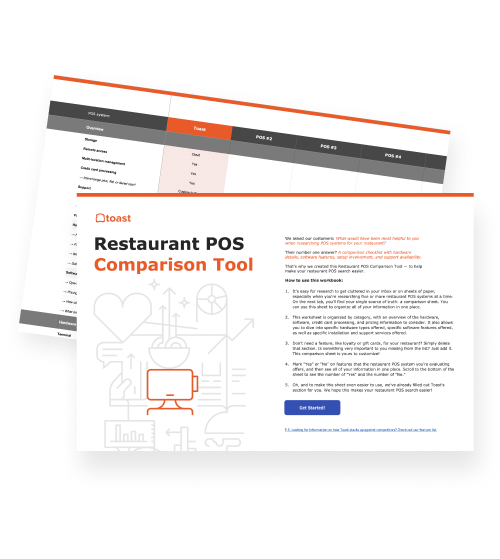
 Restaurant POS Comparison Tool
A free, customizable Restaurant POS Comparison Tool to research and compare point of sale systems in one Excel spreadsheet.
Get Free DownloadOn a packed Friday night, one system is behind every ticket on the rail, every card tap at the table, and every clock-in before the rush: the restaurant POS. This guide to POS for restaurants covers what operators need to know, from what a restaurant POS system is and how much it costs, to the features that matter and how to choose the right fit.
Key takeaways
A restaurant POS (point of sale) system combines software and hardware to take orders, process payments, and connect the front of house, kitchen, and back office.
The main types of POS systems are cloud-based, legacy, hybrid, tablet or mobile, self-service kiosk, and countertop terminal systems. Most restaurants run one platform across several types of hardware.
Core features include order management, payment processing, kitchen display systems, inventory tracking, staff management, reporting, and loyalty.
Costs can vary based on software, hardware, payment processing, installation, and add-ons, so it’s important to evaluate both total cost and monthly price.
The right system should fit your restaurant's service model, menu, and growth plans, and should be seen in a live demo before signing.
What is a restaurant POS system?
A restaurant POS (point of sale) system is the combination of software and hardware a restaurant uses to take orders, process payments, and run day-to-day operations. A common POS setup for restaurants includes cloud-based software paired with hardware devices like countertop terminals, handhelds, card readers, and kitchen displays. As the connection point between the front of house, the kitchen, and the back office, POS touches everything from the server's order to the manager's end-of-night report.
Does my restaurant need a POS system?
Almost every restaurant needs a POS system. It’s essential for a restaurant that has more than one way to order (dine-in, takeout, online, or delivery), a kitchen with multiple stations, checks that get split or courses that get paced, or food and labor costs to track against sales. Without a POS system to manage it all, orders are re-entered, closeout is done by hand, and costs become an estimate.
A restaurant might not need a POS system yet if the operation is small enough to be covered by a cash box or standalone card reader (for example, a single-item stand with no staff and no online orders). But once the operation grows, even a basic POS system helps service and operations keep pace.
Do I need both POS software and hardware?
Most restaurants need both, and they work as a pair. The software is where everything lives: transactions, orders, reports, labor, and inventory. The hardware is how everything gets into the software, whether that's a card reader running a payment, a handheld ringing in an order, a time clock logging a shift, or a tablet in the back recording a supplier delivery.
Restaurant Equipment Checklist
Opening or upgrading a restaurant? Don't miss any essential equipment! Download our free, comprehensive restaurant equipment checklist.

What are the main types of POS for restaurants?
Restaurant POS systems are categorized in two ways: by where the software and data live (cloud-based, legacy, or hybrid) and by the hardware used to take orders and payments (tablet or mobile, self-service kiosk, or countertop terminal).
Most restaurants choose one platform and run it across a mix of hardware, like cloud software on countertop terminals at the bar, handhelds on the floor, and kiosks in the lobby.
Type of POS system | What it does | Pros | Cons | Best for |
Cloud-based | Stores data online, accessible from any connected device | Lower upfront cost, remote reporting, automatic updates, scales across locations | Depends on an internet connection, ongoing subscription cost | Multi-location groups, frequent menu changes, lower startup costs |
Legacy (on-site) | Stores data on a local server over a closed network, no internet required | Runs regardless of internet speed; data stays on-premises | High upfront hardware cost, hands-on maintenance, harder to update | Single locations, on-site data storage, slow or unreliable internet |
Hybrid | Runs on local hardware with cloud software, syncing after an outage | Keeps processing during an outage, plus cloud reporting and updates | More hardware to buy and maintain than a cloud-only setup | High-volume service that can't risk a dropped connection |
Tablet or mobile | Takes orders and payments on portable devices | Faster table turns, fewer trips to a station, small hardware footprint | Batteries to charge and track, needs Wi-Fi coverage across the floor | Tableside service, patios, food trucks, pop-ups |
Self-service kiosk | Lets guests order and pay on their own | More ordering points at peak, consistent upsell prompts, staff freed to run food | Upfront hardware and floor space, not a fit for full-service formats | Quick-service, fast casual, predictable rush lines |
Terminal-based / countertop | Fixed register with attached cash drawer and receipt printer | Built for constant use, wired power, fast cash handling | Stationary, so orders come to the station rather than the guest | Counter service, phone orders, fixed stations like the bar and host stand |
Cloud-based POS systems
A cloud-based POS system stores restaurant data on remote servers instead of in-house hardware, so operators can reach it anytime from any device with an internet connection.
Best for: multi-location restaurants, operators who want to check numbers without being on site, restaurants that change their menu often, and groups looking for lower startup costs.
Legacy (on-site) POS systems
A legacy POS system is a traditional model that keeps restaurant data on a physical server inside the location, running on a closed network of hardwired terminals that doesn't require internet access.
Best for: single locations that don't need to push updates across a network, restaurants that want their data stored on-premises, and operators who need their POS to perform even when the internet is slow or unreliable.
Hybrid POS systems
A hybrid POS system pairs local hardware with cloud software, combining the reliability of an on-site system with the flexibility and scale of the cloud.
Best for: high-volume restaurants that want cloud reporting but can't risk a busy rush on their internet connection, including rural locations on slow broadband, buildings with dead spots, and patios the Wi-Fi doesn't reach.
Tablet or mobile POS systems
A tablet or mobile POS system runs on portable devices like tablets or handhelds, so staff can take orders and process payments wherever the guest is, from the table to the food truck window.
Best for: full-service restaurants looking to speed up table turns, restaurants with patios and large floor plans, bars with table service, food trucks, and pop-ups.
Self-service kiosks
A self-service kiosk is a guest-facing touchscreen where customers browse the menu, build their own order, and pay without a staff member ringing it in.
Best for: quick-service and fast-casual restaurants, cafés, and locations with long lines at predictable times that want to free up staff to expedite and run food.
Terminal-based/countertop POS systems
A terminal-based POS system is a permanent register or touchscreen terminal attached to a cash drawer and receipt printer.
Best for: counter-service restaurants where guests order at the register, restaurants that take phone orders, and fixed stations inside full-service restaurants, like the service bar and host stand.
What are the benefits of a POS system for restaurants?
The main benefits of a restaurant POS system are: faster, more accurate service, tighter control over food and labor costs, more repeat guests, better decisions from real-time data, and a platform that can grow with the business. Profitability was named as the top goal among operators in Toast's 2026 Voice of the Restaurant Industry survey — here’s how a POS system supports that mission.
Faster service with fewer mistakes
When orders go straight from the table or counter to the kitchen display, nothing gets re-keyed or lost between the floor and the line. Guests pay at the table instead of waiting on a check, and tables turn without anyone rushing. Across a few hundred covers, those saved steps add up.
Tighter control over food costs
Inflation is now the challenge operators name most, cited by 27% of survey participants — up seven points from the year before. A POS system that ties sales to inventory and supplier invoices shows what each plate actually costs, so price increases show up in the numbers before they show up in the margins.
Restaurant Profit Margin Calculator
Use this free Restaurant Profit Margin Calculator to see how efficiently you turn sales dollars into profits.
Smarter labor decisions
Hiring ranks right behind inflation as operators' second-biggest challenge at 22%, and 48% plan to keep staffing steady over the next year — which makes the team already in place more valuable than ever. With scheduling, time tracking, and tips in the same system as sales, managers can staff to the real rush and see labor as a share of sales while the week is still happening.
More repeat guests
A POS system with built-in loyalty recognizes regulars at the point of sale and gives them a reason to come back. Loyalty program enrollment can shift the return rate from 7% to nearly 30%.
Better decisions from real-time data
Sales by daypart, top sellers, menu performance, and labor costs are available from any device, not just the back-office computer. That turns menu changes, pricing, and scheduling from educated guesses into decisions backed by the restaurant's own numbers.
A platform that grows with the business
Bringing in more guests is operators' top revenue focus. A POS system that already supports online ordering, marketing, additional devices, and new locations can grow alongside that plan instead of needing to be replaced when the business expands.
Restaurant Business Plan Template
No matter where you’re at in your restaurant ownership journey, a business plan will be your north star. Organize your vision and ensure that nothing is overlooked with this free template.
What are the key features of a restaurant POS system?
A restaurant POS system combines front of house features (like order management and payment processing) with back-of-house features (like kitchen display systems and inventory management), plus back-office tools for reporting, loyalty, marketing, and AI.
The right mix depends on your restaurant's service model. For example, a counter-service café needs different tools than a 200-seat dining room. Most restaurants start with the essentials (order management, payment processing, and reporting) and add features as their needs grow.
Here are the most common features of a restaurant POS system, grouped by where they show up in a restaurant.
Front of house features
These are the features guests see, and floor staff use every shift.
Order management: staff ring in orders, add modifiers for substitutions and dietary needs, fire courses in sequence, and split or merge checks. Dine-in, takeout, and delivery are handled as separate order types, so nobody's inventing workarounds mid-rush.
Payment processing: built-in processing takes contactless cards, chip cards, mobile wallets, cash, and gift cards, plus split payments across multiple methods. Refunds, voids, and store credit all run through the same system.
Contactless ordering and payment: guests order and pay from a QR code at the table, a kiosk in the lobby, or their own phone, without waiting for a server or a register. With roughly 75% of all restaurant traffic now happening off-premises, digital ordering has become a core feature rather than a nice-to-have.
Tableside and mobile POS: handheld devices let staff take orders and run payment right on the floor. Orders fire to the kitchen from the table, and the card never leaves the guest's hand.
Table and reservation management: hosts get a visual floor plan, track which tables are open, assign seating, and manage reservations and waitlists against real table status instead of a paper book.
Back-of-house features
These connect the order to the kitchen and track what it costs to make.
Kitchen display systems (KDS): a kitchen display system swaps paper tickets for screens in the kitchen or at the bar. Orders route to the right station, and timers show how long a ticket has been up. No printer to jam, no handwriting to decode at 8 p.m.
Inventory management and tracking: stock levels adjust automatically as items sell, with alerts when something hits a set threshold. Paired with invoice data, inventory management features connect what an ingredient costs to what a plate costs.
Staff management: scheduling, time-card tracking, tip handling, role-based permissions, and payroll prep all live in the POS system. Individual logins tie every transaction, void, and discount back to a person.
Back-office and growth features
These are the features managers use after the doors close, and the ones that shape where the business goes next.
Reporting and analytics: built-in reports cover sales trends, top-selling menu items, labor costs, peak business hours, and payment method breakdowns. Cloud-based systems make them available from any device.
Loyalty and customer relationship management (CRM): guest data, purchase history, and rewards programs run off the guest insights and ordering preferences captured through the POS system, so regulars get recognized at the point of sale. Among restaurants using these tools, 86% of email orders and 83% of SMS orders come from repeat guests.
Marketing features: email campaigns, SMS, gift cards, and promotions run off the guest data the POS system already collects, which means restaurant marketing campaigns reach people who have actually ordered before.
Cloud access and integrations. Cloud access for a POS system means running one location (or twenty) from any connected device. Integrations connect the POS system to accounting software, online ordering, delivery platforms, reservation tools, and payroll, so those systems share data instead of requiring double entry.
AI features: AI tools in restaurants can analyze data, automate routine work, and speed up decisions across reporting, forecasting, marketing, menu management, labor planning, and more. In Toast's 2026 Voice of the Restaurant Industry survey, 87% of operators said they feel comfortable using AI, and nearly 9 in 10 are experimenting with it in some way. AI is most affordable when built into tools that a restaurant already runs. Toast IQ, Toast’s AI assistant for restaurants and retailers, is included in all Toast plans at no additional cost.
AI Prompt Library for Restaurants
Use these AI prompts to help get the specific, practical guidance your restaurant needs.
How restaurants use a POS system
Restaurants use a POS system at every point in the day: to prep before service, run orders and payments during service, close out at night, and manage costs, staffing, and menus week over week.
Before any of that, the system needs to be set up: hardware installed at every station, permissions assigned by role, and the menu built out with every modifier the kitchen needs.
From there, here's how restaurants typically use a POS system.
When | What the POS system handles | Who uses it |
Before service | Updating the menu, 86ing items, reviewing the schedule, and checking yesterday's sales | Owners and managers |
During service | Ringing in orders, routing tickets to kitchen stations, seating guests, taking payments, and pulling in online and delivery orders | Servers, bartenders, cashiers, hosts, and the kitchen |
Closing | Reconciling the cash drawer, reviewing voids and comps, distributing tips, and running the end-of-day report | Managers and closing staff |
Over the week and month | Comparing labor to sales, counting and ordering inventory, reviewing menu performance, and sending campaigns to regulars | Owners, general managers, and chefs |
How much of the above runs through the POS depends on the operation. A food truck might use its POS system mostly for orders and payments, while a multi-location group leans on it for everything from labor planning to location-by-location reporting.
What is the best POS system for a restaurant?
Restaurant POS Comparison Tool
A free, customizable Restaurant POS Comparison Tool to research and compare point of sale systems in one Excel spreadsheet.
The best POS for restaurants is the one built around how a specific restaurant actually runs: its service model, menu, volume, and where it's headed next. Two restaurants might use the same platform, but they'll each depend on different parts of it.
Some of the most commonly used POS systems for restaurants include Toast, Square, Clover, Lightspeed, and SpotOn. Here's how they compare at a glance.
POS System | Hardware | Restaurant focus | Payroll features | Onboarding and support |
Restaurant-grade terminals, handhelds, kiosks, and kitchen displays built for kitchen conditions | Built restaurant-first, with payroll, marketing, and AI tools as first-party products | Built-in, with hours and tips flowing from the POS | Tailored onboarding, plus phone support and live chat on every plan | |
Proprietary hardware, plus support for consumer phones and tablets | General-purpose platform with restaurant offerings | Built-in, with hours and tips flowing from the POS | Expanded support access tied to higher-tier plans | |
Proprietary hardware, sold directly and through resellers | General-purpose platform with restaurant offerings | Available through third-party integrations | Varies depending on where the system is purchased | |
Runs largely on consumer-grade iPads and iPhones | Retail-focused, shifting away from the U.S. restaurant market | Available through third-party integrations | Remote support and self-led training | |
Proprietary terminals and handhelds | Built with restaurant-focused features, sold in add-on bundles | Payroll prep built in, then sent to a separate payroll provider | Varies by product |
Disclaimer: Competitive information and data on this page were compiled as of September 2026 and are based on publicly available information. This information is subject to change or update without notice. Toast does not make any representations as to the completeness or accuracy of the information on this page.
How much does a POS system cost for a restaurant?
There's no single price for a restaurant POS system. Costs vary widely depending on the service model, the number of terminals and handhelds, how many locations are involved, sales and transaction volume, and which features the operation needs.
What's included in the cost of a restaurant POS system?
Most restaurant POS costs fall into five categories, some paid once and others paid every month or every transaction:
Cost category | What it covers | How it's usually paid |
Software | The POS platform itself, priced by location, terminal, or feature set | Monthly or annual subscription |
Hardware | Terminals, handhelds, card readers, kitchen displays, printers, and cash drawers | Upfront, financed, or bundled into a plan |
Payment processing | A percentage of each card payment plus a per-transaction fee | Every transaction, scaling with sales |
Installation and training | Setup, networking, menu configuration, data migration, and staff training | One-time fee or included |
Add-ons and integrations | Online ordering, payroll, loyalty, inventory, and other tools | Monthly or per location |
How to keep POS costs down without cutting corners
Compare total cost, not the monthly price. A lower subscription can come with higher processing rates, paid add-ons, or expensive expansion later. Estimate first-year and ongoing costs for each option using the same hardware setup and the same sales assumptions.
Pay for what the restaurant needs today. A platform that lets operators add devices and features as the business grows avoids paying for tools that sit unused, and avoids starting a second POS search a few years in.
For a full breakdown of pricing, payment options, and how to calculate total cost, see our guide to how much a restaurant POS system costs.
How to choose a restaurant POS system
A POS system touches every order, every payment, and every shift, which makes it one of the biggest technology decisions a restaurant can make. Getting it right starts with understanding the restaurant itself.
Questions to ask before comparing systems
First, clearly identify the needs, pain points, and goals — answers here will illustrate which features to prioritize.
How do guests order: at the counter, at the table, online, at a kiosk, or all of the above?
What slows service down most during a rush?
How complex is the menu, and how often does it change?
How many people are on staff, and how much turnover is there?
Is there a second location, a catering arm, or a new channel on the horizon?
Core features to look for
A strong system handles the restaurant's service style natively, whether that's courses for a dining room, tabs for a bar, or speed for a counter. Look for a built-in kitchen display, actionable reporting, integrated payments, strong security, and an interface that new hires can learn in a shift or two.
See every option in action
Book a live demo of each system — ideally with a server, a line cook, and whoever keeps the books in the room. The people using it every day will catch friction you can’t find on a features list.
Don’t forget security
A secure restaurant POS system should keep card data protected, give every employee their own login, limit who can issue refunds or discounts, and flag anything that looks unusual. Important features include PCI compliance (industry standard for safe credit card payments), encrypted payments, role-based permissions, and fraud alerts.
Consider the details that aren't obvious up front
Offline behavior: ask exactly what keeps working when the internet drops. What happens to card payments, the kitchen display, and online orders?
Onboarding and training: find out who builds the menu, who trains the team, and how easy it is to get a new hire up to speed mid-season.
Access to support: problems don't wait for business hours, so look for round-the-clock help by phone and live chat, included on every plan (rather than reserved for premium tiers).
Wi-Fi coverage: handhelds are only as good as the signal at the farthest table on the patio.
Room to grow: if expansion is in your future, a system that handles one location well should be able to handle the second without a full migration.
Finally, weigh every option on total cost including upfront, recurring, and per-transaction fees — not just the monthly subscription. The cost breakdown above covers what goes into the final bill.
Why restaurants choose Toast
Toast was founded for restaurants and has spent more than a decade building for food service. That focus shows up in the details:
Restaurant-first features on every plan: check splitting, course management, preauthorized tabs, and menus built for modifiers and substitutions.
Hardware built for the floor: spill-resistant terminals and handhelds designed for heat and grease with all-day battery life.
Automatic offline mode that covers the whole operation: including kitchen display systems, so the line stays on digital tickets when the Wi-Fi drops.
Support on every plan: phone support seven days a week and 24/7 live chat with a real agent.
One platform as the business grows: payroll, marketing, loyalty, online ordering, and Toast IQ as first-party products, plus 200+ integrations for everything else.
FAQ
What is a QSR POS system?
A QSR (quick-service restaurant) POS system is software and hardware built for counter service, drive-thru, and other fast-paced formats. It focuses on speed and accuracy, with quick order entry, self-service kiosks, kitchen display routing, and online ordering, so lines move and orders come out right during a rush.
What's the difference between a QSR POS and a full-service restaurant POS?
A QSR POS is built for speed at the counter and drive-thru, with fast order entry, kiosks, and high ticket volume. A full-service POS adds table management, coursing, and tableside ordering for sit-down dining. Some platforms, like Toast, support both service models in one system.
Is there a restaurant POS system with no monthly fee?
Yes. Toast offers an entry-level plan with no monthly software fee* for eligible restaurants. As with any POS system, payment processing, hardware, and add-ons factor into the total, so the better comparison is long-term value, including whether the system can keep up as the restaurant grows.
Can a restaurant POS system track takeout and delivery orders?
Yes. Modern restaurant POS systems pull takeout, online, mobile, and third-party delivery orders into the same ticket stream as dine-in, so the kitchen sees everything in one place. Sales from every channel land in the same reports, too.
Does a restaurant POS system work without the internet?
It depends on the system, so it's worth asking before signing. Toast POS software is designed to continue taking orders and processing card payments during most internet outages, automatically syncing once connectivity is restored.
How do I switch restaurant POS systems?
With the right support, switching can happen with minimal disruption to service. Toast's onboarding team helps restaurants plan each step, from building the menu and installing hardware to migrating data and training staff. Many restaurants time the switch for a slower week so the team can settle in before a busy stretch.
*Toast offers an entry-level option with $0/month software fees for eligible restaurants; card processing fees and hardware costs still apply.
Training Manual Template
Use this restaurant training manual template, a customizable Word Doc, to provide your staff with the rules, guidelines, and clarity they need to do their jobs efficiently.
Is this article helpful?
DISCLAIMER: This information is provided for general informational purposes only, and publication does not constitute an endorsement. Toast does not warrant the accuracy or completeness of any information, text, graphics, links, or other items contained within this content. Toast does not guarantee you will achieve any specific results if you follow any advice herein. It may be advisable for you to consult with a professional such as a lawyer, accountant, or business advisor for advice specific to your situation.

Subscribe to On the line
Sign up to get industry intel, advice, tools, and honest takes from real people tackling their restaurants' greatest challenges.
By submitting, you agree to receive marketing emails from Toast. We’ll handle your info according to our privacy statement. Additional information for California residents available here.