Toast Contact Number: Every Way to Reach Sales and Support
Need to reach Toast? Here are all the official phone numbers, from getting a demo to troubleshooting online.

Author
 RESOURCE
 Restaurant Operations Manual Template
Use this free template to easily outline all of your operating procedures and make day-to-day operations as consistent as possible.
Get Free DownloadNeed to get in touch with Toast? Whether you’re considering Toast for your business, need help with your existing system, or have an urgent issue during service, the fastest route depends on what you need.
Below, you’ll find the official Toast phone numbers and support options for sales, Customer Care, Payroll, and live chat, plus when each is available and how to get help faster.
If you already know who you need, jump straight to the right contact:
Toast Sales: (857) 301-6002
Toast U.S. Customer Care: (617) 682-0225, 7 a.m.–12 a.m. ET, seven days a week
Toast Payroll: (312) 252-7341, Mon–Fri, 8:30 a.m.–10 p.m. ET
Toast Live chat: 24/7 in Toast Web, the Toast Now app, and Toast Payroll
Toast sales phone number
Call (857) 301-6002 to talk to a sales rep or book a demo
If you're not a Toast customer yet, or you are, and you want to add hardware, locations, or products like online ordering or payroll, sales is the right team. Call (857) 301-6002 to talk through what your restaurant needs, get pricing, or set up a walkthrough of the platform with a rep who works with restaurants like yours.
Prefer not to call? You can request a demo online, and a rep will reach out to you.
Worth knowing: sales can't help with a broken terminal or a payroll question on an existing account. If you're already up and running, Customer Care is faster.
Toast customer support phone number
U.S. customers: (617) 682-0225
Toast Customer Care handles everything after you're live: POS issues, menu changes you can't sort out yourself, payment processing questions, hardware that won't connect, and anything else keeping service from running. Call (617) 682-0225.
You'll get a case number for your request — hang onto it. It's the unique identifier for your issue; it's how the team tracks progress, and it's what you reference if you need to follow up later. You can ask for one during any support interaction.
Support hours: 7 a.m.–12 a.m. ET, seven days a week
Phone support runs from 7 a.m. to 12 a.m. ET, every day, built around restaurant hours, not office hours, so there's coverage through brunch, dinner rush, and close.
Outside those hours, live chat is available 24/7. If something breaks at 2 a.m. during inventory or prep, chat is your fastest path to a human.
International support numbers
If you're operating outside the U.S., call Toast Customer Care at:
Country | Phone number |
Canada | +1 343 451 6295 |
Ireland | +353 1 913 1083 |
U.K. | +44 2045 713302 |
Australia | +61 879 478 066 |
Other Toast Support Numbers
Toast Payroll: (312) 252-7341
Payroll has its own team and its own line. Call (312) 252-7341 for anything related to Toast Payroll — pay runs, tax filings, employee records, or onboarding questions. You can also chat with a Payroll agent using the blue chat button in the lower-right corner of any Toast Payroll page.
Toast Payroll Customer Care hours: Monday–Friday, 8:30 a.m.–10 p.m. ET.
One note: if you're working with an onboarding consultant on payroll setup, they don't have a direct phone line. Use the main Payroll number or chat.
Toast financial products
Toast's banking, lending, and payments products are staffed by specialist teams:
Product | Phone | |
Toast Pay Cards | (866) 218-6688 | — |
Toast Capital | (617) 209-3198 (Mon–Fri, 9 a.m.–5 p.m. ET) | capital@toasttab.com |
Toast Checking | (617) 468-5542 | toastchecking@toasttab.com |
Toast Balance | — | toastbalance@toasttab.com |
Toast EasyPay / leasing | — | toastlease@toasttab.com |
Billing and collections | — | billingcollections@toasttab.com |
Toast Enterprise: (617) 249-4710
Running a multi-location or enterprise group? You have a dedicated team. Call (617) 249-4710 or email enterprisesupport@toasttab.com.
Toast Delivery Services: (855) 599-7066
For issues with a delivery dispatched through Toast Delivery Services — a driver who hasn't arrived, an order that needs to be canceled mid-route — call (855) 599-7066.
Third-party delivery partners
If the order came through a marketplace app, that marketplace owns the support, not Toast. Call them directly:
Partner | Phone |
DoorDash | (855) 222-8111 |
Uber Eats | (833) 275-3287 |
Grubhub | (877) 805-5081 |
Toast integrations and add-on products
Product | Phone | |
xtraChef by Toast | (617) 682-0225, opt. 8 then 3 | support@xtrachef.com |
HotSchedules | (877) 720-8578 | — |
Compeat | (512) 279-0771 | — |
Toast IQ | — | toastiq@toasttab.com |
eCard Systems (gift cards) | (866) 776-7409, ext. 1 | orders@ecardsystems.com |
Restaurant Business Plan Template
No matter where you’re at in your restaurant ownership journey, a business plan will be your north star. Organize your vision and ensure that nothing is overlooked with this free template.

Other Toast teams
Referrals: referrals@toasttab.com — for the Refer a Restaurant program
Guest support for Toast Takeout orders
This one's for your guests, not your staff. If a customer has a problem with an order they placed through Toast Takeout, point them to the self-service portal at guesthelp.toasttab.com. Guests contacting Customer Care will get routed there anyway, so sending them straight over saves everyone a step.
Other ways to contact Toast (beyond the phone)
24/7 live chat on Toast Web
Chat is the fastest option most of the time, and it never closes.
Log in to Toast Web.
Select the blue support icon in the bottom-right corner of any page.
Select “Contact support” to start a chat with Customer Care.
You can also start a chat from “Support Center” in the left rail of Toast Web.
Two reasons chat often beats the phone: because you're logged in, you're already authenticated, so there's no verification step before anyone can help you. And you can send screenshots, video, or share your screen right inside the conversation — far easier than describing a menu configuration out loud.
If your issue needs a person, Toast's AI agent routes you to a human agent.
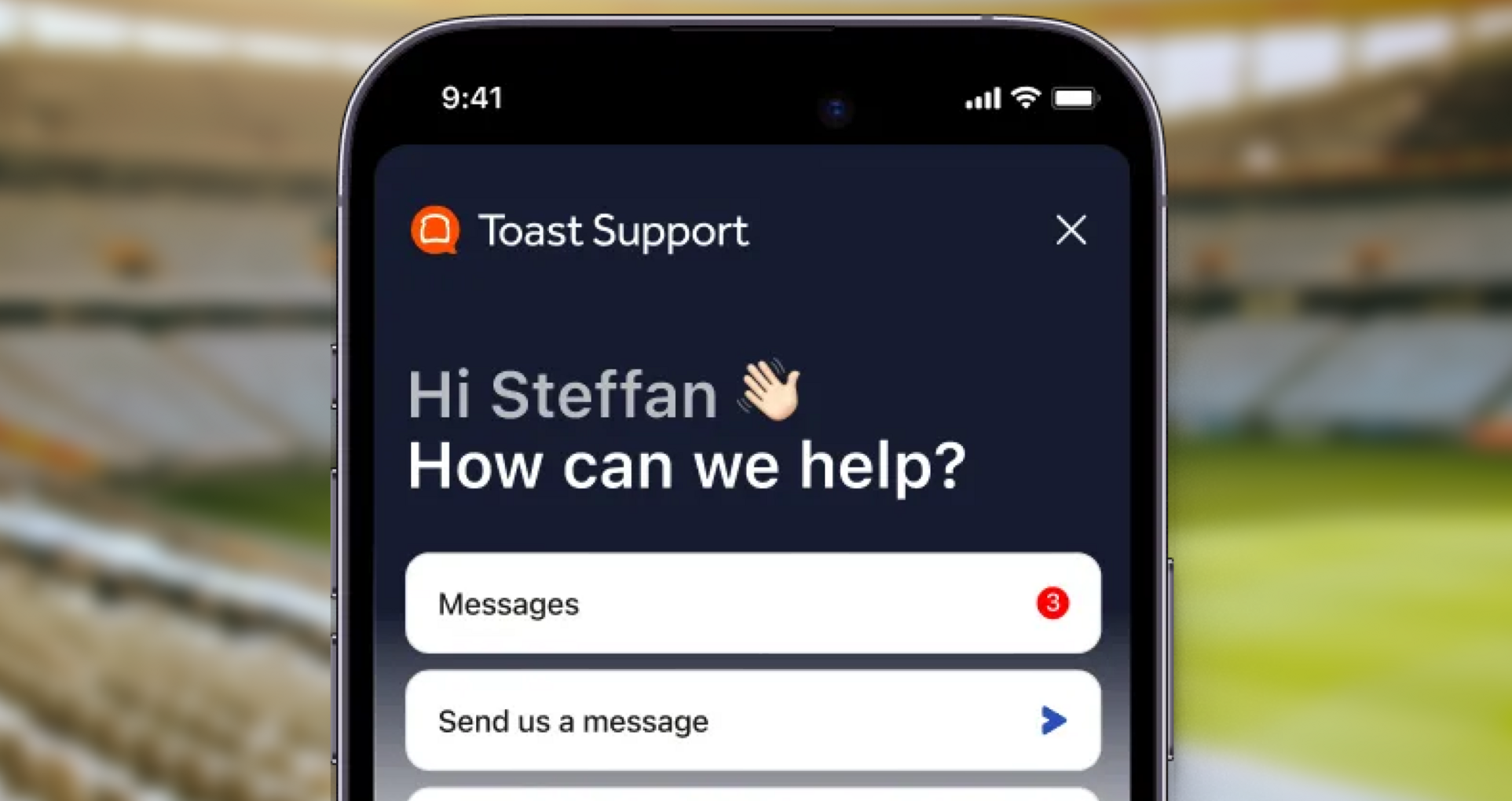
Chat through the Toast Now app
Toast Now is Toast's mobile app for running your restaurant from your phone — real-time reporting and key controls, wherever you are. Support lives in it too:
Log in to the Toast Now app.
Select the “Support” icon in the bottom navigation bar.
Select “Chat with us” to start a new conversation, or “Messages” to pick up an existing one.
Chats sync everywhere chat is available — Toast Now, Support Center in Toast Web, and Toast Payroll. Start a conversation on the terminal before close, finish it from your phone on the drive home.
Download it for iOS or Android.
Screen-sharing support during a call
Some problems are much easier to show than explain. Toast lets you share your screen with a Care rep while you're on the phone — from either the POS or Toast Web.
From your Toast device:
Go to the Support section of your Device Menu.
Select “Start Screen Share.”
A unique code appears on screen — read it to the agent, and they'll connect.
You can also search "Screen Share" on the POS, or find it under Support > Start Screen Share in the overflow menu (top-left arrow). On some terminals, swiping up from the bottom of the screen surfaces the option. The steps are the same on terminals and handhelds.
From Toast Web:
Select the “User Icon” to open the dropdown.
Select “Share your screen.”
Give the agent the code that populates.
A few things that make screen shares go smoothly: double-check the code you read out, generate a fresh one if the first doesn't connect, and make sure your internet connection is stable. Screen share won't work if the network is down on your device.
Restaurant Opening and Closing Checklist
The beginning and end of a shift can be frantic. Use this free PDF checklist to set your front-of-house staff up for success.
Check the status page before you call
If something looks broken across the board, the “Status Page” in your Device Menu shows a live status report on the POS's most critical functions, plus a history of past incidents. It's also at status.toasttab.com. Two seconds there can save you a phone call.
What to have ready before you call
A little prep turns a fifteen-minute call into a five-minute one.
Your case number (if it's a follow-up)
If you've contacted Toast about this issue before, lead with the case number. It pulls up the full history of your request so you're not re-explaining from scratch.
Don't have it handy? Log in to Toast Web and go to “Support Center” — from the left menu, or the question-mark button in the upper-right corner. Select your case to see its details, add a comment or attachment, or chat with an agent in real time about it.
Account and restaurant details for faster verification
Have these ready:
Your restaurant name and location, as it appears in Toast
The email address on your Toast account
Which device is affected, if it's a hardware or terminal issue
What you were doing when the problem happened, and whether it's happened before
Any error message, word for word — or a photo of it
If your issue is on a specific terminal, be near it. Most calls end with the agent walking you through something on the device, and a screen share is only useful if you can see the screen.
Get the right Toast team on the line
Getting help starts with reaching the right team. If you’re exploring Toast or interested in adding new products, call Toast Sales at (857) 301-6002. For help with an existing Toast account, contact Customer Care at (617) 682-0225. For payroll-specific questions, call Toast Payroll at (312) 252-7341.
Prefer to skip the phone? 24/7 live chat is also available through Toast Web, the Toast Now app, and Toast Payroll.
Save the contact information you’re most likely to need now, so if an issue comes up during a busy service, you know exactly where to turn.
FAQs:
What is Toast's customer service phone number?
Toast Customer Care for U.S. customers is (617) 682-0225, available 7 a.m.–12 a.m. ET, seven days a week. Toast Payroll has a separate line at (312) 252-7341, staffed Monday–Friday, 8:30 a.m.–10 p.m. ET.
What is Toast's sales phone number?
Call Toast sales at (857) 301-6002 to get pricing, talk through what your restaurant needs, or book a demo. You can also request a demo online.
Is Toast support available 24/7?
Live chat is available 24/7 through Toast Web, the Toast Now app, and Toast Payroll. Phone support runs 7 a.m.–12 a.m. ET, seven days a week, so chat is the way to reach someone overnight.
Does Toast have international support numbers?
Yes. Canada: +1 343 451 6295. Ireland: +353 1 913 1083. U.K.: +44 2045 713302. Australia: +61 879 478 066.
Can I contact Toast support through chat instead of calling?
Yes, and it's often faster. Select the blue support icon in the bottom-right corner of any Toast Web or Toast Payroll page, or tap “Support” in the Toast Now app. Because you're logged in, you're already authenticated, so there's no verification step, and you can share screenshots, video, or your screen directly in the chat. Conversations sync across web and mobile, so you can start on one and finish on the other.


Is this article helpful?
DISCLAIMER: This information is provided for general informational purposes only, and publication does not constitute an endorsement. Toast does not warrant the accuracy or completeness of any information, text, graphics, links, or other items contained within this content. Toast does not guarantee you will achieve any specific results if you follow any advice herein. It may be advisable for you to consult with a professional such as a lawyer, accountant, or business advisor for advice specific to your situation.

Subscribe to On the line
Sign up to get industry intel, advice, tools, and honest takes from real people tackling their restaurants' greatest challenges.
By submitting, you agree to receive marketing emails from Toast. We’ll handle your info according to our privacy statement. Additional information for California residents available here.