Common Problems Businesses Have With Their POS (And How to Fix Them)
From system crashes to payment processing failures, common POS problems can slow service and cost restaurants revenue. Here's how to identify and fix them fast.

Author
 RESOURCE
 Restaurant Incident Reporting Template
Use this free template to keep a clear, consistent record of accidents, employee issues, and guest complaints while protecting your business in the process.
Get Free DownloadYour POS goes down at noon during Sunday brunch. The line is out the door, your team is scrambling, and tables are waiting. A fresh pot of coffee needs to be brewed, but no one has a second to spare. With every minute the system is down, service falls further behind, and you know you’re about to start comping meals.
Most restaurant operators have been there. And while no system is immune to issues, the problems that knock a POS offline or slow it down tend to follow predictable patterns. That means they're also preventable, or easy fixes, if you know what you're dealing with.
Here's a breakdown of common POS problems restaurants face and exactly what to do about each one.
Need support quickly? U.S. customers can contact Toast support at (617) 682-0225, or review all the other ways to reach Toast here.
The 8 most common POS problems
1. System crashes and freezing
A terminal that freezes mid-service doesn't just slow things down; it stops them. Crashes typically trace back to outdated software, insufficient hardware memory, or too many background applications running at once.
How to fix it:
Keep your POS software updated. Providers push updates that patch bugs and improve stability, so it’s in your best interest not to skip them.
Restart terminals regularly during off-peak hours to clear memory.
Keep non-POS applications off your terminals entirely.
Confirm your hardware meets the minimum specs for your current software version.
A POS shouldn't leave you stranded when the internet drops.Offline Mode kicks in automatically when your Toast devices lose connection to the internet, your local network, or the Toast cloud. After about 40 seconds offline, a banner appears at the top of each affected device explaining what is happening and what you can still do.
A system that keeps running when the internet goes down and doesn’t have to be manually turned on is what running a busy business actually requires.
Learn more about Offline Mode at Toast →
2. Slow transaction processing
A few extra seconds per transaction doesn't sound like much. But when you’re in a rush, those seconds can feel agonizing.
Slow processing usually comes down to three things: poor internet connectivity, aging hardware, or payment processor delays.
How to fix it:
Run a speed test on your restaurant's connection. Shared consumer broadband can kill transaction speed. Consider setting up a dedicated business connection.
Use wired Ethernet for stationary terminals where possible. Wi-Fi is more susceptible to interference, especially in high-volume environments.
If your payment processor is consistently slow, that’s a real problem. Contact your provider and evaluate whether it's time to switch.
Toast Payment Processing is a secure and reliable credit card processing solution, built specifically for restaurants. Compared to Square and NCR/Aloha, fewer employees express pain points with Toast’s processing speed.*
Learn more about payment processing at Toast →
3. Payment processing errors and declined transactions
A payment failure at the point of sale can create an awkward moment with a guest and can mean a lost sale. When the card itself isn't the problem, these errors usually come from one of a handful of sources: dirty or damaged card readers, processor outages, expired SSL certificates, or incompatibility between the POS and certain card types.
How to fix it:
Clean card readers regularly with approved cleaning cards. A dirty reader can be an overlooked cause of card read failures.
Make sure your POS software and payment gateway are fully integrated and up to date.
Keep a backup payment method ready for processor outages, like a secondary terminal or manual process.
When errors are systematic rather than isolated, contact your payment processor immediately. Don't wait for it to resolve itself.
Check out what Toast recommends when a card gets declined →
4. Incorrect or missing menu items
When items show wrong prices, modifiers are missing, or something that's been 86'd is still ringing up, it can create confusion for both staff and guests. Often, this is a people problem before it's a technology problem.
How to fix it:
Assign one person to own menu management in the POS. Ad hoc updates from multiple team members are how inconsistencies happen.
Audit your menu in the POS at least quarterly, or any time your printed or digital menus change.
Use a POS that lets you make real-time edits from a single back-office dashboard, so changes push to every terminal instantly.
Update your menu once. Every terminal catches up immediately. No more mid-service surprises, no more servers apologizing for items that aren't actually available. Toast's menu management tools are built to work that way.
With Toast IQ, the AI assistant, you can ask it to mark items as out of stock to help update your menu across your connected channels.
Learn how to create and manage menu items within the Toast POS →
Menu Engineering Worksheet
Use this menu engineering worksheet, complete with intricate menu engineering formulas, to determine areas of strength and weakness in your restaurant's menu.

5. Printer and hardware connectivity issues
Tickets that don't print. Kitchen display systems that go dark. Cash drawers that won't open. Hardware connectivity failures are frustrating. Not to mention, they tend to happen at the worst possible moment.
How to fix it:
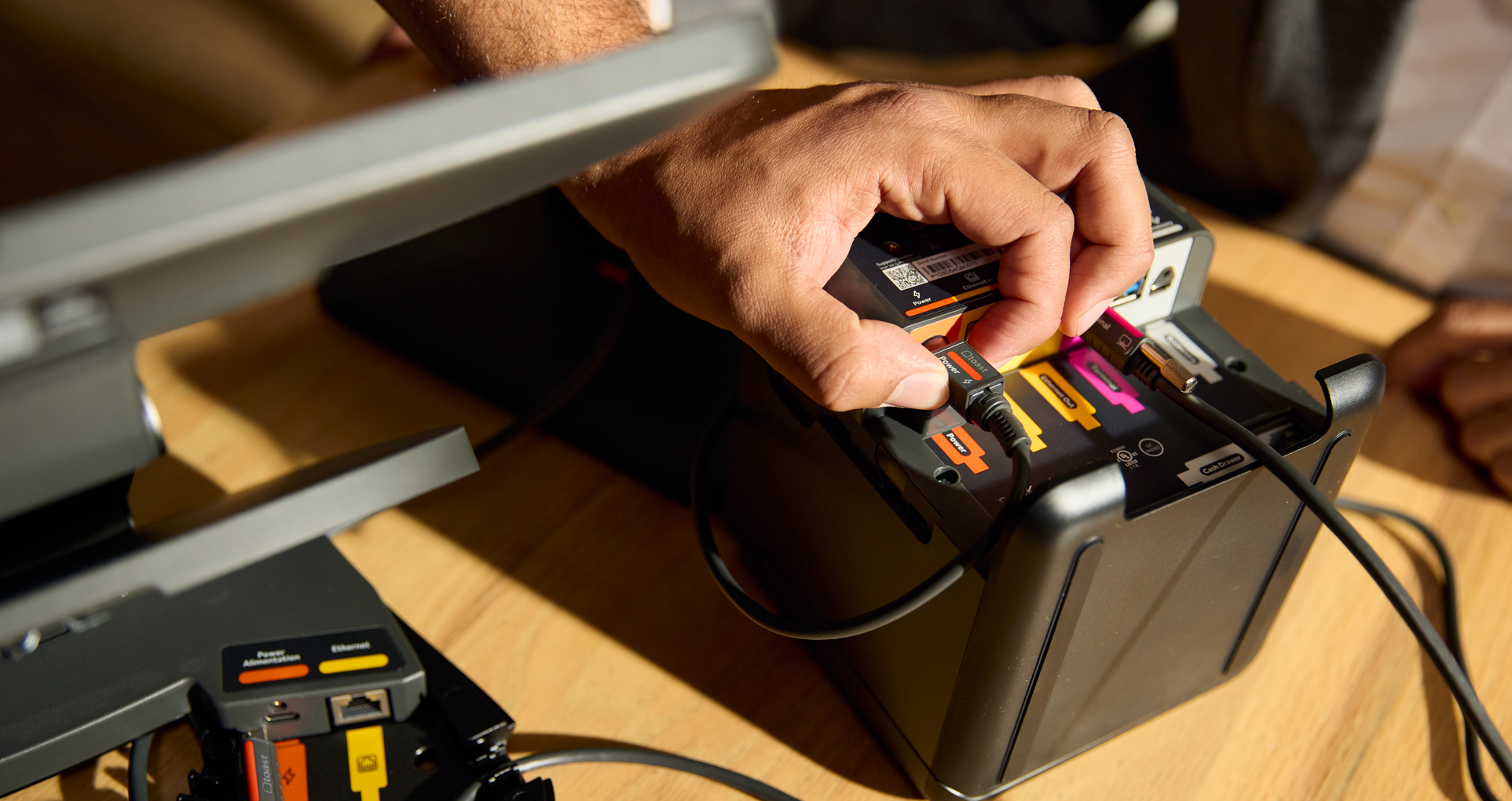
Check cable connections and power supplies regularly. Loose connections are a surprisingly common culprit.
Confirm printers are on the same network as your POS terminals and that IP addresses are correctly configured.
Keep spare receipt paper and printer ribbons on hand. Running out mid-service is avoidable.
Consider a KDS alongside or instead of ticket printers to reduce paper-related failures.
Hardware that can't handle the environment it's in is the wrong hardware. Toast Go® 3 is IP65 rated, drop-rated to 5 ft, and features up to 24 hours of battery life under typical operating conditions. Beyond the industry durability rating, Toast developed its own internal benchmark built for restaurant conditions. "Hospitality-grade" means Toast Flex and Toast Go® Handhelds go through drop and impact testing, grease soak testing, and thermal shock and humidity cycling.
Check out Toast’s Hardware Hub →
6. Inventory and reporting discrepancies
When your POS inventory counts don't match what's actually in your kitchen, food cost management can become way harder than it needs to be. Wrong numbers in your reports can mean wrong decisions for your business on ordering, on staffing, on pricing.
How to fix it:
Run physical inventory counts regularly and reconcile them against POS data.
Process all voids, comps, and refunds correctly through the system. Informal workarounds create gaps in your data.
Use a POS with built-in inventory tracking that deducts ingredients automatically as items are sold.
Run end-of-day reports consistently and flag discrepancies immediately; it’s best to not let them accumulate.
Toast Inventory tracks ingredient-level costs for high-value items and monitors waste and shrinkage patterns to reduce high-cost inventory loss. The goal is food cost control that comes from knowing exactly where your margins are going.
Restaurant Food Inventory Template
Use this free Food Inventory Template to help your business stay organized and manage inventory with ease.
7. Staff training gaps
A well-functioning POS system still creates problems when staff doesn't know how to use it. Incorrect order entry, improper void procedures, and missed modifiers are usually training failures, not system errors.
How to fix it:
Build POS training into every new hire onboarding process. This is not just for servers, but for every team member who touches the system.
Designate a POS champion on your team who can troubleshoot basic issues and train new staff consistently.
Revisit training whenever you update your system or roll out new features.
Toast's Digital Onboarding is built for modern, completely paperless training, designed to help new team members master the job on their very first day. An intuitive interface reduces training friction from the start, which matters especially during high-turnover periods when you can't afford a long ramp-up.
Restaurant Manager Training Checklist
Use this free checklist to help streamline your training process and set your new chefs up for success.
8. Security vulnerabilities and data breaches
Outdated software, weak passwords, scammers, and unsecured networks all create exposure, and the consequences of a breach of your business go well beyond the immediate incident.
Some common scams involve individuals pretending to be customer care representatives contacting customers and referencing things like:
resolving an error in online ordering
sending you money to credit you for order issues
making changes to Toast hardware
completing a promotion for new hardware
or other reasons that require you to provide sensitive personal identifying information
How to fix it:
If you ever receive an email that looks suspicious, don't respond or click on any links in the message. Contact your POS provider to verify or report the email.
Change default passwords on all terminals and require strong, unique credentials for every user.
Restrict POS access by role. Not every employee needs access to reporting or administrative functions.
Keep software updated — patches frequently address known security vulnerabilities.
Ensure your system includes PCI compliance and fraud monitoring as part of the platform, not as an afterthought.
Toast includes PCI compliance and Fraud Monitoring built into the platform, detecting suspicious transactions automatically so you're not relying on manual review to catch problems.With Toast’s fraud prevention measures, customers see chargebacks up to 3X less often when compared to the restaurant industry average.**
The PCI Security Standards Council sets the compliance requirements for businesses processing card payments. Your POS should meet them without you having to manage it separately.
Protect your Toast account from scammers→
Get help when you need it
Some POS problems are quick fixes. Others need an expert on the line, fast. All U.S. Toast customers receive support directly from Toast 7 days a week, from 7 a.m. to 12 a.m. ET, so there's someone to call when a terminal freezes during the dinner rush or tickets stop printing in the kitchen.
Reach the team by phone or 24/7 chat, or look up step-by-step troubleshooting guides on Toast's support site anytime. And because the Toast team handles the same issues across thousands of restaurants, a problem that's new to you usually isn't new to them.
When to consider switching your POS
If you're dealing with recurring problems your current provider can't resolve, it might be time to stop troubleshooting and time to switch POS providers. But the right reason to move isn't just that your current system is broken. It's that you're ready to run a busier, more efficient operation, and your current system can't get you there.
Signs you've outgrown your POS:
It doesn't integrate with your online ordering, payroll, or loyalty tools
Support is slow or unavailable during critical service hours
Your hardware is aging and no longer supported
You're paying for workarounds instead of solutions
You're growing, and your system isn't growing with you
Your staff is often frustrated and complains about your POS
Choosing the right POS system starts with knowing what your business needs to run efficiently and finding a system that won’t leave you comping checks when you need it most.
Frequently asked questions
What is the most common POS problem in restaurants? Connectivity issues, including slow transaction processing and hardware that loses connection to the network, are pretty common. These are often caused by poor internet infrastructure or aging hardware.
How do I fix a frozen POS terminal? Start with a soft restart of the terminal. If freezing continues, check for pending software updates and confirm no non-POS applications are running in the background. If the problem is recurring, contact your POS provider's support team.
Can a POS system work without internet? Yes—if it's built for it. Toast's offline mode keeps you taking payments even when the internet goes down. Orders queue, payments process, and data syncs automatically when connectivity is restored.
How often should I update my POS software? Apply updates as soon as your provider releases them. Updates include security patches, bug fixes, and performance improvements. Delaying them can increase your exposure to both instability and security vulnerabilities.
What should I do if my POS system is down during service? Have a downtime protocol in place before it happens, not during. That means a manual order-taking process, a backup payment method, and a direct line to your provider's support team. Make sure every team member knows the procedure before they ever need it.
*Based on blinded primary research study fielded 2/19/24 - 3/2/24 to 1,019 US restaurant employees. Stat is derived from a subset of POS user respondents; sample size ranges from ~n=80 to ~n=95.
**Based on a third-party analysis of chargeback frequency across Visa payment card transactions in the U.S. restaurant industry segment, rolling 12 months’ data ending March 2024. Actual results may vary and depend on the unique characteristics of each business.
Is this article helpful?
DISCLAIMER: This information is provided for general informational purposes only, and publication does not constitute an endorsement. Toast does not warrant the accuracy or completeness of any information, text, graphics, links, or other items contained within this content. Toast does not guarantee you will achieve any specific results if you follow any advice herein. It may be advisable for you to consult with a professional such as a lawyer, accountant, or business advisor for advice specific to your situation.

Subscribe to On the line
Sign up to get industry intel, advice, tools, and honest takes from real people tackling their restaurants' greatest challenges.
By submitting, you agree to receive marketing emails from Toast. We’ll handle your info according to our privacy statement. Additional information for California residents available here.