
POS Inventory Systems: How Restaurants Track Stock and Costs
Inventory management doesn't have to be so time-consuming. Here's how the right POS inventory system can help.
Author
 RESOURCE
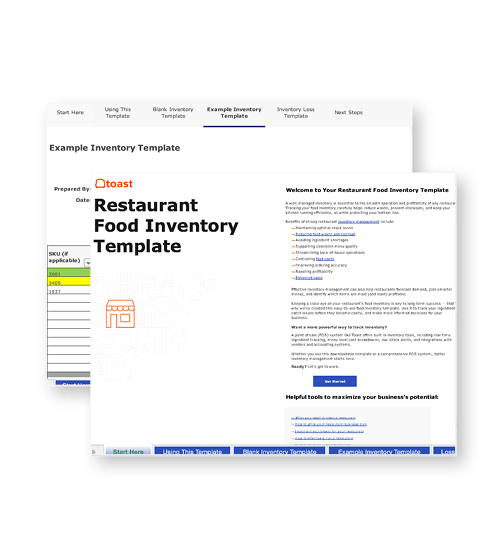
 Restaurant Food Inventory Template
Use this free Food Inventory Template to help your business stay organized and manage inventory with ease.
Get Free DownloadA POS inventory system is software that connects restaurant sales, stock counts, ingredient usage, purchasing, and reporting in one workflow. That connection helps operators control costs, reduce manual work, and make faster decisions with sales and inventory data.
The National Restaurant Association reported that 52% of operators planned to invest in inventory control and management technology, while 48% said POS systems were a technology spending priority.
For restaurants, the right POS inventory system helps connect what guests order with what the kitchen uses, what managers buy, and what gets wasted.
Key Takeaways
A POS inventory system connects sales data with stock levels, ingredient usage, recipe costs, purchasing, and reporting.
Restaurant operators use POS inventory systems to reduce manual counts, prevent stockouts, improve ordering, and understand food costs.
The best systems go beyond item counts by connecting recipes, invoices, vendors, waste, and actual vs. theoretical usage.
When comparing POS inventory systems, restaurants should look at restaurant-specific inventory features, not just basic stock tracking.
What is a POS inventory system?
A POS inventory system connects point-of-sale data with inventory tracking so restaurants can see how sales affect stock, ingredient usage, and food costs. A basic POS system records what guests buy. A POS inventory system goes further by connecting those sales to inventory counts, recipes, ingredients, vendors, and reports.
What are the benefits of using a POS inventory system?
POS inventory systems help restaurants make inventory decisions based on sales and usage data instead of manual counts alone.
Food cost visibility: Connect sales and ingredient usage to understand how inventory affects margins.
Fewer stockouts: Use stock data and reorder workflows to avoid running out of key items.
Less manual work: Reduce spreadsheet tracking, invoice entry, and repetitive count tasks.
Better purchasing: Order based on usage, vendor data, par levels, and sales patterns.
Waste control: Track where food is being lost, spoiled, overproduced, or overportioned.
Menu profitability: Use recipe costing to see whether menu prices still support margins.
Variance detection: Compare actual inventory counts with expected usage to find waste, shrinkage, theft, or count errors.
Remember, inventory technology still needs to fit real restaurant workflows. For instance, Reuters reported that Starbucks retired an AI inventory-counting tool after it miscounted and mislabeled items, showing why accuracy and execution matter as much as automation.
How does a POS inventory system work?
A POS inventory system works by using sales data, item counts, recipe information, vendor invoices, and reporting tools to show what inventory is on hand and how it is being used.
Sales tracking: The POS records menu items sold.
Recipe mapping: Menu items are connected to ingredients, products, or modifiers.
Stock depletion: Inventory updates based on sales, counts, deliveries, or receiving workflows.
Purchasing: Vendor invoices and purchase data help update ingredient costs.
Reporting: Operators review COGS, usage, depletion, waste, and variance.
Reordering: Par levels and low-stock signals help teams decide what to buy next.
For example, Toast connects invoice automation, recipe costing, and POS sales data into one unified platform.
What features should a POS inventory system include?
A restaurant POS inventory system should connect front-of-house sales with back-office tools for counting, purchasing, recipe costing, waste tracking, and reporting.
Feature | What it helps restaurants do | How Toast helps |
POS-connected inventory data | Connect sales activity to stock usage and reporting. | Toast connects POS sales data with inventory workflows. |
Inventory analytics | Monitor depletion, identify waste, and understand usage trends. | xtraCHEF Inventory Analytics supports actual vs. theoretical and depleting inventory reports. |
Recipe costing | Understand menu-item profitability as ingredient costs change. | xtraCHEF supports recipe costing and plate-cost visibility. |
Invoice automation | Reduce manual invoice entry and improve purchasing visibility. | xtraCHEF helps automate invoice management. |
Vendor and purchasing tools | Keep supplier, purchase, and receiving data easier to manage. | Toast Supplier & Accounting Suite can support purchasing and cost workflows. |
Low-stock and reorder workflows | Help teams replenish ingredients before shortages affect service. | Toast inventory workflows can support low-stock and reorder visibility. |
Food waste tracking | Track excess food and identify waste patterns. | Toast Food Waste Reduction helps teams log excess food and find opportunities to reduce waste. |
Reporting and analytics | Turn inventory, cost, and sales data into operational decisions. | Toast reporting and analytics centralizes restaurant performance data. |
Mobile access | Let managers count and review inventory without being tied to the office. | Toast and xtraCHEF workflows support mobile-friendly inventory management. |
How Toast connects inventory with the rest of the restaurant platform
Toast’s inventory tools are most useful when they connect with the systems restaurants already use to run service, manage costs, and review performance.
Toast POS: Connects sales activity to inventory and reporting workflows, so operators can understand how menu sales affect stock, usage, and cost trends.
Toast Supplier & Accounting Suite featuring xtraCHEF: Helps restaurants automate invoice management, manage recipe costs, and improve visibility into food costs.
Toast Food Waste Reduction: Helps teams log excess food, identify waste patterns, and use real-time data to reduce excess food.
Toast reporting and analytics: Helps operators review restaurant performance across sales, costs, service models, and connected tools.
Why choose Toast POS for inventory management?
Choosing a POS inventory system comes down to how well it connects inventory data to the rest of restaurant operations. Toast POS is built for restaurants, so inventory doesn’t sit apart from service, sales, reporting, recipes, vendors, and cost control.
For operators trying to protect margins, avoid stockouts, and make decisions from real data, Toast offers a POS inventory system designed to support both day-to-day operations and long-term growth.
FAQs
What is a POS inventory system?
A POS inventory system connects point-of-sale data with inventory tracking so restaurants can see how sales affect stock levels, ingredient usage, purchasing, and food costs.
Why do restaurants need inventory management built into their POS?
Restaurants need inventory management built into their POS because sales data is one of the clearest signals of what ingredients are being used, what needs to be reordered, and where food cost or waste issues may be happening.
Does Toast POS include inventory management?
Yes. Toast offers inventory management tools that connect Toast POS sales data with features like invoice automation, recipe costing, inventory analytics, food waste tracking, and actual vs. theoretical reporting.
Can a POS inventory system reduce food costs?
A POS inventory system can help reduce food costs by improving visibility into ingredient usage, waste, purchasing, recipe costs, stockouts, and variance between expected and actual inventory.
Is Toast POS suitable for restaurants of any size?
Toast POS is designed for restaurants ranging from single-location operators to multi-unit businesses, with tools that can support sales, inventory, reporting, purchasing, and cost-control workflows as the restaurant grows.


Is this article helpful?
DISCLAIMER: This information is provided for general informational purposes only, and publication does not constitute an endorsement. Toast does not warrant the accuracy or completeness of any information, text, graphics, links, or other items contained within this content. Toast does not guarantee you will achieve any specific results if you follow any advice herein. It may be advisable for you to consult with a professional such as a lawyer, accountant, or business advisor for advice specific to your situation.
 Trending



Subscribe to On the line
Sign up to get industry intel, advice, tools, and honest takes from real people tackling their restaurants' greatest challenges.
By submitting, you agree to receive marketing emails from Toast. We’ll handle your info according to our privacy statement. Additional information for California residents available here.