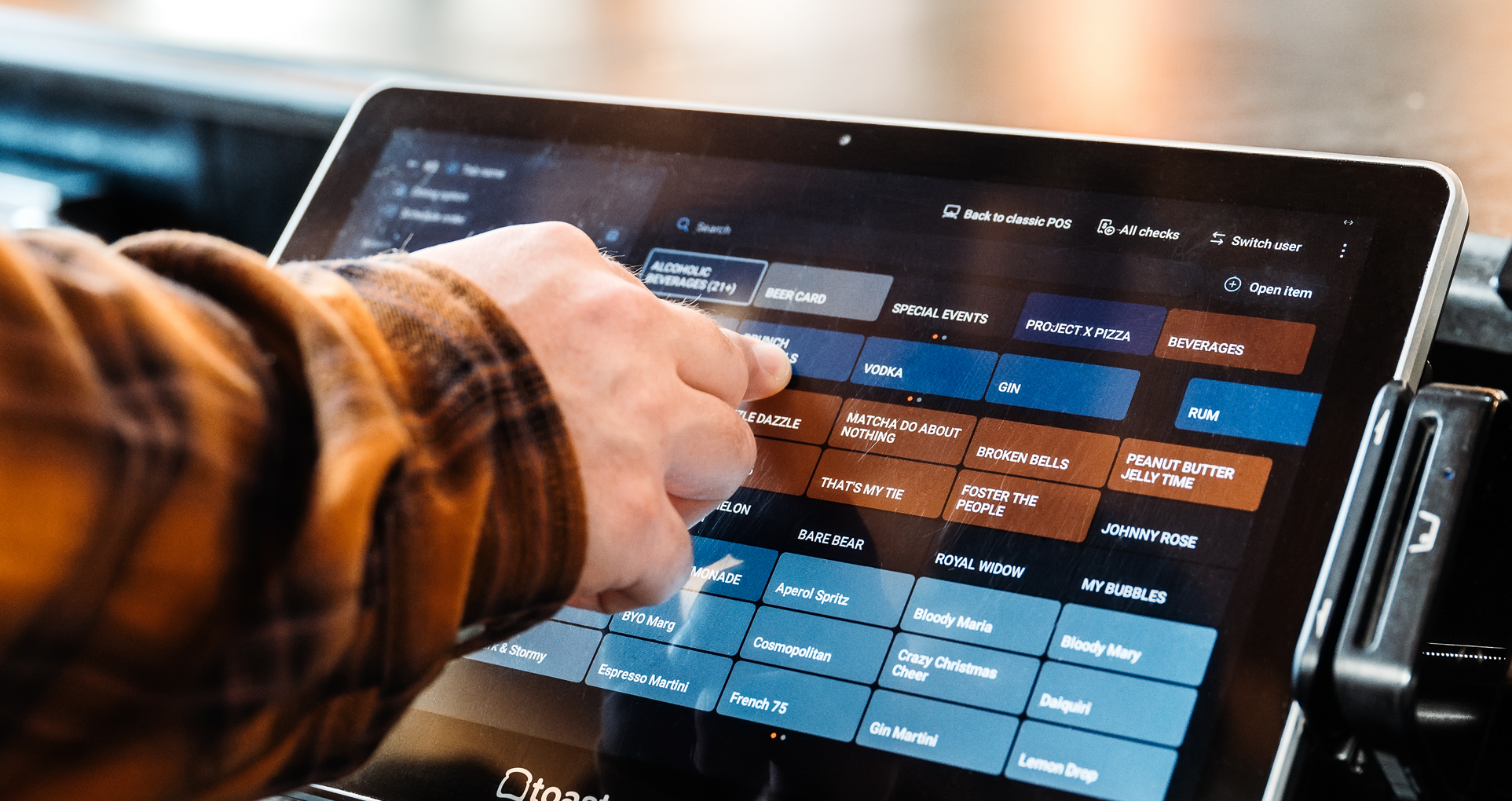
POS Outage Guide: What Happens When Your POS Goes Down?
Learn why your POS might be down, how to troubleshoot it, and what to look for in a system so an outage doesn't stop service.

Author
 RESOURCE
 Restaurant Incident Reporting Template
Use this free template to keep a clear, consistent record of accidents, employee issues, and guest complaints while protecting your business in the process.
Get Free DownloadA POS outage can be one of the most stressful things that can happen during service. Your POS takes orders, sends tickets to the kitchen, runs payments, and tracks sales, so when it goes down, everything it touches can slow down or stop.
The good news is that most outages have a short list of causes, and you can often fix them in minutes once you know where to look. This guide covers why your POS might be down, how to troubleshoot it, and what to look for in a system so an outage doesn't stop service.
For a broader look at day-to-day issues like slow transactions, missing menu items, and printer problems, see our guide to common POS problems and how to fix them.
Need support quickly? U.S. customers can contact Toast support at (617) 682-0225, or review all the other ways to reach Toast here.
What happens when your POS goes down?
What you lose depends on what failed and how your system is built. In a typical outage, you might see:
Orders that won't send. Servers can ring items in, but tickets never reach the kitchen printer or KDS.
Payments that won't process. Card readers time out or decline, leaving guests waiting at the table or counter.
Online orders that stop coming in. If your system can't reach the cloud, orders from your website or delivery apps may not reach the kitchen.
Missing or delayed data. Sales, tips, and time entries may not show up in reports until the system reconnects.
Why is my POS down? Common causes of POS outages
1. Your internet connection dropped
This is a common cause. Cloud-based POS systems need an internet connection to sync orders, authorize card payments, and update menus. If your internet provider has an outage, your modem loses power, or your router gets overloaded, your terminals can lose their connection to the cloud.
2. Your local network has a problem
Sometimes the internet is working fine, but your devices can't talk to each other or to the router. Loose Ethernet cables, a failed network switch, poor Wi-Fi coverage in parts of the dining room, or devices set to use both Wi-Fi and Ethernet can all cause problems that look like a full outage.
3. Your POS provider is having a service disruption
Sometimes the problem isn't on your end. Cloud providers occasionally have outages or slowdowns that affect many businesses at once. If every device in your restaurant goes down at the same moment and your internet looks fine, check your provider's status page.
4. Hardware failure
Terminals, handhelds, card readers, printers, and KDS screens all wear out, especially in a hot, greasy, high-traffic restaurant. A dead battery, a damaged power cable, or a device that has reached the end of its life can take part of your operation offline.
5. Software glitches or pending updates
Outdated software, a stalled update, or too many apps running in the background can freeze a terminal or make it crash. If one device keeps acting up while the others work fine, software is often the cause.
6. Power outages
A storm, a tripped breaker, or a construction crew down the street can knock out power to your modem, router, and any terminals that aren't running on battery.
Restaurant Operations Manual Template
Use this free template to easily outline all of your operating procedures and make day-to-day operations as consistent as possible.

How to fix a POS outage: a step-by-step checklist
When the system goes down mid-service, work through these steps in order. Most outages are resolved in the first few.
Step 1: Figure out how big the problem is
Is it one device or all of them? Card payments only, or orders too? If only one terminal is down, the problem is probably that device. If everything is down at once, check your internet, network, or provider.
Step 2: Check your provider's status page
Before you start unplugging equipment, see if your provider is reporting an issue. Toast customers can check status.toasttab.com for real-time updates and sign up for SMS or email alerts. If there's a known incident, you'll know to focus on getting through service rather than troubleshooting.
Step 3: Restart the affected device
A soft restart clears memory and fixes many freezes and glitches. Toast customers can follow the steps to restart their device to improve performance.
Step 4: Check your internet and network
Power cycle your modem and router: unplug them, wait about 30 seconds, and plug them back in.
Check that Ethernet cables are firmly connected at both ends and that network equipment has power.
Run a speed test. Toast recommends at least 15 Mbps download and 5 Mbps upload.
Make sure each terminal uses either Ethernet or Wi-Fi, not both.
If your Toast devices say they're offline but your internet seems to be working, use Toast's guide to troubleshoot internet or network connection issues.
Step 5: Check hardware and power
Confirm printers, card readers, and KDS screens are plugged in and powered on. Swap in a charged battery for handhelds, and check for damaged cables or tripped breakers.
Step 6: Switch to your backup plan
If the issue isn't resolved in a few minutes, don't let your team keep troubleshooting while tables wait. Move to your downtime plan:
Take orders on paper tickets and run them to the kitchen by hand.
Accept cash or alternative payments if card processing is unavailable.
Write down every transaction so you can reconcile later.
Assign one person to keep working on the problem and contact support so everyone else can focus on guests.
Step 7: Call your POS provider's support team
If you've worked through the steps above and you're still down, it's time to call in the experts. Support teams see the same problems across thousands of restaurants and can often spot the cause quickly.
SOPs Template
This template will help you create SOPs for your entire business, so you can create consistency and easily train employees.
How to prepare for the next POS outage
The best time to plan for an outage is before it happens. A few changes now can turn a service-stopping crisis into a minor inconvenience:
Add a cellular backup connection. A backup internet connection can keep you online when your main provider goes down. Get Help With Toast Router Cellular Service →
Use wired connections where you can. Ethernet is more reliable than Wi-Fi for stationary terminals. Troubleshoot Your Toast Ethernet Cable Connection →
Keep software up to date. Install updates during off-peak hours so you're not running outdated software when it matters most. Update Your Toast App →
Write a downtime protocol. Document the steps above, keep printed tickets and pens at every station, and train every team member before they need it.
Know your offline settings. If your POS has an offline mode, review the settings ahead of time so you know how payments will be handled during an outage. Use Toast in Offline Mode→
Keep serving through outages with Toast
Sadly, no restaurant can rule out outages entirely. Internet providers go down, storms knock out power, and cables get kicked loose. What matters is whether your POS keeps working when it happens and whether you can reach someone quickly when you need help.
Toast Offline Mode kicks in automatically
With Toast, you don't have to flip a switch or remember a workaround when your connection drops. Offline Mode turns on automatically when your Toast devices lose connection to the internet, your local network, or the Toast cloud. After about 40 seconds offline, a banner appears at the top of each affected device explaining what's happening and what your team can still do.
Your team can keep taking orders during an outage. With background card processing, which is on by default, your POS can keep accepting credit and debit cards and submit them for authorization once you're back online. Guests won't notice a difference, and your data syncs when the connection returns.
A few things to know ahead of time:
Set it up while you're online. You can review your background card processing settings in Toast Web, set an optional per-transaction limit, and choose which roles can approve larger offline payments. These settings can't be changed while a device is in Offline Mode.
Understand the risk. Card payments taken offline can't be authorized until you reconnect, so some may be declined later. Authorizations can expire as early as 24 hours after the transaction, so fix connectivity issues as quickly as possible. A cellular backup connection helps.
Capture guest info. Creating an "Offline" dining option lets you collect a guest's name and phone number in case a payment declines later.
For the full setup steps, see Prepare to Operate in Offline Mode. If you're offline right now, go to Use Toast in Offline Mode.
Toast support is there when you need it
Some problems need a person. All U.S. Toast customers get support directly from Toast 7 days a week, from 7 a.m. to 12 a.m. ET, by phone at (617) 682-0225, plus 24/7 chat. You can also find step-by-step troubleshooting guides on Toast's support site at any time, or review all the ways to reach Toast.
Once you're back online, Toast's guide to recovering after an outage walks you through confirming payments, open checks, and shifts so your books are accurate.
An outage might be stressful, but it doesn't have to end service. With a plan, a POS that keeps running offline, and support you can reach, your team can keep serving guests.
Frequently asked questions
Can Toast work without internet? Yes. Offline Mode turns on automatically when your Toast devices lose connection to the internet, your local network, or the Toast cloud. Learn more about using Toast in Offline Mode.
What doesn't work in Offline Mode? Some features pause until your devices reconnect:
Toast Online Ordering
New Toast Mobile Order & Pay® orders
Gift card sales and redemptions
Earning and redeeming loyalty points
Menu edits through Quick Edit, including 86ing items
Shift review
Pre-authorizations, unless the card was pre-authorized before the outage
Reports also won't include data from offline devices until they sync. Toast recommends temporarily turning off online ordering during an outage so guests can't place orders you can't see.
What should I avoid doing while my POS is offline? Don't unplug Ethernet cables, turn off Toast devices, restart your router, or log out of or uninstall the Toast app. Without internet, no one can log back in, and uninstalling the app can permanently erase order and payment data stored on that device. Also, don't select Capture on the Close Out Day screen. Card authorizations are captured automatically once you reconnect.
Is Toast down, or is it my internet? Check status.toasttab.com first. You can also subscribe there for SMS or email alerts. Then read the yellow banner on your device:
"No internet connection" usually points to your router or internet provider.
"No network connection" means one device or a small group has lost its local connection, often because of a loose cable, a switch, or a wireless access point.
"Toast service disruption" means the device can't reach the Toast cloud. That doesn't always mean Toast is down, so confirm on the status page. If Toast is reporting an incident, don't restart equipment. Service will return on its own.
Troubleshoot internet or network connection issues.
Why does Toast say I'm offline when my internet is working? There are three likely causes:
A Toast service disruption
A problem with the connection between your internet modem and the Toast router
A cable or device issue on your local network
If Toast says "no internet connection" but your internet works everywhere else, the cable between your modem and the Toast router is the most likely culprit. Make sure it's fully seated at both ends.
What happens to card payments taken offline? Payments taken offline are stored on the device and submitted for authorization automatically once it reconnects. Most process within a few minutes to a few hours. Guest receipts show the payment as "Pending" until then. See how to recover after an outage.
What if a payment is declined after we come back online? A declined offline payment can't be retried through Toast, and the check will reopen automatically. Collect payment from the guest another way, such as a different card, cash, or an invoice. Then close the check. Toast recommends using an "other payment" option so you can track outage-related sales separately.
My internet is back, but my devices still say offline. What now? Close the Toast app on each affected device, reopen it, and log back in with your POS access code. The Offline Mode banner should clear. If payments still show as "Processing" after three to five days, contact Toast Customer Care.
How do I contact Toast support during an outage? Call Toast Customer Care at (617) 682-0225, or use the chat or Support button in Toast Web or the Support tab in the Toast Now app. To get help faster, have this ready:
The exact wording of the banner on your screen
Which devices are affected
Your router brand and the color of its status light
The steps you've already tried
Is this article helpful?
DISCLAIMER: This information is provided for general informational purposes only, and publication does not constitute an endorsement. Toast does not warrant the accuracy or completeness of any information, text, graphics, links, or other items contained within this content. Toast does not guarantee you will achieve any specific results if you follow any advice herein. It may be advisable for you to consult with a professional such as a lawyer, accountant, or business advisor for advice specific to your situation.

Subscribe to On the line
Sign up to get industry intel, advice, tools, and honest takes from real people tackling their restaurants' greatest challenges.
By submitting, you agree to receive marketing emails from Toast. We’ll handle your info according to our privacy statement. Additional information for California residents available here.