
10 Smart Ways to Use AI for Restaurant Operations in 2026
Running a restaurant gets complex, but artificial intelligence can simplify things. Discover smart ways to use AI for restaurant operations.
Author
 RESOURCE
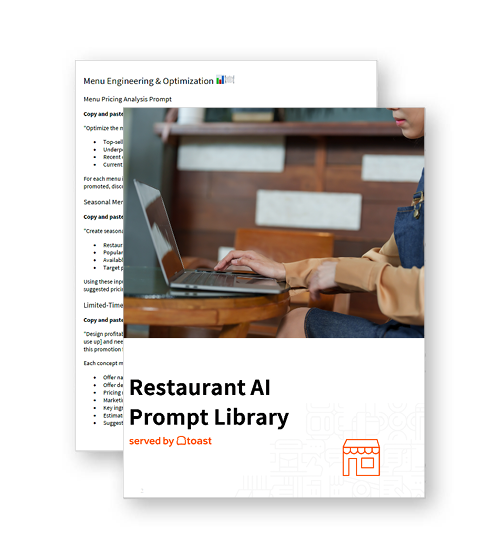
 AI Prompt Library for Restaurants
Use these AI prompts to help get the specific, practical guidance your restaurant needs.
Get Free DownloadAI for restaurant operations uses artificial intelligence to automate, optimize, and support the daily processes that keep your restaurant running. Instead of relying on manual processes or guesswork, AI uses data to help your systems run more efficiently. As Ed Lee, managing director at Deloitte Consulting LLP, explains:
“Even if you aren’t ready for robotics or fully automated workflows, automating a few high-impact steps with AI-powered technologies can help to transform the kitchen. You can work more efficiently without increasing headcount—and your employees could have a better experience, too.”
From order management to staffing and reporting, AI helps reduce errors, save time, and improve decision-making across your business. In this guide, we’ll break down the specific ways AI can improve restaurant operations and where it can have the biggest impact.
Key takeaways
AI for restaurant operations helps automate and optimize daily workflows, reducing manual effort and improving efficiency.
Using AI across orders, inventory, and scheduling can reduce errors and keep operations running smoothly.
AI-powered forecasting and data analysis help restaurants plan ahead and make better operational decisions.
Smarter ordering and personalized recommendations can increase revenue without adding friction to the guest experience.
Automating routine tasks with AI frees up staff to focus on service and higher-value work.
Restaurant Operations Manual Template
Use this free template to easily outline all of your operating procedures and make day-to-day operations as consistent as possible.

1. Manage incoming orders across channels
AI can help you handle high order volume across all channels—online ordering, delivery apps, kiosks, and phone—by streamlining how orders are captured, routed, and paced. Instead of relying on staff to juggle multiple inputs, AI keeps orders organized and flowing through your system, especially during peak periods.
Capture orders across multiple channels: Sync online, in-app, kiosk, and phone orders into one system to reduce fragmentation.
Route orders directly to the kitchen: Send orders automatically to the right prep station without manual entry.
Prioritize and pace incoming orders: Adjust order flow in real time to prevent bottlenecks and delays.
Reduce missed or dropped orders: Ensure every order is captured accurately, regardless of how it’s placed.
2. Forecast demand to plan operations
AI uses historical sales data and trends to help you anticipate demand, so you can plan ahead with more confidence. Instead of reacting to busy shifts or slow periods, you can make proactive decisions that keep operations running smoothly.
Predict sales volume by day and time: Understand when demand will increase or decrease throughout the week.
Anticipate seasonal trends: Prepare for holidays, weather shifts, and recurring demand patterns.
Plan inventory, prep, and promotions: Align purchasing, kitchen prep, and marketing efforts with expected demand.
Reduce reactive decision-making: Use data-driven forecasts to stay ahead of changes instead of scrambling to adjust.
3. Optimize staff scheduling
AI helps you align staffing levels with expected demand so you’re neither overstaffed during slow periods nor understaffed during rushes. By using historical data and patterns, AI can take the guesswork out of scheduling and help you build more efficient, cost-effective shifts.
In fact, in a recent Harri survey of over 600 hospitality professionals, the top area where operators said AI could provide the most value was scheduling and labor optimization (38%).
Forecast staffing needs: Use demand data to determine how many team members you’ll need for each shift.
Suggest shift schedules: Automatically generate schedules based on availability, roles, and demand.
Reduce overstaffing and understaffing: Match labor more closely to real business needs.
Improve labor cost control: Optimize staffing levels to manage one of your largest expenses.
4. Manage inventory and purchasing
AI helps you stay on top of inventory by tracking what you have on hand and automating key purchasing decisions. Rather than relying on manual counts and guesswork, you can maintain better control over stock levels and avoid costly shortages or excess.
Track ingredient levels in real time: Monitor inventory as items are used and updated across systems.
Trigger reorders automatically: Set thresholds so key ingredients are reordered before they run out.
Optimize purchasing decisions: Use data to guide how much and how often you order.
Reduce over-ordering and stockouts: Keep inventory balanced to avoid waste and service disruptions.
5. Streamline kitchen execution
AI can help your kitchen run more smoothly by improving how orders move through prep and ensuring better coordination across stations. Instead of relying on manual prioritization, AI helps optimize timing and workflow so your team can keep up during busy shifts.
Prioritize tickets based on timing: Sequence orders to ensure items are ready at the right time.
Coordinate prep across stations: Align different parts of an order so everything is completed together.
Reduce bottlenecks during rushes: Identify and manage slow points in the workflow.
Improve ticket flow and timing: Keep orders moving efficiently from start to finish.
6. Improve order accuracy and consistency
AI helps reduce errors by ensuring orders are captured, communicated, and executed consistently. This is especially important as orders come in from multiple channels and include customizations. For example, Wendy’s has seen strong results from its AI-powered drive-thru technology. As the company notes:
“Wendy’s FreshAi is enhancing the customer experience by focusing on order accuracy and meeting customers where and how they want to order their Wendy’s favorites. Customers are saying Wendy’s FreshAi drive-thru technology is a game-changer.”
Capture orders clearly across systems: Standardize how orders are entered from online, in-app, and in-store channels.
Handle modifiers and customizations: Accurately process special requests without confusion.
Standardize order communication: Ensure FOH and BOH are working from the same information.
Reduce remakes and errors: Minimize mistakes that lead to wasted time and food.
7. Increase revenue through smarter ordering
AI can help you grow revenue by making ordering more dynamic and personalized. Instead of relying on static menus or generic upsells, AI uses data to surface the right suggestions at the right time—without slowing down the ordering process.
Recommend add-ons and upgrades: Suggest relevant sides, drinks, or extras that complement the order.
Personalize suggestions: Tailor recommendations based on past orders or customer behavior.
Optimize menu presentation: Highlight high-margin or popular items to guide customer choices.
Increase average order value: Drive larger orders through seamless, data-driven upselling.
8. Improve guest communication and experience
AI helps keep guests informed and reduces friction by improving how information is shared throughout the ordering and fulfillment process. Clear communication leads to smoother handoffs and fewer issues during pickup or delivery.
Provide accurate wait times: Set clear expectations based on real-time conditions.
Send order status updates: Keep guests informed as their order is prepared and completed.
Improve pickup and delivery clarity: Give clear instructions on where and how to receive orders.
Reduce guest confusion: Minimize uncertainty with consistent, timely communication.
9. Turn operational data into decisions
AI helps you move beyond raw data by turning everyday restaurant metrics into actionable decisions. Instead of manually reviewing reports, you can quickly identify what’s working, what’s not, and where to make adjustments.
Identify best- and worst-performing items: Understand which menu items drive revenue and which underperform.
Track operational trends: Monitor patterns in sales, demand, and performance over time.
Flag inefficiencies: Spot issues like slow service times, low-margin items, or process breakdowns.
Support pricing and menu decisions: Use data to guide pricing updates, promotions, and menu changes.
10. Automate routine operational tasks
Embracing AI can take repetitive, time-consuming tasks off your team’s plate so they can focus on higher-value work. By reducing manual effort, you can improve efficiency without adding complexity to your operations.
Automate reporting and admin: Generate reports and summaries without manual input.
Handle basic customer inquiries: Respond to common questions about hours, menus, or orders automatically.
Reduce manual data entry: Sync systems and eliminate duplicate input across platforms.
Free up staff time: Allow your team to focus on service, operations, and guest experience.
Toast IQ
Many of the capabilities covered in this guide are available in one place through Toast IQ, a conversational AI assistant built natively into the Toast platform. Drawing on real-time and historical data from across approximately 148,000 restaurant locations — alongside contextual signals like local weather and upcoming events — Toast IQ lets operators ask plain-language questions about their business and act on the answers without leaving the platform.
Need to update inventory across all channels, adjust a server's clockout, or 86 a menu item mid-service? Type it like you'd say it. Toast IQ also handles several of the use cases covered above: recommending menu pairings based on sales data, setting up automated upsells, and drafting marketing campaigns. For operators already on Toast, it's what putting these tools into practice actually looks like.
Like a sous chef for your systems
As restaurants continue to adopt these technologies, the goal isn’t just short-term efficiency—it’s building systems that can scale and improve over time. As Shake Shack chief information and technology officer Justin Mennen explains:
“Long term, success means we’ve put in place a technology foundation that allows us to operate more efficiently at scale, deliver more personalized guest experiences, and continue to bring enlightened hospitality to life as we grow.”
From managing orders and planning ahead to improving accuracy and saving time, AI tools support the systems you already rely on. Fewer bottlenecks, fewer errors, and better decisions all lead to smoother service and a more reliable experience for both your team and your guests.
FAQ
What is AI for restaurant operations?
AI for restaurant operations refers to using artificial intelligence to automate and improve daily tasks like order management, scheduling, inventory, and reporting. It helps restaurants run more efficiently by using data to reduce manual work and improve decision-making.
How much does restaurant AI cost?
The cost of restaurant AI varies depending on the tool and how it’s used, ranging from built-in features in existing platforms to standalone tools with monthly fees. Many AI capabilities are already included in POS systems.
Can small restaurants benefit from AI?
Yes, small restaurants can benefit from AI by using it to streamline operations, save time, and reduce errors. Even simple use cases like automated scheduling, inventory tracking, or order management can make a noticeable impact.
Will AI replace restaurant workers?
No, AI is designed to support restaurant staff, not replace them. It helps handle repetitive tasks and improve efficiency so employees can focus more on service and guest experience.
How do I know if an AI tool is working?
You can measure the impact of an AI tool by tracking improvements in key metrics like order accuracy, service speed, labor costs, and sales. If operations feel smoother and more consistent, it’s a good sign the tool is working.
What’s the best first AI tool for a restaurant?
The best first AI tool depends on your biggest operational challenge, but many restaurants start with tools for order management, scheduling, or inventory. Choosing something that integrates with your existing systems makes it easier to see results quickly.
Employee Handbook Template
Outline your restaurant’s staff policies in this customizable Word doc to help restaurant management and staff get on the same page.

Is this article helpful?
DISCLAIMER: This information is provided for general informational purposes only, and publication does not constitute an endorsement. Toast does not warrant the accuracy or completeness of any information, text, graphics, links, or other items contained within this content. Toast does not guarantee you will achieve any specific results if you follow any advice herein. It may be advisable for you to consult with a professional such as a lawyer, accountant, or business advisor for advice specific to your situation.
 Trending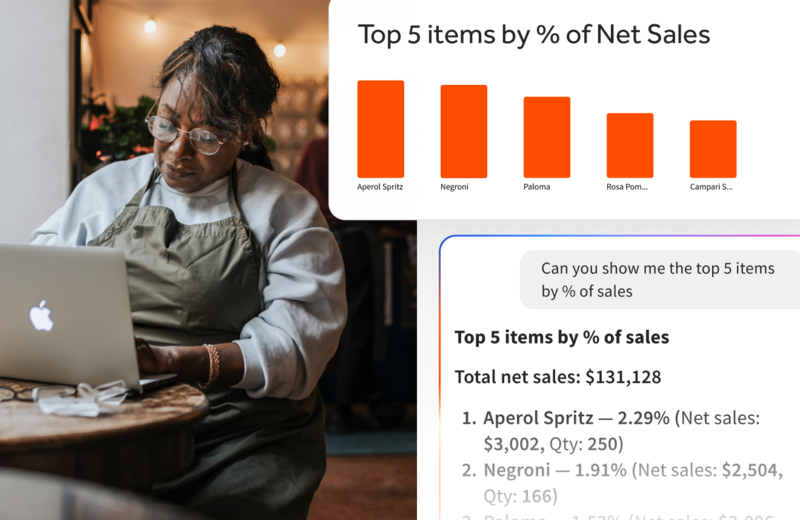

Subscribe to On the line
Sign up to get industry intel, advice, tools, and honest takes from real people tackling their restaurants' greatest challenges.
By submitting, you agree to receive marketing emails from Toast. We’ll handle your info according to our privacy statement. Additional information for California residents available here.