What’s the Difference Between a Restaurant POS and a Retail POS?
A restaurant POS system must support more than checkout. Learn why it differs from retail POS and how a hybrid platform can manage both.
Author
 RESOURCE
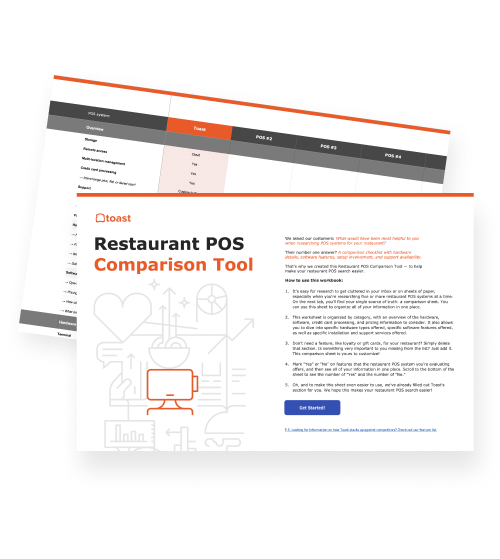
 Restaurant POS Comparison Tool
A free, customizable Restaurant POS Comparison Tool to research and compare point of sale systems in one Excel spreadsheet.
Get Free DownloadA restaurant POS system differs from a retail POS system because it manages prepared orders, kitchen production, and service workflows. A retail POS is generally built around selling finished products and tracking them by SKU, barcode, and quantity.
Both systems record transactions, but a restaurant’s work continues after an order is entered. Items may need modifiers, preparation instructions, routing to several stations, and coordination between the front and back of house.
Toast’s restaurant POS system connects those steps so orders, payments, kitchen activity, and reporting remain part of the same workflow. Although Toast is built around restaurant operations, the platform also offers Toast Retail, which is built to connect every part of your store with an all-in-one platform that brings more convenience, more variety, and more delightful customer experiences.
See how these are two different offerings with features built specifically for their designated industry? That’s crucial when it comes to running your business.
This guide explains how restaurant and retail POS systems differ, which features restaurants need, and when a hybrid system makes more sense.
Key takeaways
Restaurant POS systems coordinate prepared orders, kitchen production, payments, and service, while retail systems prioritize SKUs and inventory.
Restaurants typically need features such as modifiers, kitchen routing, split checks, tips, and table management.
Hybrid POS systems let cafés, bakeries, markets, and similar businesses manage prepared food and retail products together.
Essential restaurant POS capabilities include flexible ordering, integrated payments, employee tools, and real-time reporting.
Operators should choose and test a POS based on the complete workflow from order entry through fulfillment and reporting.
Restaurant Equipment Checklist
Opening or upgrading a restaurant? Don't miss any essential equipment! Download our free, comprehensive restaurant equipment checklist.

What is a restaurant POS system?
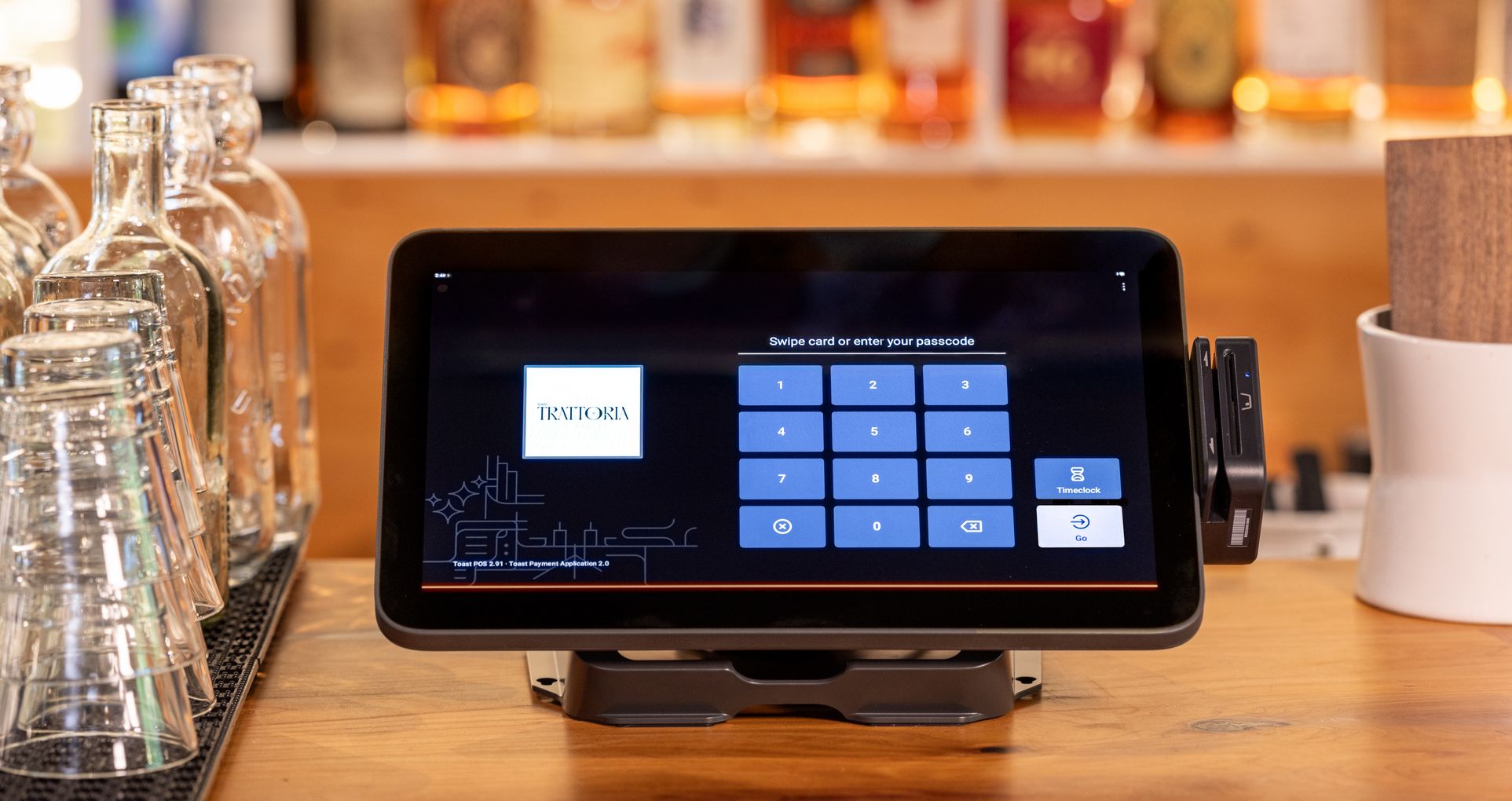
A restaurant POS system is the hardware and software used to enter orders, accept payments, communicate with the kitchen, and record sales and operational data. It serves as the connection point between the guest, employees, kitchen, and back office.
The exact workflow depends on the restaurant. A full-service concept may manage tables, seats, courses, and split checks, while a quick-service restaurant may prioritize counter orders, kiosks, drive-thru service, and high transaction volume.
Toast Point of Sale supports multiple service models and ordering channels, allowing restaurants to configure the system around how their teams serve guests.
How is a restaurant POS different from a retail POS?
A restaurant POS organizes transactions around prepared orders and service, while a retail POS organizes them around merchandise, SKUs, and inventory. Restaurant systems must communicate what needs to be made; retail systems generally record which finished product was sold.
A retail POS system is typically designed to scan products, manage variants, update stock, and complete checkout. A restaurant POS must also capture preparation details and coordinate fulfillment.
Remember, these boundaries aren’t absolute. Cafés, bakeries, markets, breweries, and other businesses may need both restaurant and retail capabilities.
Capability | Restaurant POS system | Retail POS system |
Primary transaction | Prepared food and beverage orders | Finished merchandise |
Item structure | Menu items, modifiers, courses, and combos | SKUs, variants, sizes, and colors |
Ordering | Counter, table, handheld, kiosk, online, or delivery | Checkout counter, handheld, or ecommerce |
Fulfillment | Kitchen or bar preparation and guest service | Immediate purchase, pickup, or shipment |
Inventory | Menu availability and ingredient usage through connected tools | Product quantities, barcodes, and stock levels |
Hardware | Terminals, handhelds, KDS screens, and kitchen printers | Registers, barcode scanners, scales, and label printers |
Employee workflows | Tables, tips, shifts, kitchen roles, and service sections | Cashier permissions, commissions, and stock responsibilities |
Reporting | Sales, menu mix, labor, tips, tickets, and table performance | Product sales, margins, inventory, and vendor performance |
Can a retail POS system be used in a restaurant?
A basic retail POS may work for a small operation selling simple, premade items, but it likely won’t support the complete workflow of a full restaurant. Retail-focused systems can lack restaurant-specific functions such as:
Menu modifiers and substitutions
Allergy and preparation notes
Seat and table numbers
Course timing
Kitchen and bar routing
Split checks
Tips and service charges
Table management
Selling a few packaged products doesn’t necessarily mean a restaurant needs a separate retail system. However, a large merchandise catalog may require stronger SKU, barcode, product-variant, and inventory tools than a basic restaurant POS provides.
Cafés, markets, bakeries, and delis may benefit from a foodservice and retail POS system that can manage prepared menu items and finished products together.
Ultimately, the right system should support the complete workflow from order entry through preparation, fulfillment, payment, and reporting.
What features should a restaurant POS system include?
A restaurant POS should match how guests order and how employees fulfill those orders. The exact setup varies by service model, but most restaurants need tools that keep order details accurate as they move from the guest to the kitchen and through payment.
Flexible order entry and menu management
Restaurant orders can originate from a table, counter, kiosk, website, app, drive-thru, or delivery platform. The POS should preserve the same menu information and order details across every relevant channel.
Flexible ordering: Support the channels the restaurant currently uses and may add later.
Detailed modifiers: Record substitutions, sizes, cooking preferences, allergy notes, and add-ons.
Service controls: Manage tables, seats, courses, checks, and item availability where applicable.
Connected checkout: Split, transfer, and close checks without recreating the order.
Toast Go 3 extends ordering and payment beyond a stationary terminal, allowing employees to enter orders and complete transactions closer to the guest.
Kitchen routing and order visibility
A restaurant POS should send each item to the correct kitchen, bar, preparation station, or printer. Modifiers and special instructions need to remain attached so employees know exactly what to prepare.
Automatic routing: Direct food and drink items to their assigned stations.
Clear order details: Preserve modifiers, quantities, timing, and guest requests.
Ticket visibility: Show which orders are new, in progress, delayed, or completed.
Status updates: Help front- and back-of-house employees coordinate fulfillment.
As Dave’s Hot Chicken CTO Leon Davoyan told Hospitality Technology, a modern KDS is “no longer just a digital distribution of chits.” It can also exchange information with the other systems involved in preparing and fulfilling an order.
Toast’s Kitchen Display System connects kitchen routing with real-time order visibility, helping teams organize tickets from multiple ordering channels.
Integrated payments
Integrated payments connect the transaction with its corresponding order, check, employee, and location. This reduces the need to match sales and payment records manually after service.
Common payment methods: Accept cards, contactless payments, digital wallets, cash, and gift cards.
Restaurant checkout: Handle split checks, tips, service charges, refunds, and adjustments.
Connected records: Keep payment activity tied to the correct order.
Consistent reporting: Bring in-person and digital payments into the restaurant’s financial records.
Toast Payments connects payment processing with restaurant orders and reporting, giving operators a clearer record of each transaction.
Employee and payroll workflows
Restaurant employees may work different positions, pay rates, locations, and schedules. The POS should record employee activity accurately and make that information available to connected labor and payroll tools.
Role-based permissions: Control which employees can access discounts, voids, reports, and manager functions.
Time tracking: Record clock-ins, clock-outs, breaks, and hours worked.
Multiple pay rates: Support employees working more than one position or location.
Tip records: Connect relevant tip activity with employee and payroll workflows.
Labor reporting: Compare employee hours and labor costs with restaurant sales.
Toast Payroll & Team Management connects employee information, hours, tips, and payroll workflows, reducing the need to transfer records between separate systems.
Reporting and remote access
A restaurant POS captures information every time an employee enters an order, accepts a payment, clocks in, applies a discount, or completes a refund. Reporting tools organize that activity so operators can understand what’s happening across the business. For instance, restaurants may want to track:
Sales and order volume
Menu-item performance
Labor and employee activity
Discounts, voids, and refunds
Tips and payment methods
Ordering channels
Ticket and service times
Location performance
Toast Now gives owners and managers mobile access to restaurant performance. Toast IQ adds the ability to ask plain-language questions about connected business data and receive relevant operational insights.
When does a business need a hybrid restaurant and retail POS?
A business may need a hybrid POS when it prepares food or drinks and also sells a meaningful range of packaged or merchandise products. Common examples include:
Bakeries selling made-to-order drinks and packaged goods
Butcher shops preparing sandwiches or hot meals
Breweries selling food, packaged beverages, and merchandise
Cafés selling coffee equipment, beans, and retail products
Markets operating delis, counters, or prepared-food stations
These businesses need to manage two different item types. Prepared menu items may require modifiers and kitchen routing, while finished products depend on SKUs, barcodes, variants, and unit-level inventory. A hybrid system should support:
Menu items and retail SKUs in one checkout
Modifiers and kitchen routing
Barcodes, scales, and product variants
Ingredient and finished-product inventory
Shared customer, sales, and location reporting
Toast’s restaurant and retail hybrid POS supports foodservice and retail transactions within one platform. A customer can purchase a prepared meal, packaged product, and branded item without the business maintaining a separate checkout system for each category.
Toast Retail Inventory Management adds real-time SKU tracking, barcode tools, PAR levels, cycle counts, and transfers between locations. Together, these capabilities help hybrid operators manage both sides of the business without losing visibility into either one.
How to choose the right restaurant POS system
Choose a restaurant POS system based on how the business operates rather than the length of its feature list. A useful feature is one that solves a real service, kitchen, payment, inventory, or management need. Ask the following questions:
How do guests order? Account for tables, counters, kiosks, websites, apps, drive-thru lanes, takeout, and delivery.
How complex are the orders? Consider modifiers, courses, substitutions, allergy notes, combos, and split checks.
How are orders fulfilled? Map the handoffs between order entry, kitchen or bar production, pickup, delivery, and payment.
What does the business sell? Determine whether the system must manage prepared food, retail merchandise, or both.
What hardware does the team need? Evaluate terminals, handhelds, kiosks, kitchen screens, printers, scanners, and scales.
Which systems must connect? Review payment, payroll, scheduling, inventory, reporting, loyalty, and online-ordering requirements.
How will costs change? Compare hardware, software, payment processing, installation, support, and additional-location costs.
What happens during a disruption? Ask about support, connectivity requirements, offline capabilities, equipment replacement, and data access.
Can the system grow with the business? Consider future channels, locations, menus, products, and reporting needs.
Employees should also participate in the evaluation. In a blind survey of 624 U.S. restaurant workers, 42% said they believed their opinions mattered when management selected or changed technology.
During a demonstration, ask employees to test the workflows they perform every day. Enter a complicated order, add modifiers, send items to different preparation stations, split a check, process a refund, change shifts, and review an end-of-day report. These tests reveal more than a list of advertised features.
One system for every type of sale
The easiest way to choose a POS is to follow a transaction from start to finish. Restaurant orders may need modifiers, kitchen routing, tips, and service tracking, while retail purchases may require barcodes, product variants, and detailed inventory. Hybrid businesses need both without making employees or customers switch systems.
Toast POS connects orders and payments with kitchen, reporting, and retail capabilities across the Toast platform. This gives operators a system that fits how the business works today while leaving room to add products, ordering channels, or locations over time.
Opening a Restaurant Checklist
So many things go into opening a restaurant. Use this free PDF checklist to set your new restaurant up for success.
FAQ
What is a POS system in a restaurant?
A restaurant POS system is the hardware and software used to enter orders, route items to preparation stations, accept payments, and record operational data.
What’s the difference between a restaurant POS and a retail POS?
A restaurant POS manages prepared orders, modifiers, kitchen workflows, tips, and service, while a retail POS focuses on SKUs, barcodes, and merchandise inventory.
Can you use a retail POS in a restaurant?
A retail POS may work for a simple premade-food operation, but most restaurants need specialized features such as kitchen routing, modifiers, split checks, and tipping.
What is the most popular POS system for restaurants?
There is no authoritative ranking that applies to every restaurant, so operators should prioritize a restaurant-specific system like Toast that fits their service model and workflows.
What is the cheapest POS system for restaurants?
The cheapest restaurant POS is the system with the lowest total cost for the required software, hardware, payment processing, installation, support, and add-ons.
How long does it take to set up a restaurant POS system?
Restaurant POS setup can take a few days to several weeks depending on the menu, hardware, integrations, employee training, and number of locations.
Do I need separate hardware for a restaurant POS?
Most restaurants need compatible checkout and payment hardware, while handhelds, kitchen screens, printers, kiosks, scanners, and scales depend on the service model.
Can a restaurant POS help with labor management?
A restaurant POS can support labor management by recording employee hours, permissions, sales, tips, and labor data for connected scheduling and payroll tools.
What payment types should a restaurant POS accept?
A restaurant POS should accept cash, credit and debit cards, contactless payments, digital wallets, gift cards, and online payments appropriate to its sales channels.


Is this article helpful?
DISCLAIMER: This information is provided for general informational purposes only, and publication does not constitute an endorsement. Toast does not warrant the accuracy or completeness of any information, text, graphics, links, or other items contained within this content. Toast does not guarantee you will achieve any specific results if you follow any advice herein. It may be advisable for you to consult with a professional such as a lawyer, accountant, or business advisor for advice specific to your situation.

Subscribe to On the line
Sign up to get industry intel, advice, tools, and honest takes from real people tackling their restaurants' greatest challenges.
By submitting, you agree to receive marketing emails from Toast. We’ll handle your info according to our privacy statement. Additional information for California residents available here.