
Restaurant Accounting 101: The Essential Guide for Operators
Restaurant accounting helps operators understand costs, profit, and cash flow. Learn the methods, financial statements, processes, and metrics.

Author
 RESOURCE
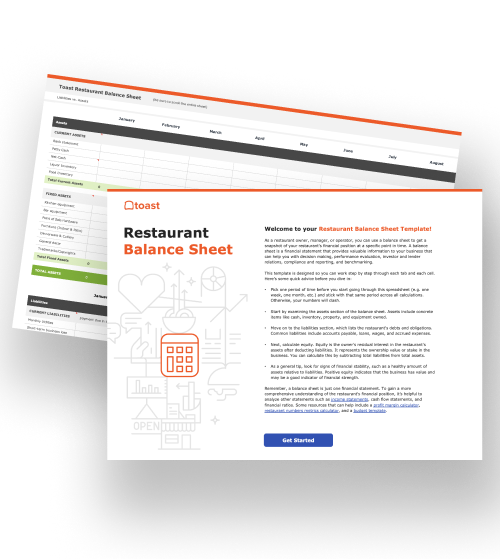
 Balance Sheet Template
This template will help you forecast short and long-term cash flow and assess the overall financial health of your restaurant.
Get Free DownloadRestaurant accounting is the process of recording, organizing, analyzing, and reporting a restaurant’s financial activity. It brings sales, expenses, inventory, payroll, and payment data together to show whether the restaurant is profitable and has enough cash to meet its obligations.
These records often sit across separate systems. xtraCHEF by Toast connects supplier invoices and purchasing data with restaurant sales and compatible accounting software, reducing the need to move data between systems manually.
In this guide, you’ll learn how restaurant accounting works, which financial statements and metrics to track, and how to build a reliable accounting process.
Key takeaways
Restaurant accounting combines sales, expenses, inventory, payroll, and payment data to measure profitability and cash flow.
Cash-basis and accrual accounting record activity at different times, so restaurants should choose one method and apply it consistently.
The P&L, balance sheet, and cash flow statement show profitability, financial position, and available cash.
Accurate books depend on consistently reconciling sales and deposits, processing invoices, tracking COGS and labor, and closing each period.
Connected restaurant systems can reduce manual entry, but accounting software remains the formal ledger.
What is restaurant accounting?
Restaurant accounting tracks the money entering, leaving, and remaining in a restaurant. It creates the financial records operators use to evaluate performance, prepare for taxes, manage cash, and plan future spending. Common restaurant accounting responsibilities include:
Recording and categorizing transactions
Maintaining the general ledger
Processing invoices and vendor payments
Reconciling sales, deposits, and bank accounts
Tracking inventory, cost of goods sold, labor, and operating expenses
Preparing financial statements
Planning budgets and cash flow
Supporting tax reporting and compliance
A restaurant-specific chart of accounts organizes assets, liabilities, revenue, COGS, labor, and operating expenses into consistent categories.
Restaurant bookkeeping vs. accounting
Bookkeeping produces the underlying records. Accounting uses those records to explain the restaurant’s financial position and performance.
Function | What it involves | Primary purpose |
Bookkeeping | Recording, coding, and reconciling transactions | Keep financial records complete and accurate |
Accounting | Preparing reports and interpreting financial data | Turn those records into business decisions |
Cash-basis vs. accrual accounting
The difference between cash-basis and accrual accounting is when revenue and expenses are recorded.
Accounting method | Revenue is recorded | Expenses are recorded | Main consideration |
Cash basis | When payment is received | When payment is made | Simpler, but excludes unpaid obligations |
Accrual basis | When revenue is earned | When an expense is incurred | Provides a fuller view of bills, inventory, and liabilities |
Cash-basis accounting may be easier for a small restaurant because transactions are recognized when money changes hands. However, it may not show unpaid vendor bills or other upcoming obligations.
Accrual accounting matches revenue and expenses with the periods in which they were earned or incurred. This can provide a more complete view of an inventory-heavy restaurant’s performance.
The appropriate method depends on the restaurant’s structure, size, inventory, and tax requirements. Operators should make the choice with a qualified accountant or tax professional and apply the method consistently.
Why is restaurant accounting different?
Restaurant accounting follows the same basic principles as accounting in other industries, but restaurants have several operational complications. Understanding fixed and variable restaurant costs helps operators distinguish expenses that remain relatively stable from those that move with sales volume.
Multiple sales channels: Dine-in, takeout, delivery, catering, gift cards, and online ordering can create different fees and settlement records.
Payment complexity: Cash, cards, tips, taxes, refunds, comps, and processing fees must reconcile with deposits.
Perishable inventory: Waste, spoilage, theft, and changing inventory values directly affect COGS.
Vendor-price fluctuations: Ingredient prices, delivery charges, and supplier credits can change with every invoice.
Restaurant payroll: Wages, overtime, tips, payroll taxes, benefits, and multiple pay rates must be recorded correctly.
Frequent operating cycles: Daily and weekly reviews can reveal changes in food and labor costs sooner than monthly statements.
Thin margins: Small changes in costs or sales can have a meaningful effect on profit.
Essential restaurant financial statements
Restaurants generally need three core financial statements: a profit and loss statement, balance sheet, and cash flow statement. Each answers a different question about the business.
Profit and loss statement
A profit and loss statement, or P&L, shows whether the restaurant generated a profit over a specific period. It generally includes:
Net sales
Food and beverage COGS
Gross profit
Labor costs
Operating and occupancy expenses
Net profit or loss
A restaurant profit and loss statement helps operators compare revenue with the costs required to generate it. Using a restaurant income statement template provides a starting structure for organizing those figures.
Balance sheet
A balance sheet shows what the restaurant owns, what it owes, and the owners’ remaining equity at a specific point in time. Its three main categories are:
Assets: Cash, inventory, equipment, and receivables
Liabilities: Vendor bills, taxes, leases, and loans
Equity: The owners’ interest in the business
The balance sheet follows this equation:
Assets = Liabilities + Equity
A regularly updated restaurant balance sheet can help operators evaluate liquidity, debt, and the overall financial position of the business.
Cash flow statement
A cash flow statement tracks cash entering and leaving the restaurant through operating, investing, and financing activities. Profit and cash are not the same. A restaurant can report a profit but still lack enough available cash to cover payroll, rent, inventory, or debt payments.
Cash-flow pressure is common among small businesses. The Federal Reserve Banks’ 2026 Report on Employer Firms found that 50% of employer firms experienced uneven cash flow and 54% had difficulty paying operating expenses such as payroll, rent, and inventory.
Consistent restaurant cash flow management helps operators anticipate when money will arrive and which obligations must be paid first.
How to do restaurant accounting
Restaurant accounting follows a repeatable process that turns daily operating activity into accurate financial reports.
1. Establish accounting periods and accounts
Start by creating a consistent structure for recording activity and comparing results.
Choose weekly, monthly, quarterly, and annual reporting periods.
Create accounts for sales, food, beverages, labor, delivery fees, payment fees, occupancy, and other expenses.
Assign consistent general-ledger codes.
Use the same classifications across locations and accounting periods.
Clear restaurant general-ledger codes help keep transaction categories consistent and make financial reports easier to compare.
2. Capture sales data
Record all restaurant revenue before reconciling payments or preparing journal entries.
Separate sales by category, channel, payment type, and location.
Record taxes, tips, discounts, comps, refunds, and gift-card activity correctly.
Confirm that dine-in, takeout, delivery, catering, and online sales are included.
Review unusual or missing activity before closing the day.
Toast Reporting captures sales and operational data through the POS, giving operators and accountants a consistent set of revenue totals to review.
3. Reconcile payments and deposits
Sales totals do not always equal bank deposits because processing fees, refunds, chargebacks, and settlement timing can change the final amount.
Compare POS sales with cash, card, gift-card, and digital-order totals.
Match payment settlements with bank deposits.
Account for refunds, fees, chargebacks, and withholdings.
Investigate differences before closing the accounting period.
Toast Payments keeps payment activity connected with restaurant transactions, which means operators can more easily compare card sales with payment reports and final deposits.
4. Process invoices and accounts payable
Accurate invoice processing shows what the restaurant purchased, what it owes, and how supplier prices are changing.
Capture invoices, credits, receipts, and vendor statements.
Code purchases to the appropriate inventory or expense account.
Verify quantities, prices, credits, and delivery charges.
Review approvals and payment due dates.
Confirm that the restaurant pays only for products received.
xtraCHEF extracts line-item invoice data, applies accounting categories, and tracks price changes across products and suppliers. This gives operators more detail than recording only the total amount of each supplier bill.
5. Track inventory and COGS
Inventory accounting connects restaurant purchases with the products used to generate sales. The basic COGS formula is:
Beginning inventory + Purchases − Ending inventory = COGS
Restaurants should also:
Use consistent inventory-counting procedures.
Investigate waste, spoilage, theft, and unexplained variance.
Compare actual ingredient usage with theoretical usage based on recipes and sales.
Review how changing supplier prices affect menu margins.
Toast Inventory Management connects mobile inventory counts with invoice prices and POS sales, supporting COGS calculations and actual-versus-theoretical reporting.
6. Record payroll, tips, and labor costs
Labor accounting should capture the restaurant’s full employment cost, not only hourly wages.
Record wages, overtime, payroll taxes, benefits, and employer expenses.
Account for reported tips and tip distributions.
Separate labor costs by job, department, or location when useful.
Record employees working multiple jobs or pay rates correctly.
Reconcile payroll with time and attendance records.
Toast Payroll connects POS-recorded hours, breaks, tips, jobs, and pay rates with payroll reporting, reducing the need to move employee information between disconnected systems.
7. Sync accounting entries
Once restaurant activity is reviewed, the appropriate entries can move into the accounting system.
Map sales, invoice, and payroll categories to the correct general-ledger accounts.
Review journal entries before posting.
Monitor failed or incomplete syncs.
Correct mapping issues before they affect financial statements.
Keep the restaurant’s accounting software as the formal ledger.
For compatible setups, xtraCHEF Sync for QuickBooks Online can create sales journal entries and send reconciled invoice data into QuickBooks Online.
Toast Payroll customers using QuickBooks Online may also use Payroll Accounting Sync to map payroll expenses and liabilities and monitor journal-entry syncs.
8. Close the books and review performance
Closing the books confirms that the period’s transactions are complete and produces the reports used for financial analysis.
Reconcile bank, payment, payroll, and vendor accounts.
Confirm transactions were recorded in the correct period.
Record accruals, prepayments, depreciation, and other necessary adjustments.
Prepare the P&L, balance sheet, and cash flow statement.
Compare actual results with budgets and previous periods.
Resolve material discrepancies before finalizing the period.
Restaurant accounting metrics to track
Accounting metrics help operators identify where revenue is going and which costs require attention.
Metric | Basic formula | What it shows |
Net sales | Gross sales − discounts, comps, and refunds | Revenue retained after adjustments |
COGS | Beginning inventory + purchases − ending inventory | Cost of products used to generate sales |
Food cost percentage | Food COGS ÷ food sales × 100 | Share of food revenue used for ingredients |
Labor cost percentage | Total labor cost ÷ net sales × 100 | Share of revenue used for labor |
Prime cost | COGS + total labor cost | Largest controllable restaurant costs |
Gross profit | Net sales − COGS | Profit before labor and operating expenses |
Net profit margin | Net profit ÷ net sales × 100 | Revenue remaining after all expenses |
Cash flow | Cash inflows − cash outflows | Whether available cash is increasing or decreasing |
Operators can use these metrics together rather than relying on sales alone. For example, rising revenue does not necessarily improve profitability if food, labor, or payment costs increase faster.
Toast IQ lets operators ask plain-language questions about their Toast sales, labor, menu, and operational data. This can make it easier to investigate performance between formal accounting closes, but it does not replace financial statements or professional accounting advice.
How often should restaurants complete accounting tasks?
Restaurant accounting should happen on a consistent schedule. Daily and weekly reviews catch operational problems, while monthly and annual closes support formal reporting.
Frequency | Typical tasks |
Daily | Close sales, count cash, review tenders, record tips, and check deposits |
Weekly | Process invoices, review vendor credits, count inventory, calculate COGS, and monitor labor |
Monthly | Reconcile bank and payment accounts, close the ledger, and review financial statements |
Quarterly | Review budgets, cash projections, tax filings, and financial trends |
Annually | Complete year-end adjustments, tax work, fixed-asset reviews, and annual reporting |
Frequent reviews give operators time to respond before a cost problem affects an entire accounting period. Asian Box CEO Chuck Imerson told Restaurant Business that food and labor are the restaurant’s most “controllable and impactful expense lines,” and his company evaluates both daily.
Connected restaurant accounting software can reduce repetitive data entry, but restaurants still need consistent review, approval, and reconciliation procedures.
Does a restaurant need an accountant?
A restaurant may not need a full-time accountant, but it generally benefits from professional accounting support. Software can automate data collection and routine entries, but it cannot replace professional judgment about taxes, compliance, financing, or complex accounting decisions. Responsibilities are commonly divided among three roles:
Owner or operator: Reviews reports, approves spending, sets budgets, and makes operational decisions.
Bookkeeper: Records transactions, maintains accounts, processes invoices, and performs routine reconciliations.
Accountant or CPA: Reviews the books, prepares statements, supports tax work, advises on accounting methods, and interprets financial performance.
Choose a professional who understands restaurant sales, tips, restaurant payroll, inventory, COGS, and the restaurant’s accounting integrations.
Turn accounting records into cash-flow decisions
Restaurant accounting explains what the business earned, spent, owns, and owes. Accurate records allow operators to plan upcoming payments, control costs, evaluate profitability, and protect available cash.
Toast Finance helps operators put that financial visibility to work. Its tools can organize cash movement, set aside funds for taxes and expenses, pay vendors, provide faster access to eligible card sales, and offer funding options when additional capital is needed.
FAQ
Is restaurant bookkeeping the same as restaurant accounting?
No, bookkeeping records and reconciles transactions, while accounting turns those records into financial statements, analysis, and decisions.
How often should a restaurant do its books?
Restaurants should review sales and cash daily, invoices, inventory, and labor weekly, and complete reconciliations and financial statements monthly.
What’s the ideal prime cost for a restaurant?
Many restaurants aim for a prime cost of about 60% of sales or less, although the right target varies by concept and service model.
Should a restaurant use cash-basis or accrual accounting?
Cash-basis accounting is simpler, while accrual accounting gives inventory-heavy restaurants a fuller financial picture, so operators should choose with a qualified accounting professional.
Do I need restaurant-specific accounting software, or will QuickBooks work?
QuickBooks can serve as the formal ledger, but restaurant-specific accounting software can connect POS, invoice, inventory, and payroll data to reduce manual entry.


Is this article helpful?
DISCLAIMER: This information is provided for general informational purposes only, and publication does not constitute an endorsement. Toast does not warrant the accuracy or completeness of any information, text, graphics, links, or other items contained within this content. Toast does not guarantee you will achieve any specific results if you follow any advice herein. It may be advisable for you to consult with a professional such as a lawyer, accountant, or business advisor for advice specific to your situation.

Subscribe to On the line
Sign up to get industry intel, advice, tools, and honest takes from real people tackling their restaurants' greatest challenges.
By submitting, you agree to receive marketing emails from Toast. We’ll handle your info according to our privacy statement. Additional information for California residents available here.