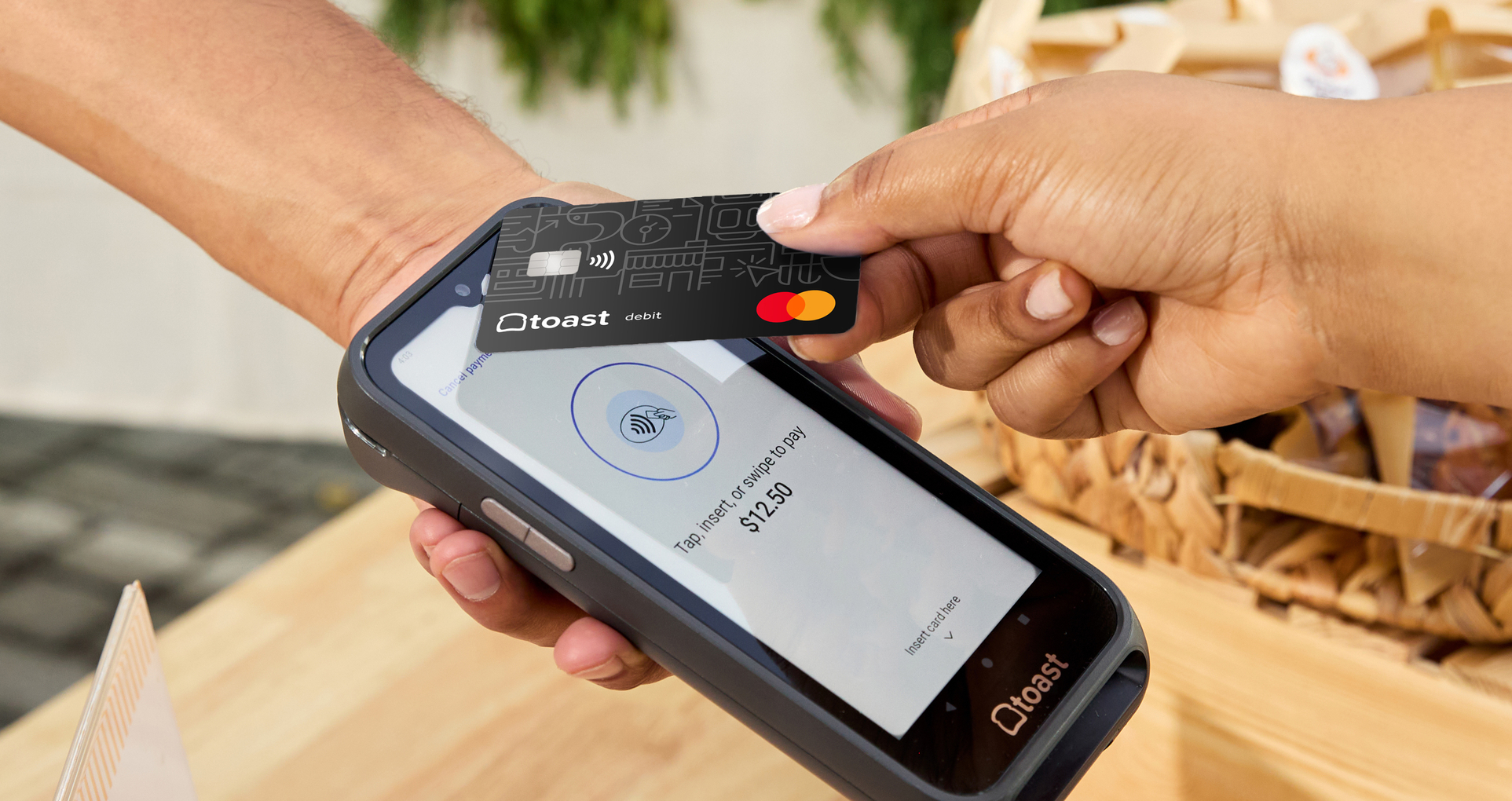
How Does Mobile Payment Work? A Simple 5-Step Guide
Mobile payments make checkout faster and more convenient for customers. Learn how mobile payments work step by step, from tap to deposit.
Author
 RESOURCE
 Retail Store Opening and Closing Checklist
Use this free PDF checklist to set your staff up for success, every shift.
Get Free DownloadMobile payments have become a familiar part of in-store checkouts, especially among younger consumers. According to YouGov, 17% of U.S. adults use mobile payment apps for in-store purchases, with adoption highest among younger age groups—25% of adults ages 18–24 and 23% of those ages 25–34.
While the experience feels simple for customers, several steps happen behind the scenes to securely process each transaction. This guide walks through how mobile payments work, from the moment a customer initiates payment to when funds are deposited into a business’s account.
Key takeaways
Mobile payments let customers pay quickly using phones, watches, or apps instead of cash or physical cards.
Payment details are securely transmitted using tokenization, which helps protect sensitive card information.
Authorization happens in seconds as the payment is approved by the card network and the customer’s bank.
Once approved, the point-of-sale system completes the transaction and records the sale.
After settlement, funds are deposited into the business’s bank account, typically within a few business days.
Retail Branding Guide
This Retail Branding Guide will give you tips on how to create a brand that stands out, attracts customers, and drives repeat visits.

1. The customer initiates a mobile payment
A mobile payment begins when a customer chooses to pay using a mobile device instead of cash or a physical card.
What counts as a mobile payment: Digital wallets, tap-to-pay, and QR code–based payments all fall under mobile payments.
How customers start the payment: Customers use their phone, smartwatch, or an app to tap a terminal, scan a code, or confirm payment on their screen.
What the customer experiences: From the customer’s perspective, the process is quick and usually takes just a few seconds.
2. Payment information is securely transmitted
After the customer confirms the payment, the transaction details are sent securely for processing.
What happens when a customer taps or scans: The payment information is transmitted electronically without sharing the customer’s actual card number.
How tokenization protects payment data: Instead of sending card details, the system uses a one-time digital token to represent the payment.
Why mobile payments are secure: Tokenization and encryption help protect sensitive information for both customers and businesses.
3. The payment is authorized
Once the payment information is securely transmitted, the system checks whether the transaction can be approved.
How the payment request is reviewed: The payment request is sent through the card network to the customer’s bank, which verifies that the funds or credit are available.
What authorization means: Authorization simply means the bank approves the transaction and agrees to pay the business.
Why authorization happens quickly: This step is automated and usually takes place in seconds, which is why mobile payments feel nearly instant.
4. The transaction is completed at the point of sale
After the payment is authorized, the point-of-sale system finalizes the transaction.
How the POS confirms approval: The POS receives confirmation that the payment was approved and completes the sale.
What the customer sees: The customer receives an on-screen confirmation and may get a digital or printed receipt.
What the business sees: The business sees the transaction recorded as an approved sale in the POS system.
5. Funds are settled and deposited
After the sale is completed, the payment moves from approval to payout.
Authorization vs. settlement: Authorization confirms the payment can go through, while settlement is when the funds are actually transferred to the business.
How businesses receive funds: The approved transactions are batched together and sent for settlement, and the funds are deposited into the business’s bank account.
Typical timing for deposits: Deposits usually happen within one to a few business days, depending on the payment processor and bank.
Tap, token, transfer
Mobile payments make it easier for customers to pay quickly and securely, while helping businesses streamline checkout and payment processing. From the moment a customer taps their device to when funds are deposited, the process is designed to be fast and reliable.
With only 31% of restaurants currently offering mobile pay, businesses that adopt mobile payment options have an opportunity to differentiate their checkout experience and meet evolving customer expectations—especially as younger, mobile-first consumers become a larger share of in-store traffic.
Retail Marketing Plan
Create a marketing plan that'll drive repeat business with this customizable marketing playbook template and interactive calendar.
FAQ
Do mobile payments cost retailers more than card payments?
In most cases, mobile payments cost the same as traditional card payments. Mobile wallets like Apple Pay or Google Pay use the same card networks and processing fees as physical cards.
What equipment do I need to accept mobile payments?
You need a point-of-sale system with a contactless-enabled card reader or terminal. Many modern POS systems support tap-to-pay and mobile wallets out of the box.
Are mobile payments secure for my business?
Yes, mobile payments are designed to be highly secure. They use tokenization and encryption to protect payment data, which can reduce fraud risk compared to manual card entry.
Can customers still use mobile payments if their phone battery dies?
No, mobile payments require a powered-on device to work. If a phone or smartwatch battery is dead, customers will need to use another payment method.
How do I know if a mobile payment went through successfully?
Your POS system will display an approval message once the payment is authorized. Customers usually receive an on-screen confirmation or digital receipt at the same time.

Is this article helpful?
DISCLAIMER: This information is provided for general informational purposes only, and publication does not constitute an endorsement. Toast does not warrant the accuracy or completeness of any information, text, graphics, links, or other items contained within this content. Toast does not guarantee you will achieve any specific results if you follow any advice herein. It may be advisable for you to consult with a professional such as a lawyer, accountant, or business advisor for advice specific to your situation.
 Trending

Subscribe to On the line
Sign up to get industry intel, advice, tools, and honest takes from real people tackling their restaurants' greatest challenges.
By submitting, you agree to receive marketing emails from Toast. We’ll handle your info according to our privacy statement. Additional information for California residents available here.