
How Do POS Systems Work? A Simple 6-Step Guide
Point-of-sale systems power every transaction in your business. Learn how POS systems work to streamline operations and stay organized.
Author
 RESOURCE
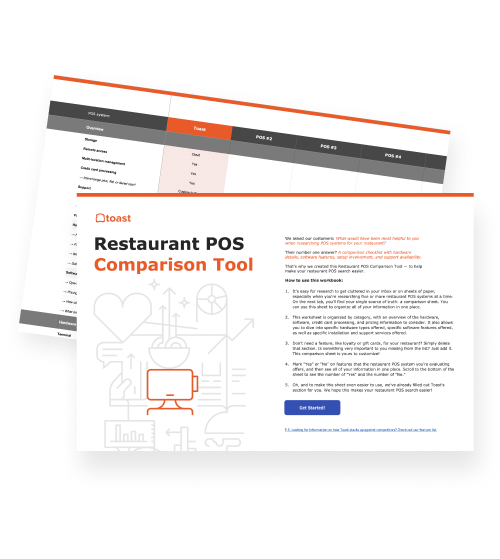
 Restaurant POS Comparison Tool
A free, customizable Restaurant POS Comparison Tool to research and compare point of sale systems in one Excel spreadsheet.
Get Free DownloadA POS system powers every transaction in your business—from taking orders to processing payments and tracking sales. It helps your team move faster, stay organized, and keep operations running smoothly.
In this guide, you’ll learn how POS systems work step by step and how each part of the process helps your business operate more efficiently.
Key takeaways
POS systems manage the full transaction process, from order entry to payment, receipts, and reporting.
Each step—from recording items to processing payments—works together to improve accuracy and speed.
POS systems automatically track sales, update inventory, and generate insights in real time.
Modern POS systems connect with tools like online ordering, accounting, and payroll to streamline operations.
When everything is connected, POS systems help your team stay organized and deliver a better customer experience.
Restaurant Business Plan Template
No matter where you’re at in your restaurant ownership journey, a business plan will be your north star. Organize your vision and ensure that nothing is overlooked with this free template.

1. A customer places an order
Every POS transaction starts when a customer places an order. This can happen in a few different ways depending on how you run your business.
In-store ordering: A cashier or server enters the order directly into the POS system.
Self-service options: Customers place orders through kiosks, QR code menus, or online ordering platforms.
Order flow: No matter how the order is placed, it feeds into the same system—so everything is captured in one place and ready to be processed.
2. The POS system records the transaction
Once the order is entered, the POS system logs all the details of the transaction in real time. This ensures accuracy and makes everything easier to manage.
Items and pricing: The system records what was ordered, including quantities and prices.
Discounts and promotions: The POS can apply discounts, coupons, or special pricing automatically.
Modifiers: Add-ons, substitutions, or special requests (like “no onions” or “extra cheese”) are captured as part of the order.
Real-time tracking: Orders are tracked instantly, so staff can see what’s in progress.
Order routing: In restaurants, the POS sends the order directly to the kitchen display system (KDS) or printer, so the team can start preparing it right away.
3. The POS processes the payment
After the order is recorded, the POS system handles the payment. This step ensures the transaction is completed securely and accurately.
As businesses rely more on digital systems and mobile payments, data security has become increasingly important. In recent years, several well-known brands have experienced cyberattacks, highlighting the need for secure, reliable payment processing.
Payment types: Customers can pay using cards, cash, mobile wallets, or contactless methods.
Payment processing: The POS connects to a payment processor to securely handle the transaction.
Authorization and approval: The processor checks with the customer’s bank or card network to approve or decline the payment.
Secure transactions: Payment data is encrypted to protect customer information.
Tips: In restaurants, customers can add a tip before or after payment, which is recorded in the system.
Taxes and totals: The system automatically calculates taxes, discounts, and final totals before payment.
4. The system generates a receipt
Once the payment is approved, the POS system generates a receipt to document the transaction.
Printed or digital: Receipts can be printed or sent digitally via email or text.
Transaction details: Receipts include items purchased, totals, taxes, and payment method.
Record keeping: Receipts serve as both a customer record and an internal record for tracking sales.
5. The POS stores and syncs data
After each transaction, the POS system automatically stores and updates key business data. This includes sales activity and automated inventory management, so you always have an up-to-date view of your operations.
Sales tracking: Every transaction is logged automatically, giving you a complete record of sales.
Inventory updates: Stock levels adjust in real time as items are sold.
Reporting dashboards: You can view sales trends, top-performing items, and other key metrics.
Cloud syncing: Data syncs across devices and locations, so you always have up-to-date information.
6. The system connects with other tools
Modern POS systems don’t work in isolation—they also connect with other tools. As these integrations evolve, POS platforms are becoming more intelligent and proactive.
For example, systems like Toast now include AI-powered assistants that can surface trends, answer operational questions, and help operators take action—such as identifying underperforming menu items or making quick updates—directly within the POS.
This is a big shift from traditional setups. Instead of jumping between multiple systems, your POS becomes a central hub that brings together data from across your business.
Online ordering: Sync orders from websites, apps, or third-party platforms into your POS.
Accounting software: Automatically track revenue and simplify bookkeeping.
Payroll and scheduling: Connect labor data to manage staff and control labor costs.
Loyalty and CRM: Track customer activity and run promotions to drive repeat business.
Behind the scenes of every sale
The best POS systems tie every part of your business operations together. When everything is connected, your team can focus on what matters most: delivering a top-tier customer experience.
FAQ
What does POS stand for in a restaurant?
POS stands for point of sale. In a restaurant, it’s the system used to take orders, process payments, and manage sales and operations.
Is a cloud-based POS better than an on-premise system?
A cloud-based POS is often more flexible, allowing you to access data from anywhere and update systems automatically, while on-premise systems offer more local control but less accessibility.
How does a restaurant POS process payments?
A restaurant POS processes payments by sending transaction details to a payment processor, which communicates with the customer’s bank to approve or decline the payment securely.
Can a POS manage online orders alongside dine-in?
Yes, modern POS systems can manage online, delivery, and in-store orders in one system, helping restaurants avoid double entry and keep operations organized.
Why does it matter if a POS is built specifically for restaurants?
Restaurant-specific POS systems are designed to handle workflows like table management, modifiers, and kitchen coordination, making service faster and more accurate.
Is this article helpful?
DISCLAIMER: This information is provided for general informational purposes only, and publication does not constitute an endorsement. Toast does not warrant the accuracy or completeness of any information, text, graphics, links, or other items contained within this content. Toast does not guarantee you will achieve any specific results if you follow any advice herein. It may be advisable for you to consult with a professional such as a lawyer, accountant, or business advisor for advice specific to your situation.
 Trending

Subscribe to On the line
Sign up to get industry intel, advice, tools, and honest takes from real people tackling their restaurants' greatest challenges.
By submitting, you agree to receive marketing emails from Toast. We’ll handle your info according to our privacy statement. Additional information for California residents available here.