Different POS Systems for Restaurants of All Kinds
Point-of-sale systems vary by restaurant type and service style. Explore different POS systems for restaurants and which setup fits yours.
Author
 RESOURCE
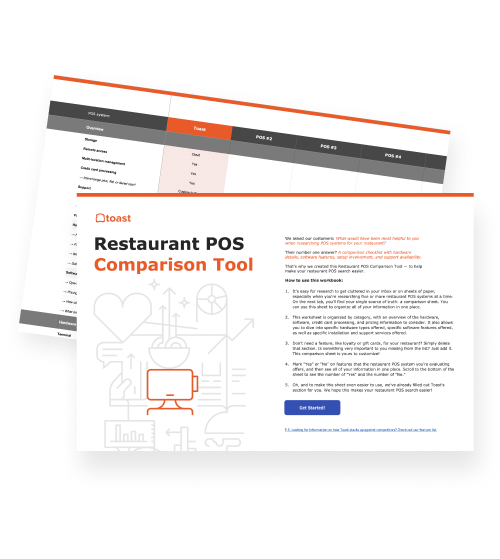
 Restaurant POS Comparison Tool
A free, customizable Restaurant POS Comparison Tool to research and compare point of sale systems in one Excel spreadsheet.
Get Free DownloadPOS systems don’t work the same way in every restaurant. The right setup depends on how you take orders, manage service, and handle volume day to day. That’s why there are different POS systems for restaurants across a range of concepts and service styles. As Michael Ni, CMO at Openprise, explains:
“The key for retailers [and restaurants] here is to supplement the experience, not supplant [it] with technology.”
In practice, that means your POS system should support how your restaurant operates—not force you into a one-size-fits-all setup that works for a completely different concept.
Keep reading to explore how POS systems are used across restaurant types so you can understand what setup makes the most sense for your operation.
Key takeaways
Different POS systems are designed to match how each type of restaurant takes orders, serves guests, and handles volume.
Full-service, quick-service, and fast-casual restaurants rely on POS systems in different ways to support their workflows.
Mobile, kiosk, and cloud-based systems play different roles depending on the restaurant’s service style.
The right POS setup helps reduce bottlenecks, improve accuracy, and keep operations running smoothly.
Choosing a POS system that fits your workflow makes it easier for your team to stay organized and deliver a better guest experience.
Restaurant Business Plan Template
No matter where you’re at in your restaurant ownership journey, a business plan will be your north star. Organize your vision and ensure that nothing is overlooked with this free template.

1. Full-service restaurants
Full-service restaurants depend on timing, coordination, and communication across servers, bartenders, and the kitchen. POS systems in these environments need to manage tables, courses, and detailed orders without slowing down service.
Best types of POS systems
Mobile POS systems: Allow servers to send orders directly to the kitchen from the table instead of walking back and forth.
Cloud-based POS systems: Keep table status, orders, and checks synced across hosts, servers, and managers.
How POS systems help
Manage table flow: Track open tables, turn times, and server sections in real time.
Coordinate courses: Fire appetizers, mains, and desserts at the right time to avoid overwhelming the kitchen.
Reduce order errors: Send detailed modifiers directly to the kitchen without relying on memory or handwritten tickets.
2. Quick-service restaurants (QSR)
Quick-service restaurants are built for speed, with customers ordering, paying, and receiving food in minutes. POS systems need to minimize friction at every step, especially during rush periods.
Speed alone isn’t enough—accuracy is just as critical. Even top-performing fast-food brands average around 89.6% order accuracy, which highlights how small inefficiencies can still impact the customer experience at scale.
Best types of POS systems
Self-service and kiosk POS systems: Let customers place orders themselves, reducing lines and labor needs.
Cloud-based POS systems: Sync orders instantly between front counter, drive-thru, and online channels.
How POS systems help
Keep lines moving: Simplified menus and fast input reduce ordering time per customer.
Handle peak volume: Systems are optimized for rapid transactions during lunch and dinner rushes.
Unify ordering channels: Combine in-store, kiosk, and online orders into one system to avoid bottlenecks.
3. Fast casual restaurants
Fast-casual restaurants combine counter ordering with higher levels of customization, often with made-to-order items and build-your-own formats. POS systems in these environments need to handle detailed orders quickly without slowing down the line.
Best types of POS systems
Self-service and kiosk POS systems: Let customers build and customize orders themselves, reducing pressure on the counter.
Cloud-based POS systems: Sync in-store, online, and third-party orders into one system during busy periods.
How POS systems help
Handle complex orders at speed: Capture modifiers like toppings, proteins, and substitutions without confusion.
Keep lines moving: Streamlined ordering flows prevent bottlenecks during peak hours.
Coordinate kitchen prep: Send detailed tickets to the kitchen so custom orders are executed correctly.
4. Food trucks and pop-ups
Food trucks and pop-ups operate in tight spaces with limited staff, often in environments where internet access and power can be inconsistent. POS systems need to be portable, fast to set up, and reliable under changing conditions. As Jordan Foley, founder of Let’s Chow, said about using Toast:
“We prefer Toast because of their user-friendly interface and durability of hardware for our rigorous food-truck lifestyle.”
He added that “the vehicles contain equipment that tends to break from time to time,” making durable POS devices especially important for mobile operations.
Best types of POS systems
Mobile POS systems: Let staff take orders and payments from a single handheld device.
How POS systems help
Operate from anywhere: Run orders and payments from a small, portable setup without fixed terminals.
Keep lines moving in tight spaces: Take and process orders quickly without crowding a single register.
Stay operational offline: Continue taking payments even if connectivity drops during service.
5. Multi-location restaurants
Multi-location restaurants need to manage multiple stores while keeping operations consistent across each one. POS systems in these environments have to centralize control without slowing down day-to-day service at the store level.
Best types of POS systems
Cloud-based POS systems: Allow managers to view sales, update menus, and push changes across all locations instantly.
How POS systems help
Control menus across locations: Update pricing, items, or promotions once and apply them everywhere.
Track performance by store: Compare sales, labor, and trends across locations in real time.
Standardize operations: Ensure each location follows the same workflows, reducing inconsistencies.
6. Ghost kitchens and delivery-first concepts
Ghost kitchens and delivery-first restaurants rely entirely on digital orders, often coming from multiple third-party platforms at once. POS systems in these setups need to consolidate orders and keep the kitchen organized without a traditional front-of-house.
Best types of POS systems
Cloud-based POS systems: Aggregate orders from delivery apps and keep all incoming orders in one system.
How POS systems help
Aggregate incoming orders: Pull orders from multiple delivery platforms into a single queue.
Reduce manual entry: Eliminate the need to re-enter orders from tablets or third-party apps.
Keep the kitchen organized: Route orders clearly so staff can prioritize and fulfill them efficiently.
Different strokes for different flows
Different restaurants require different POS setups depending on how they take orders, manage service, and handle volume. What works for a full-service restaurant won’t necessarily work for a food truck or a delivery-first concept.
The key is to choose a POS system that fits how your restaurant actually operates. When your setup aligns with your workflow, your team can move faster, stay organized, and deliver a better experience for your customers.
FAQ
What is the most common type of POS system used in restaurants today?
Cloud-based POS systems are the most common today because they offer real-time data, remote access, and the flexibility to scale across locations and devices.
Do full-service and quick-service restaurants need different POS systems?
Yes, full-service restaurants need features like table management and coursing, while quick-service restaurants prioritize speed, simple ordering, and high transaction volume.
What is a kitchen display system, and do I need one?
A kitchen display system (KDS) replaces paper tickets by showing orders on a screen in the kitchen, helping improve accuracy, speed, and communication between staff.
What’s the difference between a generic POS and a restaurant-specific POS?
Restaurant-specific POS systems are built for workflows like modifiers, table tracking, and kitchen coordination, while generic POS systems may lack these features.
Can one POS system work for multiple restaurant concepts?
Yes, many POS systems can be configured for different concepts, but the setup should be tailored to each service style to ensure it supports how the restaurant operates.


Is this article helpful?
DISCLAIMER: This information is provided for general informational purposes only, and publication does not constitute an endorsement. Toast does not warrant the accuracy or completeness of any information, text, graphics, links, or other items contained within this content. Toast does not guarantee you will achieve any specific results if you follow any advice herein. It may be advisable for you to consult with a professional such as a lawyer, accountant, or business advisor for advice specific to your situation.
 Trending

Subscribe to On the line
Sign up to get industry intel, advice, tools, and honest takes from real people tackling their restaurants' greatest challenges.
By submitting, you agree to receive marketing emails from Toast. We’ll handle your info according to our privacy statement. Additional information for California residents available here.