Clover POS Reviews: Pros, Cons & Comparison (2026)
See what real users say about Clover POS — ratings, pros, cons, and how it stacks up against Toast.

Author
 RESOURCE
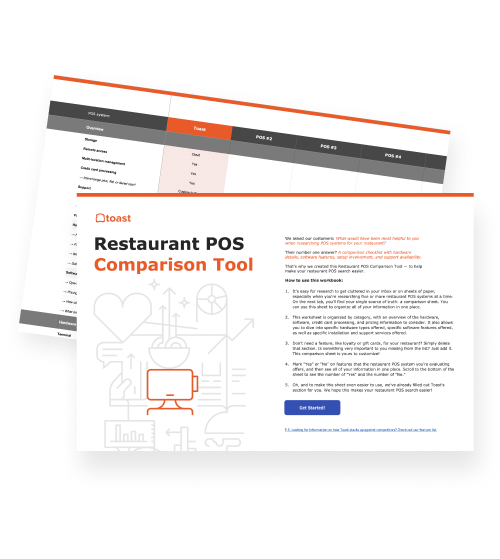
 Restaurant POS Comparison Tool
A free, customizable Restaurant POS Comparison Tool to research and compare point of sale systems in one Excel spreadsheet.
Get Free DownloadWhat are the most common complaints about Clover POS?
The most common complaints about Clover POS include poor customer service, proprietary hardware lock-in, heavy reliance on paid third-party apps, and that it’s not built for full-service restaurants.
With hundreds of POS software platforms to choose from, it's hard to know which is the perfect POS for your business. Clover will likely come up in your search. So, how does it compare to other software systems?
Clover POS is a point-of-sale system owned by Fiserv that provides hardware and software for restaurants, retail, and service businesses. This POS system has several third-party integrations to support modern restaurant experiences, such as ordering online and integrating with Google.
Like other restaurant POS systems, Clover has a visual data dashboard to help businesses track their transactions, employee management, inventory, and more.
To understand how businesses just like yours feel about Clover, we compiled reviews to help you explore the strengths and weaknesses of this popular POS system.
Key Takeaways
G2 Rating: 3.9/5 stars (3.8/5 on Capterra and Software Advice)
Primary Strengths: Ease of use, setup ease, sleek modern design, works well for small restaurants
Main Weaknesses: Unreliable phone support, unexpected and hidden fees, missing features, connectivity issues, and limited customization
Best For: Small businesses that don’t plan on expanding and keep their offerings the same.
Top Competitors: Toast, SpotOn, Square
How does Clover compare to the top restaurant POS platforms?
Before you decide on your POS system, it's best to discover what systems businesses similar to yours have found success using. Restaurant-specific POS reviews can provide you with firsthand experiences of how the product or system performed for other restaurant businesses.
G2 is a reliable software review platform available. Previously known as G2 Crowd, it remains one of the leading software review websites due to its popularity and specificity. G2's proprietary algorithm ranks software categories in real-time, giving you a comprehensive look into what POS system would be best for your particular type of business.
Clover is ranked competitively on the G2 Restaurant POS Grid, which currently holds Toast in a top position as a restaurant point of sale choice based on user reviews and experiences. To understand Clover's performance, we need to look at how this POS ranks for specific types of restaurants.
To do this, we'll first explain how the G2 Grid® scoring system works. Then, we'll take a look at a few Clover reviews to learn more about the pros and cons of this popular POS pick.
How does the G2 Grid restaurant scoring system work?
G2 specializes in business software reviews. It is a helpful tool for researching and comparing software options before purchasing.
Let's be real, finding the software that will best support your business isn't always easy. You're not alone in your pursuit of the perfect product. According to G2’s survey of 1,900+ software buyers around the world:
97% of respondents involve a security stakeholder at some point during the software buying journey, with research being the most popular stage.
80% said their company requires a security or privacy assessment when purchasing software.
81% consider a vendor’s history with breaches or security incidents when evaluating software solutions.
G2's job is to alleviate these kinds of consumer concerns by providing helpful filtering of product reviews. This organization of POS reviews helps users find exactly what they're searching for.
The G2 scoring system relies on satisfaction (X-axis) and market presence (Y-axis), which is based on user reviews, feedback, usage data, and third-party data.
Here’s a glimpse at the G2 Grid® Restaurant POS scoring grid:
To further understand the grid, let's review each quadrant.
Top right quadrant — Leaders: These products have strong customer satisfaction ratings and a strong market presence. (Ex. Toast, SpotOn)
Top left quadrant — Contenders: Platforms with weak satisfaction scores and a strong market presence. (Ex. Clover, TouchBistro, Ligthspeed)
Bottom right quadrant — High Performers: POS systems with strong satisfaction scores, but a weak market presence. (Ex. Chowbus POS, Cake POS)
Bottom left quadrant — Niche: These restaurant POS platforms have weak satisfaction scores and a weak market presence. (Ex. Silverware, Lavu)
Restaurant Profit Margin Calculator
Use this free Restaurant Profit Margin Calculator to see how efficiently you turn sales dollars into profits.

Clover POS reviews
To better analyze how Clover's POS system compares with other platforms on the market, let's explore firsthand experiences with the software.
Overall, Clover has consistent ratings across third-party review sites. The POS system maintains 3.9/5 stars on G2, 3.8/5 stars on Capterra, and 3.8/5 stars on Software Advice. The remarks vary on the software, though. Some find Clover "sleek and modern," while others report that Clover is not the ideal choice for busy establishments due to lag times.
To help you gain more third-party insight on Clover, here are highlights from restaurant and bar owner reviews on G2 and Capterra:
Review 1 — G2 "I like the ease of use for it. If you have multiple locations, you can connect all of [them] to one dashboard. Different versions of the POS don't update to the newest dashboard. I don't like how if you have multiple locations connected, you can't make changes for one location and copy it to the others. You will have to manually do it per location. If you decide not to use Clover anymore, you cannot resell the POS as it [is] only set up for your specific business.” - Jeffrey G, small business owner.
Review 2 — G2 “I like that Clover is easy to set up. I don't like the lack of ability to control centrally multiple POS terminals and set limits.” - Mark N., small business owner.
Review 3 — G2 "Cool looking, lots of apps with convenient resources. [But, I] never know who to contact for help...clover or app or cc processor, and when you finally figure out who, most often it's via email, which takes days to resolve.” - Verified User in Retail
Review 4 — G2 "Clover can be easy to set up. It doesn't take long to begin taking payments. Pretty much everything else is a negative. It's hard to know where to start. To begin, you must know that they disallow the use of used equipment. That means if you're dissatisfied with Clover, your equipment is pretty much bricked. You get nothing for it. Oh, and you will be dissatisfied with them. There are so many annoyances. Their batch is set up for 7pm PST, in the middle of a shift. Their deposits then combine multiple days, with no report to know what days are in the deposit. You can't do partial refunds unless you're in their highest tier. I can almost never get a report on the device; I have to log in on a computer. It goes on and on. Oh, and forget a "trial period"; they don't honor it and won't allow you to return the equipment. Clover is just in it to get your money. They do not care about you as a customer, at all.” - Bear S, Restaurant owner.
Review 5 — Capterra “As long as everything is going well, things are going well. The second anything goes wrong, you can’t rely on customer service. For the most part, the system works well for us. Clover was not able to do everything it promised us it would, but we have adjusted our practices to continue. A duplicate charge caused by the Clover system during a service outage cannot be refunded by their support team or by me. After spending a long time in chat, being told repeatedly the issue was resolved (it wasn’t), I was ultimately told nothing could be done. Meanwhile, my customer is double-charged. This is unacceptable for a payment processor in 2026. Please provide a real solution other than mailing a check. That’s embarrassing,” - Tiffany L, Food Production
Review 6 — Capterra “The hardware of the system was nice. If you are a new business owner and you will not have a loyalty program, then this will work for you. If you are a current business with a loyalty program, THIS IS NOT THE POS FOR YOU.” - Jen S., Retail Manager.
Review 7 — Software Advice “My experience with Clover was generally positive in terms of usability and ease of training. However, the platform lacks important features compared to its competitors, and I’ve seen multiple clients migrate away from it. Unfortunately, I no longer recommend Clover to my clients as I once did.” - Marcelo M, Management Consulting.
Review 8 — Software Advice “Works well as a basic POS platform, but does not do what it claims it can do as far as inventory management. Has too many 3rd party apps needed at a cost that isn't worth the value of service it provides.” - Viet T., Food & Beverage.
Clover POS Strengths
Pros at a glance:
Ease of use
Setup ease
Payment processing
Easy to use
Reviewers across platforms consistently note that new staff pick it up fast.
"The system is extremely easy to use. I repeat, EXTREMELY easy to use. Its large buttons and integrated barcode scanner make transactions quick and smooth." — Software Advice
"It's pretty hard to make a mistake on it, even for a caveman like me." — Software Advice
Setup ease
Getting up and running with Clover seems straightforward, even for owners juggling a new location launch.
"It was quick and easy to set up. The device was easy to use in my store." — Capterra
"Ease of setup and onboarding for employees." — Capterra
Payment processing
Fast, reliable transactions are where Clover earns its strongest marks.
"After dealing with terminals that would shut down or restart randomly or glitch and end up charging a client multiple times, Clover has been a huge, HUGE change for the better. Clients comment all the time how quick and hassle-free checkout is." — Capterra
"Payments and transactions were smooth, and the overall service exceeded my expectations." — G2
Clover POS weaknesses
Cons at a glance:
Opaque and escalating pricing
Poor customer service
Proprietary hardware lock-in
Heavy reliance on paid third-party apps
Not built for full-service restaurants
Opaque and escalating pricing
Low introductory rates are a common complaint — fees tend to climb over time and aren't always explained up front.
"I have been with Clover for about 4 years now, constant rate increases, they upcharge for every little feature. My CC fees have gone through the roof. They bait you in with low initial fees then start jacking them up. Buyer Beware." — Software Advice
"Lots of hidden fees are being charged, and it's very hard to get someone on the phone." — Capterra
Poor customer service
The most common complaint across all three platforms. Issues range from billing disputes to unresolved warranty claims to third-party runaround.
"Cannot get customer service to help cancel my Clover service fee even though I stopped using it 3 years ago — I was still charged monthly fees." — Software Advice
"We gave the courtesy of giving their team 6 months to fix the problem, and they won't honor the warranty." — Software Advice
Proprietary hardware lock-in
Clover hardware is tied to a specific merchant account. Switch processors or close your business, and the hardware has no resale value.
"If you decide to not use Clover anymore, you cannot resell the POS as it is only set up for your specific business." — G2
"You buy the system, if you move to another merchant, you have to buy a new system. Money spent wasn't worth it." — Capterra
Heavy reliance on paid third-party apps
Standard features on other platforms often require a paid app add-on with Clover, and those costs add up.
"The whole thing with having to purchase individual apps — the prices add up quickly. There should be a discounted price if we have to utilize other apps for clocking, scheduling, gift cards, and promotions." — G2
"In order to run our business effectively, we had to download so many third-party apps to do what we had been doing for 30 years on an outdated system." — Software Advice
Not built for full-service restaurants
Clover works for quick-service and retail, but reviewers consistently flag it as underpowered for higher-volume, full-service dining.
“This POS system was not built for full-service restaurants doing any type of volume. We switched out of it because we did too much volume." — Capterra
"The system itself is great, but it isn't geared towards restaurants, more retail." — Capterra
For a full breakdown of how Clover and Toast compare on restaurant-specific features, see our Toast vs. Clover comparison.
Restaurant Budget Template
Use this template to make sure your projections are accurate and help eliminate overspending across your business.
Who is Clover POS best for?
Clover POS can be a fit for:
Small restaurants, cafes, and food trucks that prioritize ease of setup and use
Businesses that prioritize a sleek, modern hardware design
Operators who need a simple, tablet-based ordering solution
Clover POS may not be the best fit for:
High-volume or busy bars where lag times and bar authentication issues create friction
Restaurants that require deep menu customization without paying for add-ons
Operators who need 24/7, readily available customer support
Businesses that want robust online menu visuals included in the base package
Restaurants or retailers that prioritize upfront, transparent pricing
Clover vs. Toast: How do they compare?
Toast and Clover both offer cloud-based POS systems, but their approaches to supporting restaurants and retailers differ. But, how does Clover compare to Toast, the #1 choice of POS software and hardware for restaurants and bars?
Feature | Clover | Toast |
G2 POS Ranking | 3.9/5 stars | 4.3/5 stars |
Capterra POS Ranking | 3.8/5 stars | 4.2/5 stars |
Software Advice Restaurant POS Software Ranking | 3.8/5 stars | 4.2/5 stars |
Pricing Transparency | Does not list pricing on its website for Clover Hospitality. | Clearly shows starting prices upfront, with consistent pricing across channels |
Insights and Data-Driven AI | Requires third-party tools to use an AI chat assistant and or access back office task automation outside of basic functionality, like basic menu building. | Toast IQ helps you not only find the opportunities hidden in your data, but also take action without leaving the chat. |
Online Ordering | Charges diners a $0.99 service fee per order. | Doesn’t charge per-order fees for restaurants or guests. |
Handheld Device Battery Life | 8 hours | 24 hours (Toast Go® 3) |
Customer Support Availability | Limited hours | 24/7, 365 days/year |
Contactless Ordering & Payment | Yes | Yes |
Toast and Clover provide many of the same features. Each offers POS hardware and software systems, including handy things like handheld devices for tableside, curbside, drive-through, or other ordering formats.
As you can see, both Toast and Clover are competitive POS systems. They each work to bring more efficiency and convenience to your restaurant or bar. Which one you choose will be ultimately up to you. Either way, we hope that this review of Clover POS reviews shines more light on this software and how it plays into your search for the perfect POS system.
Frequently asked questions about Clover POS:
Is Clover POS good for restaurants?
Yes, Clover is a good POS for restaurants that are just starting and are looking for a simple POS. However, it falls short for full-service and high-volume restaurants.
Is Toast or Clover more expensive?
Your POS costs will depend on the hardware and software combination you choose. Both Toast and Clover offer entry-level plans with low or no monthly software fees, optional add-ons, and flexible hardware configurations.
Toast’s starter kit includes capabilities that Clover’s entry-level plan may be missing, like contactless payments, handhelds for table-side ordering, and more.
Most restaurants and retailers evaluate price alongside functionality, support, and long-term scalability, areas where Toast is designed to support more complex operations.
What's the difference between Clover POS and Toast?
The big differences between Clover and Toast are:
Toast’s pricing, support, and onboarding are transparent. You’ll always know exactly what you're paying and the services you’ll receive. Clover is more notorious for hidden fees, as mentioned in the reviews above.
Toast’s all-in-one platform combines powerful native capabilities with evolving innovation to help your business thrive. Clover lacks a vertically integrated payroll solution, forcing operators to manage third-party integrations, and it relies on third-party social media management tools.
With Toast, you won’t have to start a new POS search or rely on third-party platforms as your business grows.
Is Clover or Toast better for a restaurant?
Since Toast was designed with restaurants in mind first, it has all the nuances you need to create a truly memorable guest experience, no matter your style of service.
The best part? You can start with just the hardware and software options you need, and add as you grow or your service model evolves. Whatever your restaurant needs in the future, you’ll be able to find it with Toast.
Is this article helpful?
DISCLAIMER: This information is provided for general informational purposes only, and publication does not constitute an endorsement. Toast does not warrant the accuracy or completeness of any information, text, graphics, links, or other items contained within this content. Toast does not guarantee you will achieve any specific results if you follow any advice herein. It may be advisable for you to consult with a professional such as a lawyer, accountant, or business advisor for advice specific to your situation.

Subscribe to On the line
Sign up to get industry intel, advice, tools, and honest takes from real people tackling their restaurants' greatest challenges.
By submitting, you agree to receive marketing emails from Toast. We’ll handle your info according to our privacy statement. Additional information for California residents available here.