How Handheld POS Systems Can Benefit Your Restaurant
Learn how handheld POS systems and devices help you improve table turn times and operational efficiency overall.

작성자
 RESOURCE
 Restaurant POS Comparison Tool
A free, customizable Restaurant POS Comparison Tool to research and compare point of sale systems in one Excel spreadsheet.
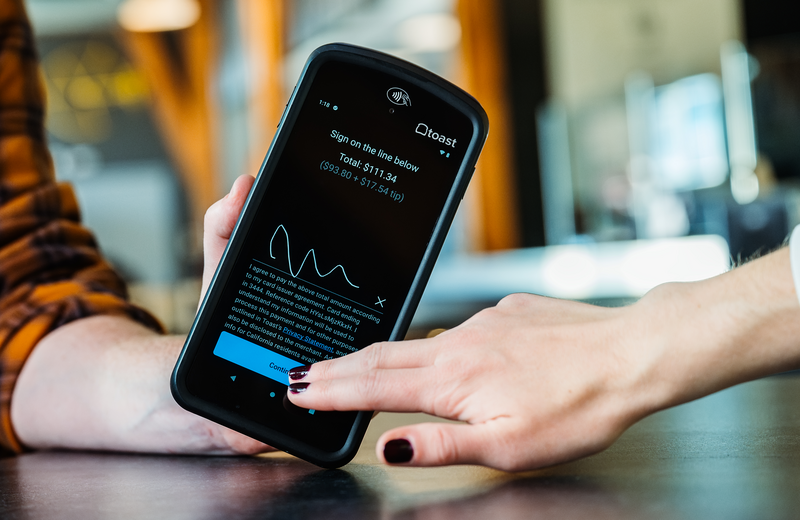
무료 다운로드 받기Handheld POS systems are portable devices that let restaurant employees take orders, send them to the kitchen, and accept payments wherever guests are served. They extend the POS beyond a fixed terminal to tables, patios, drive-thru lanes, and other service areas.
Moving these tasks closer to the guest can reduce ordering delays, unnecessary walking, and time spent waiting for the check. But the device still needs to connect ordering, kitchen communication, and payments for those efficiencies to carry through the entire meal.
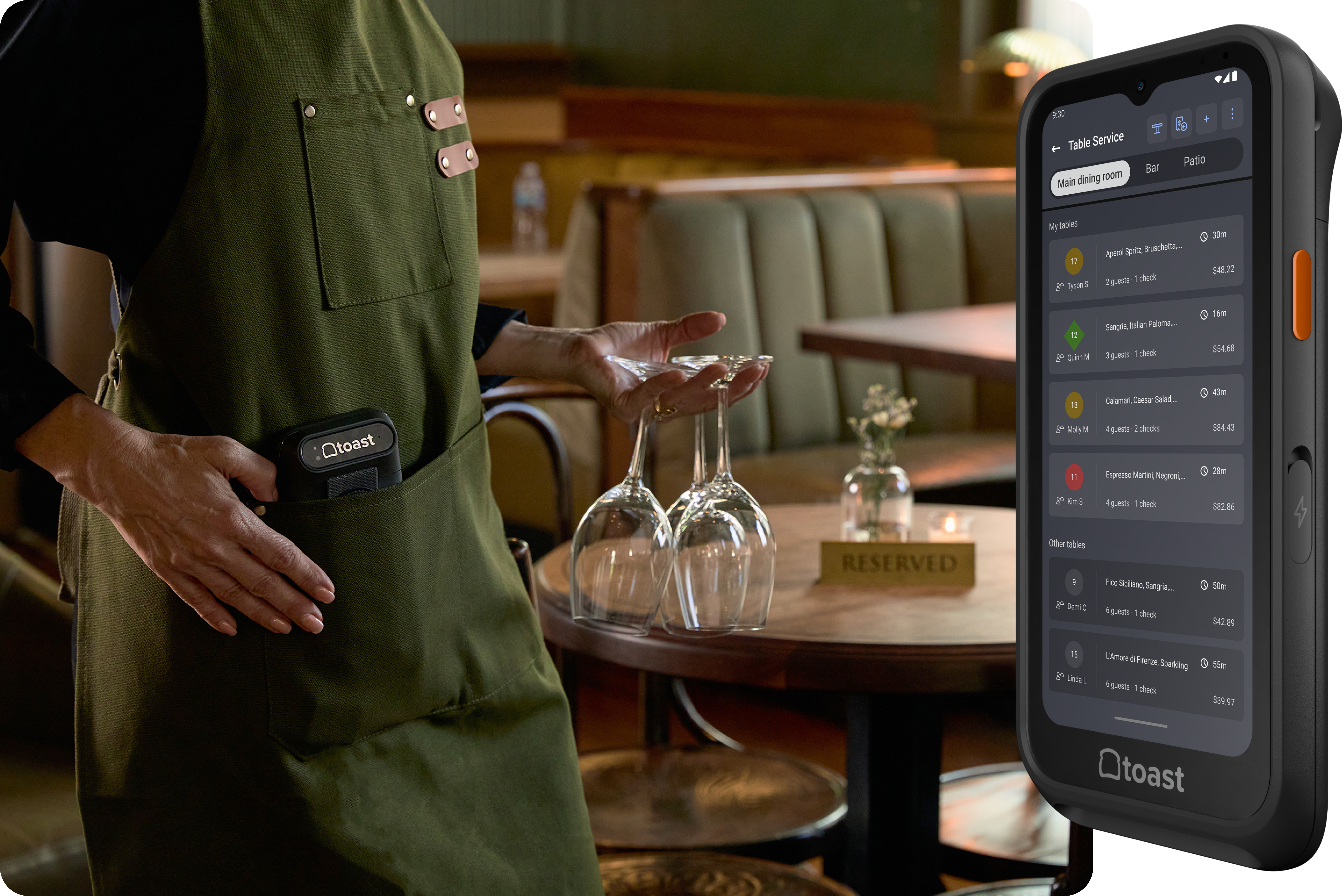
That connected workflow is the idea behind Toast Go 3, a restaurant-built handheld that brings order entry and payment capabilities to the point of service. Its role within the wider restaurant system also shows why evaluating a handheld requires looking beyond the device itself.
This guide explains how handheld POS systems work, the benefits and features that matter most, and the results restaurants have achieved with them.
Key takeaways
Handheld POS systems extend ordering, kitchen communication, and payment processing beyond a stationary terminal.
Reducing trips to a fixed terminal can support faster service, greater order accuracy, quicker table turns, and more attentive hospitality.
Restaurant results include Park Burger’s 20% ticket-time decrease and Brevity Coffee’s 31% increase in morning order volume.
Restaurants should prioritize kitchen integration, secure payments, durability, battery life, connectivity, and restaurant-specific ordering tools.
Toast Go 3 combines mobile ordering and integrated payments with Wi-Fi 6, available cellular connectivity, and more than 24 hours of rated battery life.
Restaurant Equipment Checklist
Opening or upgrading a restaurant? Don't miss any essential equipment! Download our free, comprehensive restaurant equipment checklist.

What is a handheld POS system?
A handheld POS system is a portable device that allows restaurant employees to enter orders, communicate with the kitchen, and process payments away from a stationary terminal. Depending on the system, employees may also be able to split checks, collect tips, print or send receipts, and access current menu information.
Restaurant handhelds are different from consumer tablets and standalone payment readers. A purpose-built handheld connects with the restaurant’s wider ordering, payment, kitchen, and reporting systems. Instead of recording information that must be entered elsewhere, it becomes another access point for the restaurant’s main POS.
Handheld devices generally supplement rather than replace traditional terminals. A restaurant might use stationary terminals for centralized management tasks while giving servers, bartenders, hosts, or drive-thru employees handheld devices for mobile service.
How do handheld POS systems work?
Handheld POS systems move order entry and payment closer to the guest. A typical workflow looks like this:
A server enters the order while speaking with the guest.
The order is sent through the POS to the appropriate kitchen or bar station.
Kitchen employees receive the order on a printer or kitchen display system.
Modifications and corrections can be transmitted without another trip to the terminal.
When the meal is complete, the server can present, split, and close the check at the table.
Because these steps occur within the same system, restaurants can reduce the lag between taking an order and beginning preparation.
For example, Toast POS keeps menu information and restaurant orders connected. Orders entered on a Toast Go 3 can be sent in real time to a Toast Kitchen Display System, while Toast Payments enables employees to accept card and contactless payments at the table.
Handheld POS vs. traditional stationary POS
Handheld and stationary POS systems perform many of the same functions, but they support different parts of the restaurant workflow. Many restaurants benefit from using both. Stationary terminals provide stable workstations, while handhelds allow employees to complete common tasks without returning to those stations.
Capability | Handheld POS | Stationary POS |
Order entry | At a table, counter, patio, drive-thru, or line | At a fixed terminal |
Kitchen communication | Orders can be sent immediately | Orders are sent after the employee reaches the terminal |
Payment | Can be completed beside the guest | The guest or employee may need to visit the terminal |
Mobility | Designed for employees moving throughout the restaurant | Best suited to fixed service points |
Primary role | Extends the POS across the restaurant | Provides a central workstation and operational hub |
Benefits of handheld POS systems
Handheld POS systems can improve several stages of service, from taking the initial order to closing the check. The biggest benefits come from removing unnecessary trips to a stationary terminal.
Faster ordering and shorter ticket times
A handheld POS lets servers submit orders while standing at the table. The kitchen can begin preparing the meal before the server moves to the next party. This helps restaurants:
Avoid lines at shared POS terminals.
Send each order immediately instead of entering several at once.
Communicate modifiers and allergy information directly to the kitchen.
Notify servers when an order is ready.
Faster table turns and greater revenue capacity
Time saved during ordering can carry through the rest of the meal. Guests receive their food sooner, employees make fewer trips between stations, and checks can be closed at the table. That can help restaurants:
Remove avoidable waiting from the guest experience.
Increase capacity without adding seats.
Serve more guests with the same dining-room footprint.
Better order accuracy and kitchen communication
Handheld devices let servers record an order while the conversation is still happening. They can confirm substitutions, review modifiers, and read the order back before sending it. A connected handheld workflow can help reduce:
Misread handwritten notes.
Requests forgotten between the table and terminal.
Mistakes made while entering orders from memory.
Confusion about modifiers and preparation instructions.
Orders for unavailable menu items.
More time for hospitality
The time saved by restaurant technology should be reinvested in the guest experience. Fewer terminal trips give servers more opportunities to:
Check on tables.
Explain menu items.
Make thoughtful recommendations.
Resolve problems before they escalate.
Recognize returning guests and special occasions.
As Lazy Bear and True Laurel co-owner Colleen Booth told the San Francisco Standard, “Efficiency shouldn’t replace connection.” A handheld should support hospitality rather than make service feel rushed or impersonal.
Flexible service throughout the restaurant
A handheld POS lets the ordering and payment workflow move with the employee. It allows employees to take orders across:
Dining rooms
Patios and rooftops
Drive-thru lanes
Curbside pickup areas
Counter-service queues
Food halls and event spaces
Handheld POS results from real restaurants
These figures should not be treated as universal benchmarks. However, they demonstrate several ways handhelds can create value, from shorter ticket times and faster table turns to increased drive-thru capacity.
Restaurant | Operational change | Reported result |
Handheld ordering connected with KDS | 20% decrease in ticket times | |
Tableside handheld ordering | 20% revenue increase and a potential $1 million lift | |
Faster ordering, production, and checkout | Peak ticket times cut by more than half, at least two additional turns nightly per location, and approximately $10,000 in additional weekly revenue | |
Handheld ordering in the drive-thru line | 31% more orders during the morning rush |
Odd Duck’s Fitbit experiment
Odd Duck tested the effect of handheld ordering by equipping two servers with Fitbits. One server followed the restaurant’s conventional stationary-terminal workflow, while the other used a handheld POS.
Over the course of a table turn, the handheld server reportedly saved 46 minutes. That server also walked approximately 2,000 fewer steps during the shift.
The experiment helps explain how handheld efficiencies accumulate. A single trip to a terminal may take only a few minutes. Repeating that trip for every table, order update, and payment can consume a substantial portion of a shift.
Odd Duck later reported table turns that were 30 to 45 minutes faster, approximately $500,000 in additional annual sales, and between $6,000 and $7,000 in additional annual tips per server.
Features to look for in a handheld restaurant POS
The right handheld should support the full service workflow, not just accept payments. Look for:
Restaurant-specific ordering: The device should support modifiers, coursing, seat numbers, substitutions, allergy notes, check splitting, tipping, and real-time item availability. It should also synchronize with the central POS.
Kitchen integration: Orders should route immediately to the appropriate kitchen, bar, printer, or KDS while preserving modifiers and special requests. Toast KDS can also notify employees’ handhelds when orders are ready.
Integrated and secure payments: Look for chip, contactless, digital-wallet, and tableside payment capabilities. Toast Go 3 supports swipe, tap, dip, and PIN-on-glass payments, while Toast Payments provides integrated processing.
Durability and battery life: Restaurant handhelds should withstand spills, drops, grease, and hours of continuous use. Toast Go 3 has IP65 dust-and-liquid resistance, five-foot drop protection, and more than 24 hours of rated battery life.
Comfortable design: Waiters and waitresses spend approximately 98.6% of their workday standing, according to the Bureau of Labor Statistics. Toast Go 3 weighs 0.94 pounds and is 16% lighter than the previous generation despite having the same screen size.
Reliable connectivity: Wi-Fi 6, cellular capability, and printing across separate networks can help prevent weak coverage from creating a new service bottleneck.
Guest-engagement tools: Integrated loyalty features can let guests earn and redeem rewards without creating another disconnected checkout process. Toast Loyalty connects rewards with POS and payment data, tracks points automatically, and lets restaurants customize how guests earn and redeem them.
Toast Go 3 brings the restaurant workflow together
A handheld POS is most valuable when it connects tableside service with the rest of the restaurant. Orders should reach the kitchen quickly, payments should remain part of the same workflow, and employees should have the information they need without returning to a fixed terminal.
Toast Go 3 brings those functions into a purpose-built restaurant handheld with integrated payments, Wi-Fi 6, available cellular connectivity, Cloud Printing, more than 24 hours of rated battery life, and a lighter, durable design.
By reducing unnecessary steps, it can help employees spend less time managing the transaction and more time serving guests.
Restaurant Operations Manual Template
Use this free template to easily outline all of your operating procedures and make day-to-day operations as consistent as possible.
FAQs
What is a handheld POS system?
A handheld POS system is a portable device that lets restaurant employees enter orders, communicate with the kitchen, and process payments away from a stationary terminal.
How do handheld POS systems differ from traditional POS terminals?
Handheld POS systems let employees complete tasks at tables, patios, drive-thrus, and other service areas. Traditional POS terminals remain in a fixed location and typically serve as centralized workstations.
Can handheld POS systems improve communication in a restaurant?
Yes, handheld POS systems can send orders, modifiers, allergy notes, and corrections directly to the appropriate kitchen or bar station. When connected with a KDS, they can also notify employees when orders are ready.
What are the key benefits of using a handheld POS system?
The main benefits include faster order entry, shorter ticket times, improved accuracy, quicker tableside payments, and fewer trips to a stationary terminal. These efficiencies can also give employees more time to focus on hospitality.


이 문서가 도움이 되었나요?
면책 조항: 이 정보는 일반 정보 제공 목적으로 작성되었으며 당사의 권고를 의미하는 것은 아닙니다. Toast는 본 콘텐츠에 포함된 정보, 텍스트, 그래픽, 링크 및 기타 항목의 정확성이나 완전성을 보장하지 않습니다. Toast는 본 문서의 조언을 따른다고 해서 특정한 결과를 얻을 수 있음을 보장하지 않습니다. 귀하의 상황에 맞는 조언이 필요한 경우 변호사, 회계사 또는 비즈니스 자문가 등 전문가와 상담하시기 바랍니다.
 트렌드
트렌드