
How to Choose a Restaurant Website Builder in 2026
Your website can help turn online menu browsing into orders and bookings. Learn how to choose a restaurant website builder and launch your site.

작성자
 RESOURCE
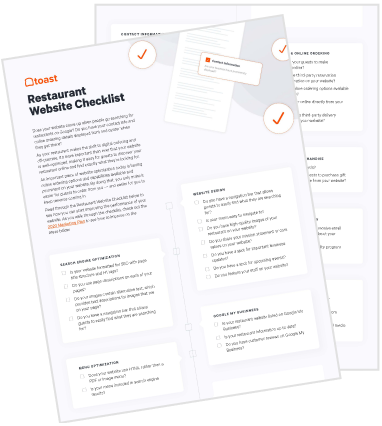
 Restaurant Website Checklist
This template will help you update and optimize your website, so guests can easily find and order from you.
무료 다운로드 받기A restaurant website builder lets you create and update a website without coding it from scratch. It should make it easy for guests to browse your menu, place an order, or book a table—and for your team to keep those details current.
You already manage much of that information through the tools you use to run the restaurant. Toast Websites brings your menu information and connected Toast services onto your site, reducing the need to maintain everything separately.
Here’s how to compare website builders, choose the features you need, understand the costs, and get your site ready for guests.
Key takeaways
Choose a website builder around your guests’ needs, existing systems, and ability to maintain the site.
Prioritize readable mobile menus and clear paths to ordering, reservations, and inquiries.
Connected menu information reduces duplicate updates and helps keep prices and items accurate.
Compare subscription, domain, setup, and connected-service costs—not just the starting price.
Test the complete guest experience before launch and assign someone to keep the website current.
The Ultimate Guide to Restaurant Branding
Use this guide to get tips on how to create a restaurant brand that stands out, attracts customers, and drives repeat visits.

Do you need a restaurant-specific website builder?
You don’t necessarily need a restaurant-specific website builder, but it can simplify the work of connecting menus, ordering, and other guest services. A general-purpose builder or custom website can also work well if it supports your requirements and someone can maintain it.
Start with what guests need to do on the site, then compare how each option handles those tasks.
Website approach | When it may fit | What to check |
General-purpose website builder | A straightforward site with flexible templates and standard business information | How menus, ordering, and reservations connect, and which updates remain manual |
Restaurant-specific website builder | A restaurant that wants its website connected to menus and guest services | POS compatibility, included products, subscription requirements, and design flexibility |
WordPress or custom website | A business with unusual design or functional requirements | Who handles hosting, security, integrations, updates, and technical support |
What to look for in a restaurant website builder
A good restaurant website should answer guests’ questions and make their next step obvious. Look beyond the homepage design to understand how the builder handles menus, transactions, updates, and support. Before choosing, consider:
Guest needs: Decide whether the site should primarily support visits, orders, reservations, catering inquiries, or several activities.
Update frequency: Think about how often prices, menus, hours, and events change.
Existing systems: Check whether the builder connects with the tools your restaurant already uses.
Maintenance: Identify who will update the site and resolve problems.
Future plans: Consider additional locations, services, or ordering channels.
For restaurants already using Toast, Toast Websites provides a restaurant-specific option that works with existing menu information and connected guest services.
Simple setup and everyday editing
Your team should be able to change opening hours, replace a photo, or announce an event without turning every update into a technical project.
Visual editing: Look for straightforward controls for text, images, navigation, and page layouts.
Guided setup: Templates or AI assistance can help you create a starting point.
Brand controls: Choose colors, fonts, and imagery that feel like your restaurant.
Preview and publishing: Review changes on different screens before making them public.
Toast Websites offers AI-assisted setup and a visual editor. You can use generated content as a starting point, then check the details and adjust the language before publishing.
Menus connected to restaurant operations
Guests need to know what you serve and what it costs. A beautifully designed menu page is less useful when prices are outdated or important information is missing. As restaurant critic Ryan Sutton wrote in Eater, “Hiding the cost prevents consumers from engaging in any type of informed planning.” Look for a builder that makes accurate menu information easy to maintain:
Connected content: Confirm where items, descriptions, prices, and images come from.
Publishing controls: Understand when saved changes become visible to guests.
Menu visibility: Check which menus appear for each location or ordering channel.
Readable presentation: Make categories and prices easy to browse.
Toast Websites pulls menu information from your Toast menu setup, while the website editor handles its presentation. That reduces duplicate entry, although employees still need to manage publishing and visibility settings.
Mobile-friendly design and accessible information
Guests may visit your website while walking downtown, planning dinner, or checking whether everyone in their group can find something to eat. They should be able to get that information without pinching, zooming, or struggling through confusing navigation.
Accessibility matters, too. A 2025 study involving 12 blind or visually impaired screen-reader users identified problems accessing visual online menus, including reading-order errors and misinterpreted symbols.
Readable text: Check font sizes and contrast on smaller screens.
Easy navigation: Use clear page names and buttons that are comfortable to tap.
Accessible menus: Avoid making an image the only way guests can read your selection.
Descriptive content: Use useful headings and image descriptions.
Search controls: Look for editable page titles, descriptions, and location information.
These choices also support restaurant SEO. Toast Websites include mobile-friendly design and SEO controls, but search visibility and accessibility still require attention to the content you publish.
Direct online ordering
If you offer takeout or delivery, guests should be able to move from browsing the menu to placing an order without searching for the right link.
In Hospitality Technology’s 2025 Guest Engagement Study, 72% of respondents preferred ordering directly from restaurants rather than through third-party delivery platforms. That preference covers direct channels generally—not websites alone—but it gives operators a reason to make their own ordering experience easy to use.
Visible ordering buttons: Make the next step clear from relevant pages.
Order customization: Support the sizes, modifiers, and choices your menu requires.
Fulfillment details: Clearly explain pickup and delivery options.
Operational connection: Confirm how orders reach the POS and kitchen.
Transparent costs: Check software, processing, and delivery charges rather than assuming commission-free means fee-free.
Toast Online Ordering lets guests order directly from your website and sends those orders to your POS and kitchen, so your team can prepare them without reentering the details.
Reservations and catering inquiries
A full-service restaurant may need bookings more than online ordering. A catering-focused business may need a simple way to collect event details. Choose website tools around the services you actually offer.
Reservations: Let guests check availability and book without unnecessary steps.
Catering inquiries: Collect the event date, guest count, contact information, and other details needed to respond.
Clear follow-up: Make sure requests reach the right employees and guests know what happens next.
Toast Tables lets guests book through your website while helping your team prepare for their arrival. For larger gatherings, Toast Catering & Events brings website inquiries into the tools your team uses to plan events, making it easier to follow up and keep the details organized.
Custom domains and accurate location information
Your website address and location details should make it easy to find the right restaurant. This becomes especially important when several locations have different hours, menus, or services.
Domain ownership: Know who owns the web address and can access its settings.
Contact details: Keep the address, phone number, hours, and directions current.
Location selection: Help guests choose the correct restaurant before ordering or booking.
Exit options: Understand what happens to your domain and content if you change platforms.
Toast Websites supports custom domains and multi-location experiences. Before connecting an existing domain, make sure your team has access to the account that controls it.
Analytics and dependable support
A website is easier to improve when you can see how guests use it and get help when something stops working.
Useful measurements: Track actions such as ordering clicks, reservations, or inquiry submissions where your setup supports them.
Clear ownership: Assign someone to check broken links, outdated content, and connected services.
Support scope: Confirm what assistance is included and what costs extra.
Privacy settings: Understand how tracking and consent choices affect your analytics.
Restaurant Menu Templates
Use these menu templates as a starting point for your menu design or to give your menus a refresh.
How much does a restaurant website builder cost?
A restaurant website builder’s total cost depends on the subscription, setup, and services you need—not just the advertised monthly price.
Website subscription: Access to the builder and its included features.
Domain: Registration and renewal of your restaurant’s web address.
Setup: Design, content migration, photography, or onboarding assistance.
Connected services: Online ordering, reservations, and catering tools, whether bundled or purchased separately.
Transaction costs: Payment processing or fulfillment charges where applicable.
Maintenance: Staff time or outside help to keep the site current.
Toast Websites connects menu information and guest services, giving your team fewer separate updates to manage. When comparing options, consider both the total cost and how easily your team can keep the site current.
How to build your restaurant website
Building the site becomes easier when you gather the information first and work through the guest experience one step at a time.
1. Decide what guests should be able to do
Start with the actions that matter most to your restaurant. A neighborhood café might prioritize its menu and hours, while a busy dining room might put reservations first.
Choose your priorities: Menu browsing, directions, ordering, reservations, or catering inquiries.
Gather essential information: Current menus, hours, contact details, and relevant policies.
Plan navigation: Give important pages clear names and avoid unnecessary steps.
Assign an owner: Decide who will approve content and keep it updated.
2. Choose your platform and connect the domain
Use your priorities to confirm that the builder supports the services you need. Check the complete package before committing.
Verify connections: Confirm which integrations and subscriptions are required.
Secure access: Make sure the restaurant controls its domain account.
Plan the switch: Keep an existing website available until the replacement is ready.
Allow time: Domain changes may take time to become visible.
New customers can access Toast Websites after their contract is complete, before activating Toast POS, allowing website preparation to begin ahead of opening.
3. Add your branding and essential pages
Your website should help guests recognize the restaurant and understand what makes it worth visiting. Clear information and good photos usually do more work than complicated effects. Use your restaurant branding to guide decisions, and review restaurant website examples for ideas about layout and navigation.
Apply consistent branding: Use colors, fonts, and imagery that match the restaurant.
Write useful copy: Explain what you serve, where you are, and what guests can expect.
Choose relevant pages: Add an about page, private dining information, or events only when useful.
Review generated content: Check AI-written descriptions for accuracy and tone.
4. Configure menus and guest services
Make sure guests can find accurate information and easily place an order, book a table, or ask about catering.
Review menus: Check items, prices, descriptions, and which menus appear.
Set service details: Confirm ordering hours, pickup instructions, and preparation times.
Route requests: Make sure reservations and catering inquiries reach the right employees.
Verify locations: Check that guests are ordering from or booking at the correct restaurant.
Toast Online Ordering, Toast Tables, and Toast Catering & Events bring those orders, bookings, and inquiries into your team’s everyday tools, making it easier to respond and prepare.
5. Test the complete guest experience
Follow the same steps a guest would take, from finding the menu to receiving a confirmation. Work through your restaurant website checklist before launch so small errors don’t become a guest’s first impression.
Try different screens: Review the site on phones and computers.
Check readability: Test navigation, menu content, and accessibility.
Test transactions: Complete an appropriate test order, reservation, or inquiry.
Verify the handoff: Confirm that employees receive the information they need.
Review details: Check links, hours, addresses, and contact information.
6. Launch and keep the website current
Once the website is live, make it easy to find and give someone responsibility for maintaining it. Include these tasks in your restaurant marketing plan, so the website stays useful after launch.
Update your links: Add the correct address to business listings, social profiles, and other marketing materials.
Schedule checks: Review menus, hours, events, and seasonal information regularly.
Watch useful results: Look for confusing steps or pages that don’t lead guests toward the intended action.
Keep improving: Make small changes based on guest questions and website activity.
Build a website that stays connected to your restaurant
Your website should make it easy for guests to explore the menu, place an order, or plan a visit. As prices, hours, and services change, keeping those details current should be simple for your team, too.
Toast Websites connects menu information and the Toast services you use, so there’s less to update separately. Your team spends less time maintaining the site; guests can more easily find what they need and take the next step.
Restaurant Marketing Plan
Create a marketing plan that'll drive repeat business with this customizable marketing playbook template and interactive calendar.
FAQ
What is the best restaurant website builder?
The best restaurant website builder fits your service model, connects with your existing tools, and makes updates easy; Toast Websites is an option for restaurants that want their site connected to Toast menu information and guest services.
Can I build a restaurant website for free?
Some website builders offer free plans, but a custom domain, removal of platform branding, and ordering or reservation features may require paid services.
How long does it take to build a restaurant website?
A basic restaurant website can come together in a few hours with prepared content and a template, while custom design, integrations, and testing can extend the process to several weeks.
Do I need my own website if I already use an online ordering platform?
An ordering platform can handle transactions, but your own website gives guests a central place to explore your menu, check hours, learn about the restaurant, and access services such as reservations or catering.
What should every restaurant website include?
Every restaurant website should include a current menu with prices, opening hours, location and contact details, mobile-friendly navigation, and clear links to any ordering, reservation, or inquiry services.
What's the difference between a website builder and restaurant website design?
A website builder is the software used to create and maintain the site, while restaurant website design is how its content, layout, branding, and navigation are organized for guests.
이 문서가 도움이 되었나요?
면책 조항: 이 정보는 일반 정보 제공 목적으로 작성되었으며 당사의 권고를 의미하는 것은 아닙니다. Toast는 본 콘텐츠에 포함된 정보, 텍스트, 그래픽, 링크 및 기타 항목의 정확성이나 완전성을 보장하지 않습니다. Toast는 본 문서의 조언을 따른다고 해서 특정한 결과를 얻을 수 있음을 보장하지 않습니다. 귀하의 상황에 맞는 조언이 필요한 경우 변호사, 회계사 또는 비즈니스 자문가 등 전문가와 상담하시기 바랍니다.
 트렌드
트렌드


