
QSR POS: How to Choose the Best Quick-Service POS System
No matter what kind of cuisine your QSR is serving up, you need a POS system that can handle the pace. Here are the best quick service POS systems to consider.
Autor
 RESOURCE
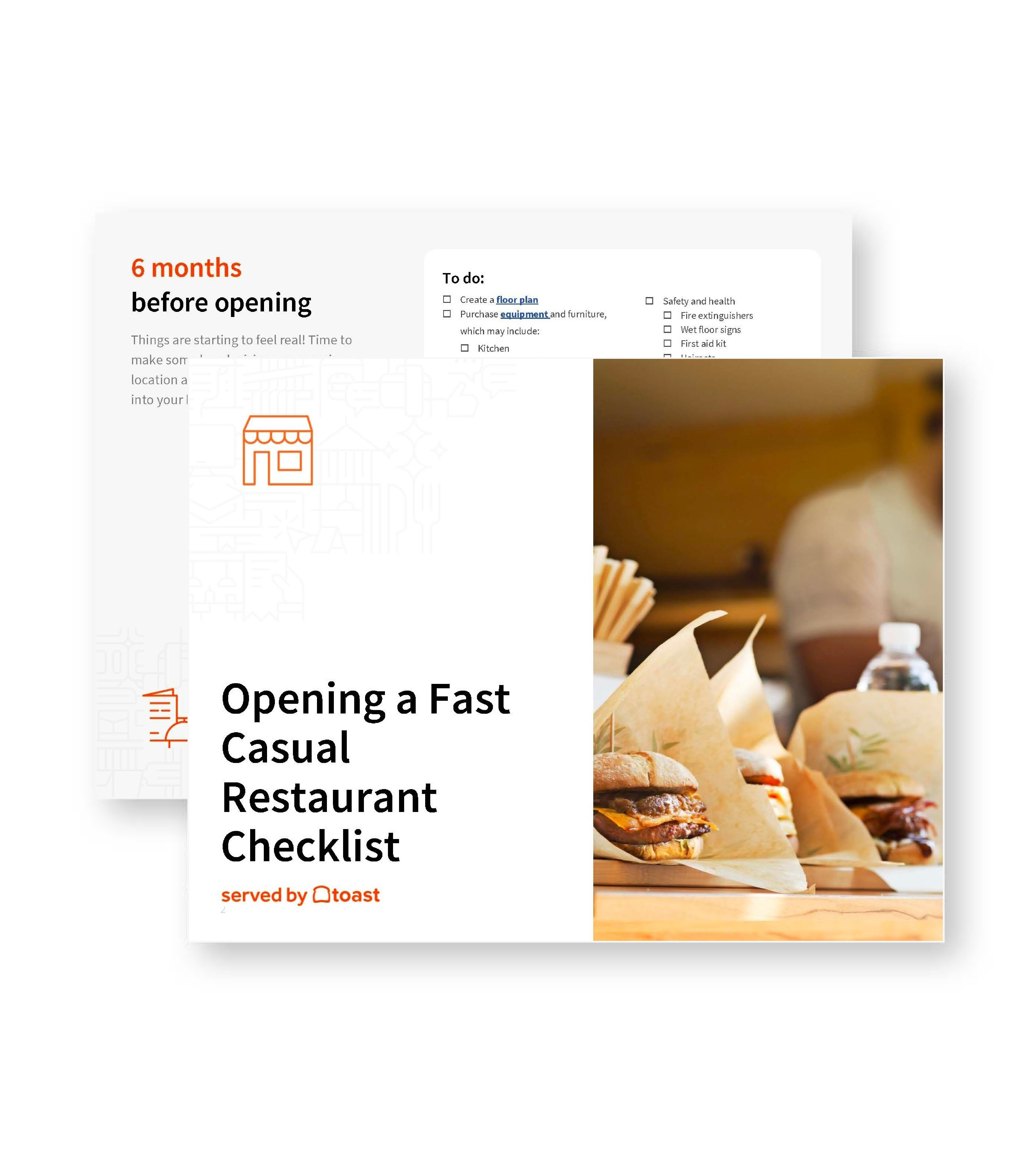
 Opening a Fast Casual Restaurant Checklist
So many things go into opening a fast casual restaurant. With this free PDF checklist, you'll set your new business up for success.
Obtener descarga gratisA QSR POS system helps quick-service restaurants take orders, process payments, route tickets, and manage fast-moving service from one connected platform. As guests order across the counter, kiosks, delivery apps, online ordering, and mobile channels, your POS needs to keep each workflow connected without slowing the team down.
For example, Toast’s quick-service POS system is built to connect ordering, payments, kitchen workflows, delivery, labor, inventory, loyalty, and reporting in one restaurant-focused platform. That kind of setup can help QSR teams reduce manual work, keep lines moving, and manage service from order entry to pickup.
In this guide, you’ll learn what a QSR POS system is, why quick-service restaurants need specialized POS tools, which features to look for, and how to choose the right system for your operation.
Key takeaways
A QSR POS system helps quick-service restaurants take orders, process payments, route tickets, manage menus, and track performance from one connected platform.
Quick-service restaurants need specialized POS tools because speed, order accuracy, durable hardware, kitchen visibility, and connected ordering channels are essential during high-volume service.
The best QSR POS systems support core workflows like touchscreen ordering, online ordering, delivery integrations, kiosks, handhelds, KDS, payroll, inventory, loyalty, and marketing.
Connected POS tools can help reduce manual order entry, keep kitchen workflows organized, improve visibility across channels, and support a smoother guest experience.
Toast is a top-ranked restaurant POS system based on G2 customer reviews and market presence data, making it a strong option for QSR operators comparing platforms.
Herramienta de comparación de puntos de venta (POS)
Una herramienta gratuita de comparación de POS para restaurantes, que permite investigar y comparar sistemas de puntos de venta en una hoja de Excel.

What is a QSR POS system?
A QSR POS system is a point-of-sale system built for quick-service restaurants. It helps fast-moving teams take orders, process payments, route tickets, manage menus, and track performance from one connected system.
QSR POS systems are designed for service models where speed and accuracy matter, including counter service, drive-thru, fast casual, cafés, bakeries, burger shops, sandwich shops, pizza shops, and takeout-heavy concepts.
Instead of only ringing up transactions, a QSR POS helps connect the front counter, kitchen, digital ordering channels, payments, and reporting so teams can keep lines moving and orders on track.
Why should quick-service restaurants use a specialized POS system?
Quick-service restaurants depend on speed, accuracy, and connected workflows at every step of service. As ordering channels expand across counters, kiosks, mobile apps, delivery, and drive-thru, many QSR brands are investing in connected systems that can improve both back-of-house operations and guest-facing service.
Popeyes, for example, has outlined U.S. systemwide upgrades that include cloud-based POS systems, digital drop charts, sticky label printers, order-ready boards, kiosks, and upgraded equipment by the end of 2026. The brand found that A-grade remodeled restaurants generated 30% higher profitability than the system average.
Speed: Lines, tickets, and wait times can build quickly in QSRs, so teams need tools that help them enter orders and process payments fast.
Order accuracy: Modifiers, combos, substitutions, customizations, and digital orders can create complexity, making accurate order entry and routing essential.
Durable hardware: Terminals, kiosks, handhelds, and kitchen screens are used constantly, so QSR hardware needs to handle busy shifts and high-touch environments.
Connected ordering channels: Guests may order in person, online, through delivery apps, kiosks, QR codes, or mobile devices, so orders need to flow into one connected system.
Kitchen visibility: Prep teams need orders routed quickly and correctly so they can prioritize tickets, manage timing, and keep food moving.
Labor and inventory control: Small inefficiencies in staffing, food costs, waste, or prep can affect margins, so QSRs need tools that help manage labor, inventory, and performance.
What features should a QSR POS system include?
Quick-service restaurants need a POS system that helps guests order faster, keeps lines moving, routes tickets accurately, manages digital channels, and gives operators better visibility into labor, inventory, and sales.
As you compare restaurant POS systems, look for features that support the speed, accuracy, and connected workflows QSRs depend on.
POS and touchscreen terminals
Your core POS should make order entry fast and intuitive for staff during busy service. Touchscreen terminals should support modifiers, combos, discounts, taxes, multiple payment types, and high-volume ordering without slowing the line down.
Durable hardware also matters. QSR terminals are used constantly, so they should be built to withstand busy restaurant environments. Guest-facing screens can also help customers follow along as they order, confirm details, pay quickly, and tip on screen, which can improve order accuracy and speed.
Online ordering
Online ordering tools help QSRs capture direct digital orders for pickup, takeout, and other off-premise channels. With Toast Online Ordering, guests can order directly from your restaurant while orders flow into your POS and kitchen workflows.
That connection matters because it can reduce extra tablets, manual order entry, and disconnected reporting. Menu updates can also stay more consistent across channels, helping your team manage availability, pricing, and order flow more efficiently.
Delivery integrations
Delivery is a major part of many quick-service operations, so your POS should help connect third-party orders with the rest of your workflow. Toast Partner Integrations can help restaurants connect delivery channels directly to Toast POS.
Toast offers direct integrations with DoorDash, Grubhub, Uber Eats, Caviar, and Postmates, helping delivery orders flow into the POS without as much manual re-entry. For QSRs, that can mean fewer disconnected workflows, better visibility across channels, and less time spent managing separate tablets.
Self-ordering kiosks
Self-ordering kiosks let guests browse the menu, customize items, place orders, and pay on their own. For QSRs, fast casual restaurants, cafés, and counter-service concepts, kiosks can help reduce line bottlenecks during rush periods.
Kiosks can also support upsells, modifiers, and order accuracy by allowing guests to enter their own orders. When kiosk orders connect directly to the POS and kitchen workflow, staff can spend more time preparing food and supporting guests instead of manually entering every order at the counter.
Handhelds
Handheld POS devices help staff take orders and payments away from a fixed terminal. For QSRs, handhelds can support line-busting, patio service, curbside pickup, drive-thru overflow, events, and other high-volume moments.
Toast Go 3 handhelds can send orders directly to specific prep stations, helping teams move faster while keeping orders connected to the kitchen. That flexibility can be especially useful when the counter is crowded or guests are ordering from multiple service points.
Kitchen Display System
A QSR Kitchen Display System helps route orders from the POS directly to the kitchen, replacing or supplementing paper tickets. Since quick-service kitchens deal with heat, speed, spills, and constant order flow, restaurant-grade hardware is important.
Toast KDS can support digital ordering and Toast Go integrations, all-day display, production item counts, multiple language support, advanced prep station routing, and kitchen productivity reporting. It can also provide SMS and in-app alerts for guests, plus color-coded modifiers for allergens and guest-requested modifications.
For QSRs, a connected KDS helps orders fire quickly and accurately as soon as guests order, whether the order comes from the counter, kiosk, handheld, online ordering, delivery, or QR code.
Mobile ordering and QR ordering
Mobile and QR ordering tools let guests take more control over the ordering experience. Toast Mobile Order & Pay allows guests to browse the menu, order, and close their check with contactless payment options from their own phones.
With a custom QR code, guests can scan to order without standing at the counter. They can wait nearby, in their car, or back at the office until they receive an alert that their order is ready. Toast KDS can automatically send texts when orders are ready, helping reduce crowding and keep staff focused on meal prep.
Payroll and scheduling
QSR operators need labor tools that reduce back-office work and help teams stay organized. Integrated payroll and team management tools can help simplify time tracking, payroll, scheduling, and employee workflows.
For example, Abdul Hugais, co-owner and founder of Classic Burgers, previously had to count hours, send timesheets to a bookkeeper, wait for payroll, write checks, and hand them to employees.
After switching to Toast Payroll & Team Management, he said the process took only a few minutes a week and that direct deposit made payroll simpler and easier. Hugais said:
"It takes me a few minutes a week. Everything goes directly to my employees' bank accounts so it's just very simple and very easy.”
Inventory management
Inventory management tools help QSR operators track food costs, product usage, vendor pricing, and margins. That visibility is important because quick-service margins can be sensitive to ingredient costs, waste, portioning, and pricing decisions.
xtraCHEF by Toast can help restaurant owners refine menu prices with precise product mixes, balance instincts with insights for more prescriptive costing, and reduce costs.
For QSRs with high order volume, inventory and costing tools can help operators make better decisions about pricing, purchasing, and menu profitability.
Loyalty and marketing
A strong QSR POS system should help restaurants turn one-time guests into repeat customers. Toast Loyalty is a credit card-linked program that allows guests to accrue points with each swipe of their card.
Guests can sign up through opt-in prompts on checkout screens or self-ordering kiosks, helping restaurants build their customer base during normal ordering flows. Operators can also customize signup bonuses, accrual and redemption rates, and birthday rewards to fit their brand and budget.
Integrated email marketing can also make outreach easier because customer data is already connected to the POS. Instead of exporting email addresses from one tool to another, QSRs can use integrated marketing tools to reach guests more efficiently and encourage repeat visits.
What is the best QSR POS system?
Based on G2 customer reviews and market presence data, Toast is a top-ranked restaurant POS system. G2’s scoring methodology considers factors like customer satisfaction with product features, popularity, review quality, review age, net promoter scores, and more.
For quick-service restaurants, Toast can be a strong fit because it connects core POS tools with:
Online ordering
Delivery integrations
Self-ordering kiosks
Handhelds
KDS
Payroll and scheduling
Inventory management
Loyalty
Marketing
Together, these tools help quick-service restaurants manage ordering, payments, kitchen workflows, labor, inventory, and guest engagement in one restaurant-focused system.
Toast is also used by major brands across the country, including Applebee’s and Nothing Bundt Cakes. When Dine Brands announced its agreement with Toast, Justin Skelton, chief information officer of Dine Brands, said:
“This is a crucial step in the evolution of our 45-year-old brand… POS and KDS systems are essential to efficient operations and can have major impacts on both the guest and team-member experience.”
Smarter tech, quicker service
A strong QSR POS system should help your restaurant move faster without losing control of the details. From counter orders and kiosks to delivery, mobile ordering, kitchen routing, payroll, inventory, and loyalty, choosing the right tools can keep your operation connected as orders move from guest to kitchen to checkout.
For quick-service restaurants, speed matters — but so does accuracy, consistency, and repeat business. A connected POS system can help your team keep lines moving, reduce manual work, and create a smoother experience that keeps guests coming back.
Plantilla de manual de operaciones para restaurantes
Usa esta plantilla gratuita para describir fácilmente todos tus procedimientos operativos y lograr que las operaciones diarias sean tan uniformes como sea posible.
FAQ
What is a QSR POS system?
A QSR POS system is a point-of-sale system built for quick-service restaurants. It helps teams take orders, process payments, route tickets to the kitchen, manage menus, and track performance during fast-moving service.
What features are essential for quick-service restaurants?
Essential QSR POS features include fast touchscreen order entry, online ordering, delivery integrations, self-ordering kiosks, handhelds, Kitchen Display Systems, mobile or QR ordering, inventory tools, loyalty, marketing, reporting, and payroll management.
How much does a QSR POS system cost?
QSR POS system costs vary by provider, plan, hardware, payment processing, and add-on tools. Toast offers starter plans with no upfront hardware costs, along with higher-tier plans for restaurants that need more advanced features or multi-location support.
What is the best POS system for quick-service restaurants?
Based on G2 customer reviews and market presence data, Toast is a top-ranked restaurant POS system. Quick-service restaurants should also compare systems based on their service model, ordering channels, kitchen workflows, labor needs, inventory tools, and budget.
Can a QSR POS system help reduce wait times?
Yes, a QSR POS system can help reduce wait times by connecting ordering, payments, and kitchen workflows. Tools like self-ordering kiosks, handhelds, mobile ordering, QR ordering, and Kitchen Display Systems can help keep lines moving and route orders faster.
Plantilla de plan de negocio para restaurantes
No importa en qué punto de tu recorrido como dueño de restaurante estés, el plan de negocio será tu estrella guía. Organiza tu visión y asegúrate de no pasar nada por alto con esta plantilla gratuita.


¿Es útil este artículo?
AVISO LEGAL: Esta información se proporciona solo con fines informativos generales y su publicación no constituye un aval. Toast no garantiza la precisión ni la integridad de la información, el texto, los gráficos, los enlaces y otros elementos que incluye este contenido. Toast no garantiza que alcanzarás ningún resultado específico si sigues los consejos que aparecen aquí. Te recomendamos consultar con un profesional, como un abogado, contador o asesor comercial, para recibir asesoramiento específico para tu situación.
 Tendencias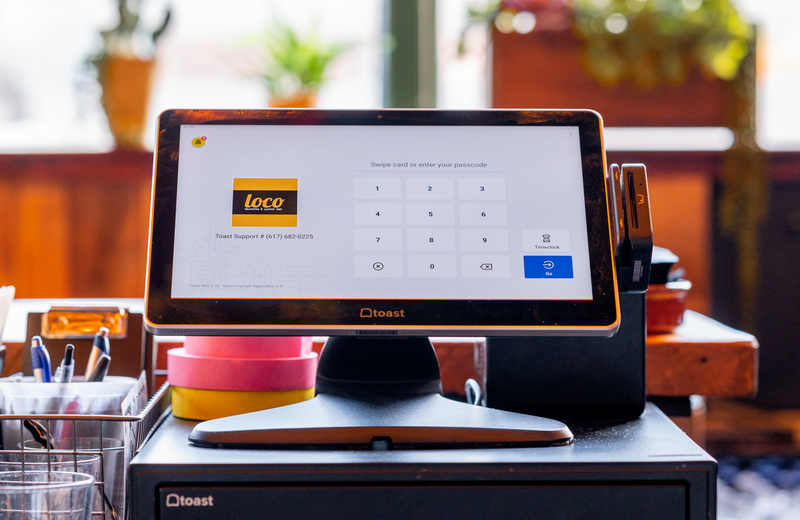



Subscribe to On the line
Sign up to get industry intel, advice, tools, and honest takes from real people tackling their restaurants' greatest challenges.
Al enviar, aceptas recibir correos electrónicos de marketing de Toast. Trataremos tu información de acuerdo con nuestra declaración de privacidad. Información adicional disponible para residentes de California aquí.