
How to Make a Digital Menu for Your Restaurant in 2026
Your digital menu shapes how easily guests can order. Learn how to choose, design, connect, and maintain the right format for your restaurant.
Autor
 RECURSO
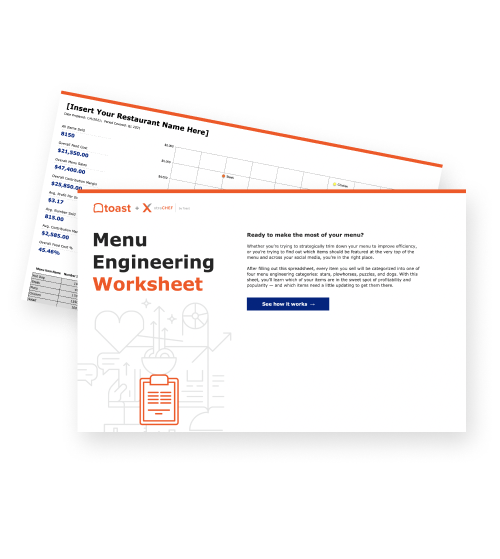
 Hoja de cálculo de ingeniería de menús
Usa esta hoja de cálculo de ingeniería de menús, que contiene fórmulas de ingeniería de menús de alta complejidad, para determinar los puntos fuertes y débiles de tu menú.
Obtener descarga gratisA digital menu is an electronic restaurant menu displayed on a screen or accessed through a phone, tablet, kiosk, website, or app. It may simply present menu information or allow guests to order and pay through the same interface.
However, the technology is only as useful as the menu behind it. The Toast Menu Checker tool can review an existing menu from a URL, PDF, or photo and identify opportunities in its structure, language, pricing presentation, and seasonality before it is adapted across digital channels.
This guide explains the main types of digital menus, their benefits and limitations, and how to create and maintain a consistent experience across the restaurant.
Key takeaways
Digital menus can display information or support ordering and payment through boards, QR codes, kiosks, websites, and apps.
The right format depends on the restaurant's service model, guest journey, and operational goals.
Clear categories, readable layouts, accurate descriptions, and visible prices help guests order confidently.
Connecting digital menus with the POS keeps information consistent and reduces duplicate updates across channels.
Regular testing, maintenance, and performance reviews keep a digital menu accurate and easy to use.
 Start optimizing your menu
 Toast Menu Checker
Fresh ideas for your restaurant menu in 3 quick steps.

What is a digital menu?
A digital menu is an electronic version of a restaurant menu that presents items, descriptions, prices, modifiers, and other ordering information through a digital display or device.
Digital menus generally work by publishing menu information to selected screens or ordering channels. Guests view that information and, where supported, customize items, order, and pay. Connected orders then move into the restaurant's POS and kitchen workflow.
The same fundamentals used in restaurant menu design still apply digitally: categories should be easy to navigate, descriptions should be useful, and prices should be clear.
Types of digital menus
Digital menus can serve guests inside the restaurant, support off-premise ordering, or perform both functions. The right format depends on where guests encounter the menu and what the restaurant wants them to do next.
Digital menu type | Where guests use it | Primary purpose |
Digital menu board | Counter or drive-thru | Display items and prices |
QR code menu | Guest's phone | View a menu or order at the restaurant |
Tablet menu | Table or service area | Browse and sometimes order |
Self-ordering kiosk | Restaurant lobby or counter | Browse, customize, order, and pay |
Online ordering menu | Website or app | Place pickup or delivery orders |
Digital menu boards
Digital menu boards display menu information on electronic screens, typically above a counter or in a drive-thru. They work especially well for quick-service restaurants, coffee shops, bakeries, and other concepts where guests order before receiving their food.
Effective boards use the same core menu-design principles as printed menus, but the information must be understandable from farther away and within a shorter viewing period.
Best use: Present a focused menu to guests waiting to order.
Main advantage: Change prices, availability, promotions, or dayparts without replacing physical signage.
Design priority: Use large text, clear categories, limited content, and strong contrast.
Operational requirement: Connect menu displays with the system where items and prices are managed.
The Vistify integration with Toast, for example, syncs item names, prices, modifiers, and availability from Toast with restaurant menu-board displays.
QR code menus
A QR code menu lets guests scan a code with their phone to open a digital menu. Depending on the setup, they may only view the menu or continue to order and pay.
QR codes remain widely recognized, but restaurants should not assume every customer prefers them. An Ipsos survey found that 65% of Americans had used a QR code menu in 2025, yet only 37% of users said they liked the experience and 58% wanted to return to paper menus.
Best use: Give guests immediate menu access at a table, counter, patio, or pickup area.
Main advantage: Update menu content without reprinting the QR code when it links to a dynamic page.
Expanded function: Connect the code with ordering, payment, loyalty enrollment, or promotions.
Guest consideration: Keep printed menus available for customers who cannot or prefer not to use a phone.
With Toast Mobile Order & Pay®, guests can scan a code, browse the current menu, place an order, and pay from their phones.
Tablet and kiosk menus
Tablet and kiosk menus give guests a restaurant-owned device for browsing and ordering. Tabletop tablets are generally used during dine-in service, while kiosks are common near the entrance or counter in limited-service restaurants.
These formats can explain modifiers visually and let customers review an order before submitting it, but the interface must remain simple enough to use without employee assistance.
Best use: Support high-volume or highly customizable ordering.
Main advantage: Let guests browse, modify, and confirm orders at their own pace.
Design priority: Use clear categories, large controls, visible progress, and an easy way to revise selections.
Service consideration: Assign employees to help guests who encounter difficulties or prefer traditional ordering.
A Toast Self-Ordering Kiosk sends guest orders into Toast POS and the restaurant's kitchen workflow, reducing the need for employees to re-enter them.
Online ordering menus
An online ordering menu appears on a restaurant's website or app and lets customers place pickup or delivery orders. Unlike an in-store menu, it must answer questions and guide decisions without an employee standing nearby.
A 2025 Ipsos study surveyed 1,700 recent restaurant-app users and included 2,891 mystery shops across 40 brands. It found that repeat use was driven by time savings, access to the same customization available in person, and compelling offers.
Menu accuracy: Keep prices, availability, and modifiers aligned with the restaurant's current operations.
Ordering clarity: Explain portion sizes, ingredients, required selections, and available substitutions.
Fulfillment details: Show pickup or delivery options, estimated timing, and order-status information.
Direct access: Make the menu easy to find through the restaurant's website, search listings, and other owned channels.
Toast Online Ordering connects digital orders with Toast POS and kitchen operations. Toast Websites helps keep menu, pricing, and availability information synchronized with the restaurant’s website.
Plantillas de menús de restaurante
Usa estas plantillas de menús como punto de partida para el diseño de tu menú o para renovar tu menú actual.
Should your restaurant use digital menus?
A restaurant should use a digital menu when it makes the menu easier to update, improves the ordering experience, or connects a useful new sales channel. The best format depends on the restaurant's service model, menu complexity, guest preferences, and update frequency.
Evaluate digital menus as part of your wider restaurant technology stack, including how each tool connects with ordering, payments, and kitchen production.
Potential benefits | Common challenges |
Faster menu and price updates | Hardware, software, and maintenance costs |
Fewer printed-menu replacements | Dependence on power and connectivity |
More room for images and item details | Cluttered screens can overwhelm guests |
Self-service ordering and payment | Some guests prefer or require printed menus |
Consistent promotions across locations | Disconnected systems may show conflicting information |
Better support for modifiers and upsells | Menu information requires regular maintenance |
More ordering channels | Employees must handle the resulting order volume |
How to create and manage a digital menu
A useful digital menu begins with the restaurant's operating needs, not a particular screen or device. First, decide where the menu will appear, what guests should be able to do, and how changes will reach every channel.
1. Set a clear purpose
Start by defining the job the digital menu needs to perform. A drive-thru board, dine-in QR menu, kiosk, and online ordering page create different requirements.
Identify the audience: Consider where guests are, what device they use, and how much time they have to decide.
Define the action: Decide whether guests should view, order, pay, or complete several actions.
Set an operational goal: Focus on a measurable priority such as reducing outdated menus, supporting faster ordering, or improving modifier accuracy.
Choose a backup: Determine how guests will view the menu if a screen, code, device, or internet connection fails.
2. Audit the existing menu
Review the source menu before converting it into another format. Digitizing unclear categories, outdated prices, or weak descriptions only reproduces those problems on a new channel.
Verify every item: Confirm names, prices, descriptions, taxes, and availability.
Review modifiers: Remove duplicates and clarify which selections are required or optional.
Check profitability: Use a menu-engineering worksheet to compare item popularity with contribution margin.
Simplify categories: Group items according to how guests naturally browse and order.
3. Choose the appropriate format
Select a format that matches the service model and guest journey. Some restaurants need only one digital menu, while others require several connected versions.
Counter service: Consider menu boards, kiosks, or both.
Table service: Consider QR menus, mobile ordering, or tablets alongside printed menus.
Takeout and delivery: Prioritize a mobile-friendly website or app with integrated ordering.
Hybrid service: Choose tools that can share menu information rather than maintaining separate records.
4. Connect the menu with restaurant operations
A digital menu becomes harder to manage when employees must enter every change separately across the POS, website, kiosk, and display system. Jason Cremins of Signagelive told AVNetwork, "Today's menu boards must integrate with point-of-sale systems for dynamic ordering."
Establish one source of truth: Manage core item names, prices, modifiers, and availability from a central system.
Connect order channels: Send kiosk, mobile, and online orders into the same restaurant workflow.
Coordinate the kitchen: Use a connected Toast Kitchen Display System to organize orders from different channels and route items to the appropriate stations.
Assign permissions: Define who can change prices, descriptions, availability, and promotions.
Restaurant Menu Costing 101 Infographic
From ingredients and labor to rent and insurance, help your guests see what really goes into every dish.
5. Design for fast decisions
Digital menu design should help customers understand their options without making them search through unnecessary screens or information.
A study of 502 diners published in the Journal of Hospitality and Tourism Technology found that menu presentation affected customer perceptions and behavioral intentions, with the video-based digital menu performing best. That finding supports thoughtful use of rich media, but it doesn't mean every menu needs animation or video.
Create a clear hierarchy: Use recognizable headings and place related items together.
Prioritize readability: Choose legible type, strong contrast, and enough space around each element.
Limit visual competition: Use motion, food photography, badges, and promotional graphics selectively.
Design for the device: A drive-thru board, phone, and kiosk require different text sizes and layouts.
Make important choices visible: Show prices, required modifiers, and unavailable items before checkout.
6. Write complete, accurate menu content
Digital customers often make decisions without asking an employee for clarification. Each item should provide enough information to set expectations without overwhelming the screen.
Item name: Make the dish recognizable and consistent across channels.
Description: Use a concise menu description identifying major ingredients, preparation methods, and defining qualities.
Price: Display the base price and explain charges for modifiers or add-ons.
Modifiers: Organize choices logically and state selection limits clearly.
Dietary information: Label relevant options consistently while avoiding unsupported safety claims.
Allergen process: Give employees and guests a reliable way to verify ingredients and communicate allergies.
7. Test the guest experience
Test the menu on the actual devices and in the conditions where guests will use it. A menu that works on a desktop may be difficult to navigate on a phone, kiosk, or screen viewed from several feet away.
A 2025 study in Computers in Human Behavior Reports found that a clearer self-ordering kiosk design improved users' focus and understanding of customization options while producing significantly fewer errors in customization tasks.
Complete common tasks: Ask testers to find an item, customize it, review the price, and complete an order.
Use different devices: Test phone sizes, browsers, tablets, kiosks, and display resolutions.
Review accessibility: Check text size, contrast, screen-reader compatibility, touch-target size, and keyboard navigation where applicable.
Watch real users: Look for hesitation, missed information, repeated taps, and employee-assistance requests.
Test recovery: Confirm that guests can correct mistakes, return to an earlier step, and ask for help.
8. Maintain and measure the menu
Publishing the menu is the beginning of the process. Always review performance and correct outdated information before it affects guests.
Assign responsibility: Name the person or role responsible for menu changes and quality checks.
Review accuracy: Check prices, descriptions, modifiers, hours, links, and availability on a defined schedule.
Monitor performance: Compare item sales, contribution margins, modifiers, abandonment, and ordering patterns across channels.
Gather feedback: Ask employees which questions and mistakes recur, then observe where guests encounter friction.
Refine the menu: Use your menu engineering matrix to decide which items to feature, revise, reposition, or remove.
Keep your digital menu connected
A digital menu works best when it gives guests accurate information and fits naturally into the way the restaurant takes and fulfills orders. The challenge grows when menu boards, QR codes, kiosks, websites, and ordering tools rely on separate updates.
Toast POS provides a shared foundation for menu information, orders, payments, and kitchen workflows. Toast Mobile Order & Pay® and Toast Online Ordering stay connected to that foundation, helping operators keep menu details accurate across channels, reduce duplicate work, and create a more consistent ordering experience.
Plantilla de manual de operaciones para restaurantes
Usa esta plantilla gratuita para describir fácilmente todos tus procedimientos operativos y lograr que las operaciones diarias sean tan uniformes como sea posible.
FAQ
What is the difference between a digital menu and a digital menu board?
A digital menu is any electronic menu viewed through a phone, tablet, kiosk, website, app, or screen; a digital menu board is a fixed display used at a counter, drive-thru, or other ordering point.
Do digital menus require an internet connection?
Not always: static menu boards may store content for offline display, but live updates, ordering, payments, and POS synchronization generally require reliable connectivity.
Can a digital menu integrate with my POS system?
Yes, an integrated digital menu can keep item names, prices, modifiers, availability, and incoming orders aligned with the restaurant's POS and kitchen workflows.
Are QR code menus still popular in 2026?
QR code menus remain common in 2026, but restaurants should generally offer them alongside printed menus because many guests still prefer a physical option.
How often should I update my digital menu?
Update your digital menu whenever items, prices, modifiers, or availability change, and perform scheduled checks to catch outdated descriptions, links, and settings.
What size screen is best for a digital menu board?
The best screen is large enough to remain readable from the farthest normal viewing point without forcing the restaurant to crowd too much information into one display.


¿Es útil este artículo?
AVISO LEGAL: Esta información se proporciona solo con fines informativos generales y su publicación no constituye un aval. Toast no garantiza la precisión ni la integridad de la información, el texto, los gráficos, los enlaces y otros elementos que incluye este contenido. Toast no garantiza que alcanzarás ningún resultado específico si sigues los consejos que aparecen aquí. Te recomendamos consultar con un profesional, como un abogado, contador o asesor comercial, para recibir asesoramiento específico para tu situación.

Subscribe to On the line
Sign up to get industry intel, advice, tools, and honest takes from real people tackling their restaurants' greatest challenges.
Al enviar, aceptas recibir correos electrónicos de marketing de Toast. Trataremos tu información de acuerdo con nuestra declaración de privacidad. Información adicional disponible para residentes de California aquí.