How to Use a Restaurant Order Guide Template
Discover how a restaurant order guide template can streamline your ordering process, reduce food costs, and improve inventory management for your restaurant business.

作者
 RESOURCE
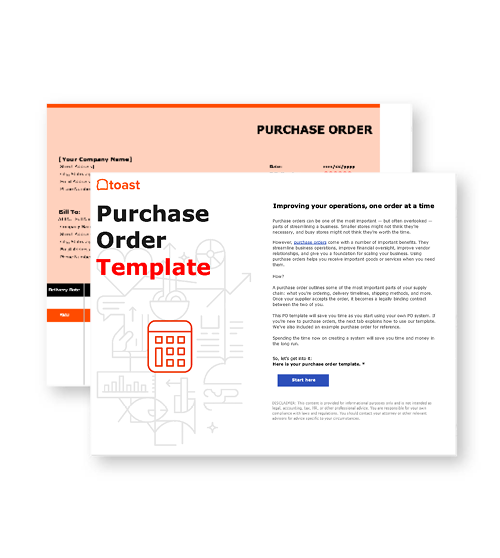
 Purchase Order Template
Use this template to create standardized purchase orders for requesting goods or services from vendors.
免费下载Running a restaurant means juggling a million things at once. But a solid restaurant order guide template can actually make your life easier. Think of it as your secret weapon for keeping your ordering process smooth and your food cost under control. Food typically accounts for 28% to 35% of a restaurant’s revenue, so small inefficiencies can erode your profit margin faster than you think.
Understanding how to create and use a restaurant order guide template can transform your ordering process from reactive to proactive — saving both time and money in the long run.
Key takeaways
A restaurant order guide template centralizes your suppliers, pricing, and inventory details in one easy-to-use document.
It helps control food costs by preventing over-ordering, tracking price changes, and maintaining ideal stock levels.
Building a custom template tailored to your menu and delivery schedule streamlines communication with vendors and staff.
Regularly updating your order guide keeps your operations efficient, accurate, and ready to adapt to seasonal or menu changes.
餐厅运营手册模板
使用这份免费模板,您可以轻松列出所有运营程序,并确保日常运营尽可能一致。

What is a restaurant order guide template?
You know those hectic mornings when you’re scrambling to figure out what to order from which supplier? A restaurant order guide template puts an end to that chaos. It’s a standardized order form that keeps all your food items, delivery schedules, and supplier information organized in one place.
But it’s more than just an order sheet — it’s your roadmap for smooth, consistent operations. A well-built order guide provides dedicated sections for everything, including menu items, quantities, delivery days, and even real-time price tracking.
And in an industry where tight margins and fast decisions make or break a business, the smartest operators know efficiency isn’t a luxury — it’s a strategy. Restaurant consultant Jim Sullivan explains, “The key to long-term success in the restaurant industry isn’t just about increasing revenue — it’s about mastering cost control. Restaurants that focus on efficiency and data-driven decision-making will always have a competitive edge.”
By combining purchase order details with data collection, your order guide becomes both a time-saving tool and a cost-control system. Once you start using one, you’ll wonder how you ever managed without it.
Essential elements to include in a restaurant order guide template
When you’re building your restaurant order form, make sure it actually works for you. Here are the key components every effective template should include:
Supplier information section
Don’t wing it with vendor details. Create dedicated spaces for contact information, delivery days, and ordering deadlines. This alone streamlines communication and saves you from those “Did my order go through?” panic moments.
Food items categorization
Get organized by breaking your order form into sections like proteins, produce, dry goods, and beverages. It sounds simple, but clear categorization makes ordering faster and helps prevent costly mistakes.
Quantity and pricing fields
Include columns for current prices, order quantities, and totals. Many restaurant managers swear by Excel or Google Sheets for this, since automated calculations make real-time cost tracking effortless.
Inventory control tracking
Add spots for current stock levels and par levels. This keeps your team from running out of essentials or overstocking perishables, eliminating those “Why did we order so much lettuce?” moments.
Order details documentation
Leave room for special instructions, pickup preferences, and delivery notes. This ensures everyone stays aligned with suppliers and eliminates confusion during busy order days.
Key components of a restaurant order guide template
Your restaurant order guide template should work as hard as you do. The best ones go beyond a simple list — they function as both a food order form and an inventory control system that supports your day-to-day operations.
A strong template should integrate seamlessly with the tools you already use, from catering order management and online ordering platforms to your POS system. Modern versions even allow for extra features like tracking promotions or managing customer notifications, creating a more connected, data-driven workflow.
Above all, flexibility is key. Your order form should adapt to any situation — whether it’s a routine delivery, a last-minute catering request, or a seasonal menu change. When your order guide moves with you, instead of against you, it becomes a true operational asset rather than just another form to fill out.
How to create an order form template
Creating your restaurant order form template doesn’t have to be complicated. Think of it as building a tool that saves you time, reduces errors, and gives you better control over costs.
1. List your suppliers and delivery schedules
Start by listing your regular suppliers, their contact details, and delivery days. Then group your food items by type — such as produce, proteins, dry goods, and beverages — and note how often you order each.
2. Build your template in a flexible format
Use Excel, Google Sheets, or your POS platform to create your template. Choose a system that allows automated calculations, real-time updates, and easy editing as your menu or suppliers change.
3. Add tracking and integration features
Include fields for tracking notifications, monitoring price changes, and syncing with your POS system. The goal is to streamline your workflow while collecting accurate, useful data.
4. Test before rollout
Test your template with a few suppliers first. This helps you identify gaps, fine-tune categories, and ensure everything functions smoothly before expanding it across your full operation.
How will a restaurant order form template help your business?
A good restaurant order form template isn’t just about staying organized — it directly impacts your bottom line. When used consistently, it helps you save time, reduce waste, and make smarter financial decisions.
Cost control
By tracking price changes and quantities, you gain a clear picture of your food costs. Over time, you’ll start to notice spending patterns and opportunities to reduce waste or negotiate better deals.
Time efficiency
Automation handles much of the tedious math and data entry, freeing up your managers and staff to focus on the work that truly needs human attention.
Inventory management
Real-time tracking helps prevent both stockouts and overstocking. You’ll always know what’s on hand and what needs replenishing, with no more surprise shortages or spoiled goods.
Stronger supplier relationships
Consistent, professional order forms make you look organized and reliable to vendors, and that reputation often leads to better pricing, service, and delivery priority.
Data-driven insights
Your template becomes a valuable data tool, revealing ordering trends, seasonal shifts, and cost-saving opportunities that help you operate more efficiently year-round.
Can I make changes to my restaurant order form template?
Absolutely — and you should. Your restaurant order guide should evolve alongside your business. Regular updates keep it useful, accurate, and aligned with how your operations actually run.
Think about how often your menu changes, suppliers shift, or customer preferences evolve. Updating categories, adding new ingredients, or adjusting delivery days ensures your order guide continues to reflect real-time needs rather than outdated routines.
It’s a good idea to review your order form monthly. This quick check helps you catch inefficiencies early, keep communication clear with suppliers, and make sure your ordering process stays smooth and cost-effective.
How can I generate a restaurant order sheet template?
Building your restaurant order sheet template starts with understanding what your operation truly needs. Here’s a simple way to create one that works in the real world:
1. Evaluate your current ordering process
Take a close look at how you currently place orders. Where are the bottlenecks or recurring mistakes? List all the food items you order regularly, note delivery days for each supplier, and record any special requirements for catering orders or online fulfillment.
2. Build your template in a flexible format
Use Excel, Google Sheets, or similar software that supports automated calculations and notifications. Create sections for inventory control, price tracking, and order details designed around how your team actually works, not how a generic template expects you to.
3. Test and refine with your team
Before rolling it out company-wide, test the template with a few staff members or select suppliers. Gather feedback and make updates based on real-world performance. The goal is to build a living system that grows with your restaurant and streamlines your operations.
Implementing your restaurant order guide template
Once you’ve built your order guide template, the next step is getting your team to use it consistently and effectively.
Train your team
Make sure your restaurant manager and key staff understand how to update stock levels, track delivery schedules, and use any automated functions you’ve built in. A quick training session can prevent confusion and ensure everyone follows the same process.
Integrate with your POS system
Connecting your order guide template with your POS system creates a seamless flow of data. You’ll get real-time updates on menu item usage, which helps optimize ordering decisions and reduce waste without adding extra work.
Monitor and adjust
Track how well the template performs. Is it improving efficiency? Are errors or delays dropping? Review performance regularly and tweak the system as your menu, vendors, or operations evolve.
Keep it simple, then build
Your restaurant order guide should become something you can’t imagine working without. Start simple and build functionality over time. The effort you invest in maintaining a solid template will pay off through tighter cost control, smoother operations, and stronger supplier relationships.
Final thoughts
A well-designed restaurant order guide template is more than a spreadsheet — it’s the backbone of a smarter, more efficient kitchen. By centralizing your supplier information, tracking prices, and keeping your inventory in check, you give your team the structure they need to order confidently and operate smoothly.
Start small, stay consistent, and let your template evolve with your business. Over time, it will become one of the most valuable tools in your restaurant’s toolkit, saving money and preventing waste. It also gives you back time to focus on what matters most — serving great food and creating memorable dining experiences.
SOP 模板
此模板可帮助您为整个业务创建标准操作程序,从而保持一致性并轻松培训员工。

这篇文章有帮助吗?
免责声明:此信息仅作为一般性参考,发布并不构成认可。Toast 不保证本内容中包含的任何信息、文本、图形、链接或其他项目的准确性或完整性。Toast 不保证如果您遵循本文的任何建议,就能取得任何特定结果。您可能需要咨询专业人士,如律师、会计师或商业顾问,以获取针对您情况的具体建议。
 趋势
趋势