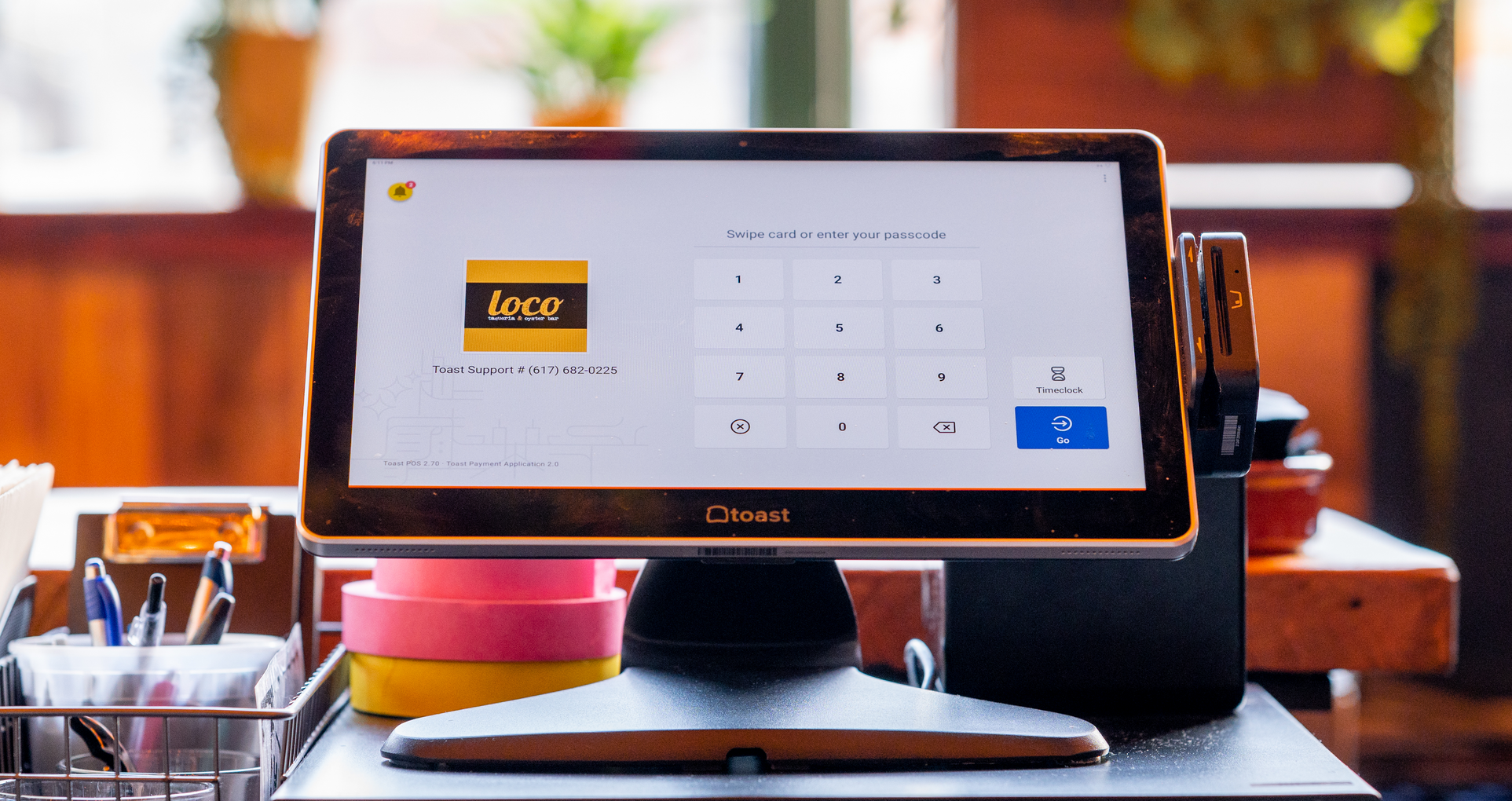
How Much Does a Restaurant POS System Cost in 2026?
POS pricing is easier to navigate when every cost is visible. Learn how much a restaurant POS system costs so you can build a more accurate budget.

작성자
 RESOURCE
 Restaurant POS Comparison Tool
A free, customizable Restaurant POS Comparison Tool to research and compare point of sale systems in one Excel spreadsheet.
무료 다운로드 받기Restaurant POS system costs fall into three main categories: one-time startup expenses, recurring software subscriptions, and payment-processing fees tied to sales. The total depends on the restaurant's hardware, transaction volume, locations, service model, and selected features.
Current Toast pricing starts at $0 per month for an eligible Starter Kit and $69 per month for the standard Point of Sale plan, while larger or more specialized configurations receive custom pricing.
This guide explains how POS pricing works, which expenses belong in the budget, and how to compare the complete cost.
Key takeaways
Restaurant POS costs include upfront setup, recurring subscriptions, and transaction-based processing fees.
Hardware, sales volume, locations, and selected features all affect the final price.
Compare first-year and ongoing costs using the same configuration and transaction assumptions.
Toast POS starts at $0 per month for eligible Starter Kits, $69 per month for Point of Sale, or custom pricing.
A connected platform may provide better value than a lower-priced system that requires several separate tools.
Restaurant Business Plan Template
No matter where you’re at in your restaurant ownership journey, a business plan will be your north star. Organize your vision and ensure that nothing is overlooked with this free template.

How much does a restaurant POS system cost?
A restaurant POS system can include upfront hardware and implementation costs, monthly software and add-on subscriptions, and processing fees on every card transaction. Consequently, the advertised monthly price rarely represents the full expense.
The right configuration also depends on what the system needs to accomplish. A modern restaurant POS system may connect orders, payments, menus, kitchen communication, reporting, and other workflows. A single-terminal cafe and a multi-location full-service group will therefore have different costs. Operators should calculate two totals:
First-year cost: Includes hardware, implementation, subscriptions, processing fees, and initial training.
Ongoing annual cost: Includes software, processing, support, integrations, replacement equipment, and future additions.
How does POS pricing work?
POS providers structure their prices differently. Some sell hardware upfront and charge monthly software fees, while others reduce startup costs through bundled equipment, financing, or a different processing rate.
The type of POS system can also affect pricing. Cloud, on-premise, hybrid, mobile, and kiosk systems have different infrastructure, equipment, maintenance, and support requirements.
Cost category | How it is usually charged | What affects the amount |
POS software | Monthly or annual subscription | Locations, terminals, features, and service model |
Hardware | Upfront purchase, financing, lease, or bundled plan | Terminals, handhelds, displays, printers, and kitchen screens |
Payment processing | Percentage of each payment plus a transaction fee | Card type, payment channel, volume, and pricing agreement |
Installation and setup | One-time fee or included service | Network complexity, data migration, and installation support |
Add-ons and integrations | Monthly, usage-based, or per-location fee | Online ordering, payroll, loyalty, inventory, and third-party tools |
Support and maintenance | Included or recurring fee | Support hours, replacement coverage, and service level |
1. POS software
Cloud POS software is generally billed monthly or annually. Unlike software installed on a local server, it can provide remote access, automatic updates, and real-time syncing across devices and locations. The main factors affecting the subscription price include:
Locations: Multi-location businesses may pay per restaurant or require a group-level plan.
Terminals: Additional devices may carry separate software subscriptions.
Service model: Full-service, quick-service, drive-thru, and mobile concepts require different workflows.
Included features: Reporting, online ordering, loyalty, inventory, and other tools may be included or sold separately.
Management requirements: Advanced reporting, permissions, APIs, and multi-location controls can increase the price.
Operators should confirm which updates and support services the subscription includes. Toast Customer Care, 24/7/365 support, and available software upgrades are included with Toast software subscriptions.
2. POS hardware
Hardware costs depend on how employees take orders, communicate with the kitchen, and accept payments. A restaurant may need:
Countertop terminals: Central stations for order entry, payments, and management.
Handheld devices: Mobile ordering and payment tools for tableside, patio, drive-thru, or line service.
Guest displays: Screens that let customers review orders, pay, and select tips.
Card readers: Devices for swipe, dip, tap, and eligible mobile-wallet payments.
Kitchen display systems: Screens that route and organize orders in the kitchen.
Printers and cash drawers: Equipment for receipts, kitchen tickets, and cash transactions.
Networking equipment: Routers, access points, and connectivity or backup tools.
Before choosing an option, confirm who owns the equipment, what happens at the end of the term, and how replacement devices are handled.
Toast's restaurant hardware lineup includes configurable terminals, handhelds, kiosks, kitchen displays, guest displays, and payment devices. Hardware can also be purchased or financed in different ways. Toast's hardware payment options include:
Pay upfront: Cover hardware, implementation, shipping, and applicable taxes at the beginning.
Toast Easy Pay: Spread qualifying costs across 180 days through a percentage of card sales.
Eligible Starter Kit: Reduce upfront costs for the included hardware configuration.
3. Payment processing
Payment processing is commonly priced as a percentage of each card payment plus a fixed transaction fee. The rate can vary based on:
Payment channel: Card-present payments may cost less than online or manually entered transactions.
Card network: Rates can differ between Visa, Mastercard, Discover, and American Express.
Transaction volume: Higher processing volume may qualify for custom pricing.
Average check: Fixed transaction fees have a greater effect on restaurants with smaller checks.
Pricing agreement: Flat-rate, custom, or other structures distribute costs differently.
These fees can become substantial as sales increase. Axios reported that the Restaurant Association Metropolitan Washington said many members ranked processing fees among their three largest expenses alongside food and labor.
Other card types and transaction channels may carry different rates, and qualifying restaurants may receive custom pricing. Toast Payment Processing connects in-person and online payment activity with the corresponding orders, reporting, and settlement records.
4. Installation, implementation, and training
Implementation determines whether the restaurant can use the new system effectively from opening day. Potential costs include:
Shipping: Delivery of terminals, routers, printers, and other devices.
Network installation: Cabling, internet access, routers, and wireless coverage.
Menu configuration: Items, modifiers, prices, taxes, and availability settings.
Data migration: Employee, customer, gift card, loyalty, and reporting information.
Installation assistance: Self-service, remote, or on-site support.
Employee training: Instruction for order entry, payments, manager controls, and closeout procedures.
The process of switching a restaurant POS system may also require menu testing, account configuration, permissions, digital-ordering setup, and a planned transition date.
Toast Starter Kits include self-service installation support, while other installation or configuration services may add to the cost. Restaurants comparing proposals should ask each provider to specify what installation, migration, opening support, and training include.
5. Add-ons, integrations, and additional locations
Optional products can expand what a POS system does, but they can also increase its monthly, usage-based, or per-location costs. Operators should compare the cost of a connected platform with the separate subscriptions and manual work it may replace. Common integrations include:
Online ordering and delivery
Loyalty and marketing
Payroll and scheduling
Inventory and food-cost management
Advanced reporting
Multi-location management
Third-party integrations
Opening a Restaurant Checklist
So many things go into opening a restaurant. Use this free PDF checklist to set your new restaurant up for success.
How do you calculate the total cost of a restaurant POS system?
A system with a lower opening price can cost more over time if it carries higher processing rates, requires several add-ons, or becomes expensive to expand. The Restaurant POS Comparison Tool provides a consistent framework for comparing hardware, software, implementation, training, support, and features.
Estimate payment volume: Multiply projected annual card sales by the quoted percentage rate.
Count transactions: Apply the fixed fee to the expected number of card transactions.
Price the full hardware setup: Include every terminal, handheld, display, printer, and kitchen device.
List recurring products: Include software, integrations, online ordering, payroll, loyalty, and reporting.
Add implementation costs: Include installation, networking, migration, shipping, and training.
Allow for growth: Estimate the cost of another device, location, or ordering channel.
Check occasional charges: Review replacement equipment, chargebacks, premium support, and contract-related fees.
How much does Toast POS cost in 2026?
Toast POS pricing currently starts at $0 per month for the Starter Kit and $69 per month for the Point of Sale plan, while Build Your Own configurations receive custom pricing. To compare Toast with another provider, evaluate the same hardware, features, transaction assumptions, and contract period.
Toast plan | Published starting price | Best fit | Important cost consideration |
Starter Kit | $0/month | New, single-location restaurants needing one or two terminals | Includes a one-terminal hardware configuration with no upfront hardware cost; transaction fees and terms apply |
Point of Sale | $69/month | Restaurants wanting core POS functionality and a custom hardware setup | Hardware choices, additional devices, and add-ons affect the final cost |
Build Your Own | Custom pricing | Restaurants needing a broader combination of operational, guest, payroll, or management tools | Final pricing depends on the selected products and configuration |
*Published starting prices apply to eligible new customers. Additional devices, products, installation requirements, and processing terms can change the final quote.
Choose a POS system based on total value
Restaurant POS system cost extends beyond the advertised software subscription. The most useful comparison accounts for hardware, software, payment processing, implementation, support, integrations, and the cost of adding new capabilities later.
The Toast Platform brings POS, payments, restaurant hardware, reporting, and optional operational tools together. That gives operators the flexibility to configure the system around their current restaurant and add capabilities as the business grows.
Restaurant Equipment Checklist
Opening or upgrading a restaurant? Don't miss any essential equipment! Download our free, comprehensive restaurant equipment checklist.
FAQ
Do POS systems have a monthly fee?
Most cloud-based POS systems charge a monthly software fee, although some plans start at $0 per month and recover costs through payment processing or other charges.
Can you buy your own POS system?
Restaurants can purchase POS hardware, but cloud software, payment processing, updates, and support generally require an ongoing agreement.
What is the cheapest restaurant POS system?
No restaurant POS is always the cheapest; Toast's eligible Starter Kit begins at $0 per month, but total cost still depends on processing, hardware, and add-ons.
How much does a POS system cost for a small restaurant?
An eligible small restaurant can start with Toast at $0 per month for a Starter Kit or $69 per month for Point of Sale, plus applicable processing and additional costs.
How much does a POS system cost for a large or multi-location restaurant?
Large and multi-location restaurants typically receive custom pricing based on their locations, devices, transaction volume, integrations, and required management tools.
Do I need to pay for POS installation?
Not always, because some plans include self-service setup support, while professional installation, networking, menu configuration, migration, or training may cost extra.
What's the difference between cloud-based and legacy POS costs?
Cloud-based POS systems typically have recurring subscriptions and lower infrastructure needs. Legacy systems often require larger upfront investments in servers, hardware, maintenance, and upgrades.


이 문서가 도움이 되었나요?
면책 조항: 이 정보는 일반 정보 제공 목적으로 작성되었으며 당사의 권고를 의미하는 것은 아닙니다. Toast는 본 콘텐츠에 포함된 정보, 텍스트, 그래픽, 링크 및 기타 항목의 정확성이나 완전성을 보장하지 않습니다. Toast는 본 문서의 조언을 따른다고 해서 특정한 결과를 얻을 수 있음을 보장하지 않습니다. 귀하의 상황에 맞는 조언이 필요한 경우 변호사, 회계사 또는 비즈니스 자문가 등 전문가와 상담하시기 바랍니다.
