
What is a Tablet POS System & How Can it Help Restaurants?
A tablet POS system lets restaurants manage orders, payments, and reporting from a touchscreen device. Learn how tablet POS works, what features matter most, and how to choose the right system for your restaurant.
Autor
 RECURSO
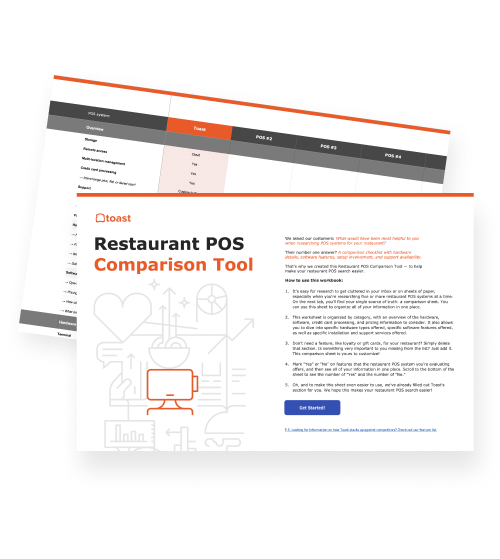
 Herramienta de comparación de puntos de venta (POS)
Una herramienta gratuita de comparación de POS para restaurantes, que permite investigar y comparar sistemas de puntos de venta en una hoja de Excel.
Obtener descarga gratisTablet POS systems give your restaurant a more flexible way to take orders, process payments, and keep service moving. Instead of tying every order or payment to one fixed terminal, tablet-style touchscreen hardware can support service at the counter, tableside, on the patio, or wherever orders happen.
That flexibility works best when your POS connects the rest of the operation behind the scenes. A connected restaurant POS system like Toast helps bring ordering, payments, hardware, reporting, menus, and service workflows into one place, so your team can move through service with less friction.
In this guide, you’ll learn what a tablet POS system is, what it can do, why restaurants use them, and how to choose the right tablet POS system for your service model.
Key takeaways
A tablet POS system helps restaurants take orders, process payments, and manage service from tablet-style touchscreen hardware.
Tablet POS systems can support flexible service across counters, dining rooms, patios, bars, food trucks, kiosks, and handheld devices.
The right tablet POS can connect orders, payments, menus, reporting, inventory, guest data, and kitchen workflows in one system.
Restaurants should look for purpose-built hardware that can handle spills, drops, busy shifts, offline mode, and back-of-house connectivity.
A scalable tablet POS setup can help restaurants add terminals, handhelds, kiosks, Kitchen Display Systems, and other tools as they grow.
Herramienta de comparación de puntos de venta (POS)
Una herramienta gratuita de comparación de POS para restaurantes, que permite investigar y comparar sistemas de puntos de venta en una hoja de Excel.

What is a tablet POS system?
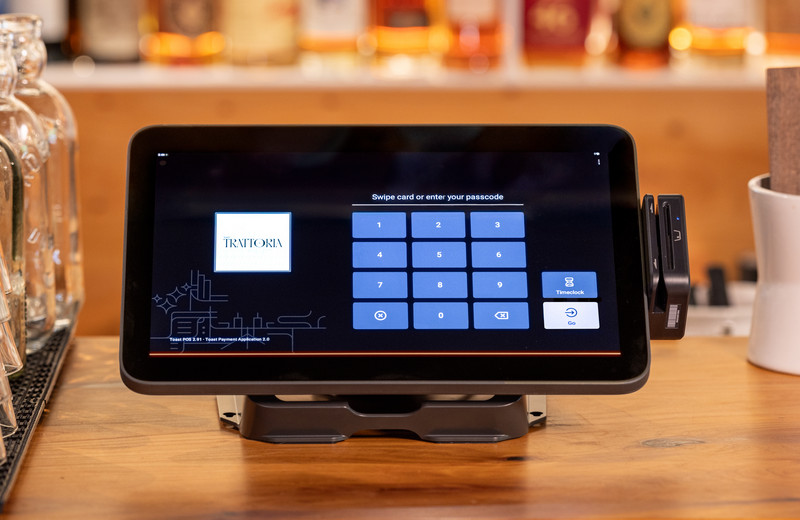
A tablet POS system is a restaurant point-of-sale system that runs on tablet-style touchscreen hardware. It combines POS software with a portable or countertop device your staff can use to manage orders and payments during service.
Tablet POS systems can be used at a counter, table, kiosk, bar, food truck, or other service area, depending on how your restaurant takes orders and serves guests.
What can a tablet POS system do?
A tablet POS system can help your restaurant manage orders, payments, menus, reporting, and service workflows from a touchscreen device. Depending on your setup, it can support both fixed checkout stations and more flexible ordering and payment options.
Take orders: Staff can enter dine-in, takeout, delivery, bar, or catering orders from a touchscreen.
Process payments: Accept card, tap-to-pay, mobile wallet, gift card, and other payment types.
Manage menus: Update menu items, prices, modifiers, availability, and descriptions.
Send orders to the kitchen: Orders can route to kitchen printers, prep stations, or a Kitchen Display System.
Track sales and reporting: Managers can view performance by item, channel, daypart, location, or staff member.
Manage tips, taxes, discounts, and modifiers: Keep payment and order details connected in one system.
Support loyalty and guest profiles: Connect transactions to guest engagement and repeat-visit programs.
Track inventory or item availability: Monitor menu availability, ingredients, stock levels, or 86’d items.
Support digital ordering channels: Connect online ordering, takeout, delivery, kiosks, handhelds, and QR ordering.
Help managers view performance remotely: Cloud-based systems can let operators check results from different devices or locations.
Why use a tablet POS system?
Tablet-based POS systems have become a modern standard. According to Mastercard, consumer-grade tablets began reshaping the POS market in 2012 and have been evolving ever since.
For restaurants, that shift makes it even more important to choose a tablet POS setup that supports real service needs, not just basic checkout.
More flexible checkout: Staff can take orders and payments where guests are, instead of sending every transaction through one fixed terminal.
Smaller hardware footprint: Tablet-style systems can take up less space than bulky legacy POS terminals.
Faster order entry: Touchscreen workflows can help staff move quickly through menu items, modifiers, and payment steps.
Easier menu updates: Restaurants can update items, pricing, modifiers, descriptions, and availability without rebuilding the whole system.
Better mobility: Handheld and tablet-style devices can support tableside, patio, bar, food truck, and event service.
Improved reporting and visibility: Managers can track sales, menu performance, labor, and service trends more easily.
Better operational connection: Orders, payments, inventory, reporting, and guest data can flow through one connected system.
Easier staff training: Modern touchscreen workflows can be more intuitive than older legacy terminals.
Scalable setup: Restaurants can add more devices, locations, kiosks, handhelds, or digital ordering tools as they grow.
How to choose the right tablet POS system
The right tablet POS system should fit the way your restaurant actually runs, from the front counter to the kitchen line. As you compare options, look beyond the screen itself and consider durability, offline reliability, mobility, kitchen connectivity, pricing, and scalability.
Choose restaurant-grade hardware
Restaurant POS devices need to handle busy shifts, spills, drops, heat, and constant use. Toast hardware is built specifically for the rigors of daily operations, from spill-resistant terminals to drop-tested handhelds.
For example, Toast Flex is a durable countertop terminal built exclusively for restaurants, with a restaurant-grade IP54 durability rating and an optional customer-facing display. Meanwhile, systems like Lightspeed often rely on consumer-grade iPads and iPhones that are not specifically designed for the wear and tear of a busy restaurant environment.
Compare purpose-built devices vs. consumer tablets
Consumer tablets can work for simple setups, but restaurants often need hardware built for the intensity of food service. Purpose-built restaurant hardware can better support front-of-house floors, kitchen workflows, high-volume counters, and long service days.
Toast Kiosk, for example, is a self-ordering tablet for quick-service and fast-casual restaurants that lets guests browse, order, and pay on their own terms.
Look for strong offline mode
Internet issues should not bring service to a stop. As one CTO at a mid-market POS integrator told Retail Customer Experience:
“The hidden line item is downtime. A single hour of lane failure during peak hours can wipe out a month of ‘savings’ from consumer hardware.”
Toast’s offline mode activates automatically and can support the entire operation, including Kitchen Display Systems, so the back of house can stay on digital tickets even when Wi-Fi goes down.
By comparison, Square’s offline mode does not extend to its KDS. Toast KDS is a purpose-built Kitchen Display System that receives orders directly from the POS, helping replace paper tickets and keep the line moving.
Evaluate handheld ordering and payment
If your team needs to take orders at the table, patio, bar, or line, look for handheld devices that can send orders directly to specific stations.
Toast Go 3 is a handheld device for tableside ordering and payment. It has a higher IP rating than Square Handheld to resist liquid and dust, is drop rated up to 5 feet, and offers cellular connectivity for added range and Wi-Fi alternatives.
Consider pricing and scalability
A tablet POS system should fit your current budget while giving your restaurant room to grow. Be sure to consider the full cost of software, hardware, payment processing, implementation, support, and any add-on tools you may need later.
Toast offers transparent pricing tiers, from starter plans for single-location restaurants to enterprise plans for multi-unit operators, with hardware bundles available to help reduce upfront costs.
As your restaurant grows, you can add tools like countertop terminals, handhelds, kiosks, Kitchen Display Systems, and connected hardware to support new service models.
Flexible tech, less service stress
A good tablet POS system can help your restaurant move through service with fewer slowdowns, whether orders are coming from the counter, the dining room, a handheld device, or a kiosk. As Kevin Vasconi, chief digital and technology officer at Papa Johns, told PYMNTS:
“I think data is probably our greatest resource next to our people… At the end of the day, the people using the technology in the store need to feel like they got a better system.”
Remember, technology should make daily service feel better for the people using it. With durable hardware, reliable offline mode, connected kitchen workflows, and flexible payment options, your team can spend less time troubleshooting and more time serving guests.
FAQ
What is a tablet POS system?
A tablet POS system is a restaurant point-of-sale system that runs on tablet-style touchscreen hardware. It helps staff take orders, process payments, manage menus, and connect service workflows from a portable or countertop device.
Can I use any tablet for a restaurant POS?
Some POS systems run on consumer tablets, but not every tablet is built for restaurant service. Busy restaurants often need purpose-built hardware that can handle spills, drops, long shifts, kitchen workflows, and constant use.
What’s the difference between a tablet POS and a traditional POS?
A traditional POS is often tied to a fixed terminal, while a tablet POS can support more flexible ordering and payment from counters, tables, bars, patios, kiosks, or food trucks. Tablet POS systems can also connect orders, payments, menus, reporting, and guest data in one system.
Do tablet POS systems work without internet?
Some tablet POS systems, like Toast, offer offline mode, but capabilities vary by provider. Look for a system that can keep orders, payments, and kitchen workflows moving during internet disruptions.
How much does a tablet POS system cost for a restaurant?
Tablet POS costs depend on software, hardware, payment processing, installation, support, and add-on tools. Restaurants should compare both upfront hardware costs and ongoing monthly fees.
Is a tablet POS system secure?
Yes, a tablet POS system can be secure when it uses trusted payment processing, user permissions, secure logins, and compliance-focused payment technology. Choose a provider that supports secure transactions and protects business and guest data.


¿Es útil este artículo?
AVISO LEGAL: Esta información se proporciona solo con fines informativos generales y su publicación no constituye un aval. Toast no garantiza la precisión ni la integridad de la información, el texto, los gráficos, los enlaces y otros elementos que incluye este contenido. Toast no garantiza que alcanzarás ningún resultado específico si sigues los consejos que aparecen aquí. Te recomendamos consultar con un profesional, como un abogado, contador o asesor comercial, para recibir asesoramiento específico para tu situación.
 Tendencias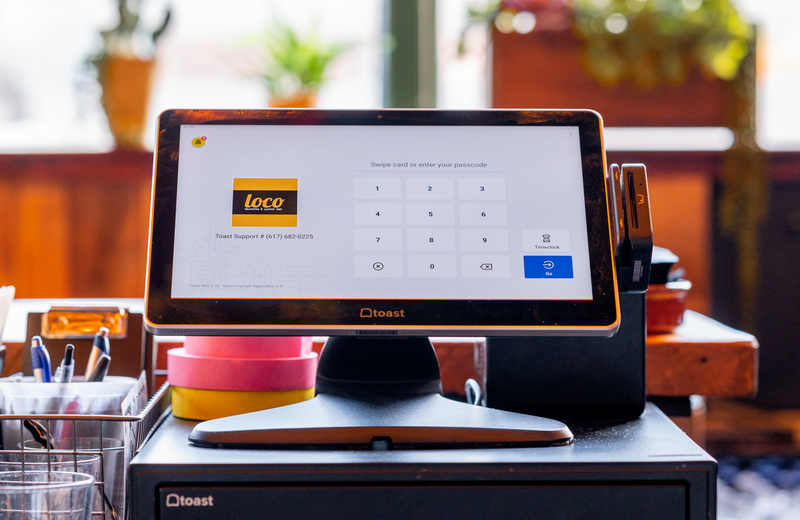

Subscribe to On the line
Sign up to get industry intel, advice, tools, and honest takes from real people tackling their restaurants' greatest challenges.
Al enviar, aceptas recibir correos electrónicos de marketing de Toast. Trataremos tu información de acuerdo con nuestra declaración de privacidad. Información adicional disponible para residentes de California aquí.