
How to Switch Your Restaurant's POS System with No Downtime
It's time to make the switch, and it's not as difficult as you think. Here's how to make a restaurant POS switch and when to do it.

Autor
 RECURSO
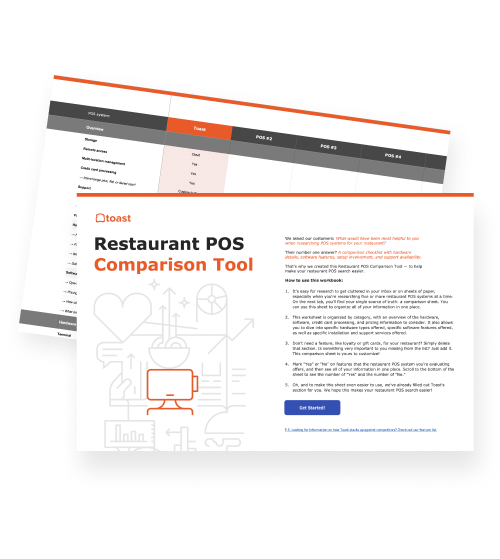
 Herramienta de comparación de puntos de venta (POS)
Una herramienta gratuita de comparación de POS para restaurantes, que permite investigar y comparar sistemas de puntos de venta en una hoja de Excel.
Obtener descarga gratisIf your POS system is slowing down service, creating manual work, or making it harder to understand your business, it may be time to switch. A POS that once felt “good enough” can start holding your restaurant back as your team, ordering channels, and operational needs grow.
Changing POS systems can feel like a big project, but the right platform can make the move smoother and help your restaurant operate with less friction. For example, restaurants switching to Toast can access a cloud-based platform that connects POS, payroll, delivery, reporting, and more, with onboarding support, restaurant-built hardware, offline mode, and 24/7 support.
Many operators are already prioritizing POS upgrades. Nation’s Restaurant News reported that a 2026 survey of nearly 500 foodservice operators found POS systems were prioritized for investment by 53% of operators, up from 40% the previous year.
Meanwhile, Hospitality Technology reported that 44% of restaurant operators plan to replace or significantly upgrade their POS in 2026.
In this guide, you’ll learn how to switch POS systems, what to plan before making the move, and how to choose a platform that can support your restaurant now and as it grows.
Key takeaways
Start by identifying the operational problems your current POS is creating before evaluating new systems.
Look for a POS platform that connects ordering, payments, reporting, and other restaurant tools in one place.
Prioritize reliability, onboarding support, and hardware alongside software features when comparing providers.
Plan ahead for menu migration, staff training, and go-live timing to help minimize disruptions during the switch.
Measure performance after launch to confirm your new POS is improving efficiency, visibility, and day-to-day operations.
Plantilla de manual de operaciones para restaurantes
Usa esta plantilla gratuita para describir fácilmente todos tus procedimientos operativos y lograr que las operaciones diarias sean tan uniformes como sea posible.

1. Identify what your current POS is holding back
A new POS should solve real operational problems, not just replace one screen with another. Start by looking at where your current system creates friction. Common goals for switching POS systems include:
Faster order entry
More reliable payments
Easier menu management
Better reporting
Less manual work
Stronger support
Better tools for future growth
The more specific you are, the easier it becomes to choose the right system. For example, a restaurant-focused POS system like Toast can help connect daily service, payments, menus, and reporting in one platform, giving you a clearer view of what’s happening across your business.
2. Look for a platform that connects more of your restaurant
A POS system should help connect the tools your restaurant uses every day so your team doesn’t have to jump between systems or re-enter the same information in multiple places. As you compare POS systems, look for a platform that can connect:
POS and payments
Online ordering
Delivery
Reporting
Payroll
Inventory
Guest engagement
A more connected system can help reduce manual work and give your team better visibility across the restaurant. For example, Toast Online Ordering can help your restaurant accept digital orders while keeping those orders connected to restaurant workflows.
3. Make sure your next POS gives you room to grow
Your next POS should fit your restaurant today while giving you room to add new tools, ordering channels, service models, or locations later. Before making the switch, ask questions like:
Can this system support multiple locations?
Can you add new ordering channels over time?
Can it support handhelds, kiosks, or kitchen screens later?
Can managers access sales data and update menus from anywhere?
Can the platform support back-office needs as the business grows?
For example, Toast gives operators access to restaurant data and menu management tools remotely, helping teams stay connected whether they are on-site, at home, or managing multiple locations.
4. Prioritize reliability before making the switch
Your POS needs to keep up during busy shifts, payment rushes, network disruptions, and everyday service. As you compare systems, evaluate:
Offline mode
Payment reliability
Hardware durability
Cloud access
Support availability
System performance during peak service
The goal is to choose a system that helps your team keep moving, even when something goes wrong. Toast Offline Mode, for example, helps restaurants continue taking orders and payments if WiFi drops, so a network issue doesn’t have to bring service to a stop.
5. Review your hardware needs
Older hardware may be slowing your team down, and generic devices may not be built for the pace, spills, heat, and daily wear of restaurant service. As you plan the switch, review hardware like:
The right hardware should support how your team actually works during service. Toast hardware, for example, is designed specifically for restaurant environments, helping you support ordering, payments, and kitchen workflows with tools built for daily use.
6. Plan your menu and data migration
Data migration is one of the most important parts of switching POS systems. Before launch, your new provider may need to help configure your menus, modifiers, pricing, taxes, employee permissions, and digital ordering settings. Your migration checklist may include:
Menu items
Modifiers
Pricing
Taxes
Employee roles
Permissions
Customer data
Gift cards
Loyalty information
Online ordering menus
Getting this information organized early can help make the switch smoother. Toast onboarding support can help your restaurant with tasks like account configuration, menu migration, and digital ordering setup.
7. Build a staff training plan
Even the best POS system needs a clear training plan. Staff should feel comfortable before the new system goes live, especially with common workflows like order entry, payments, split checks, discounts, comps, and end-of-day tasks. Your training plan should cover:
Front-of-house order entry
Payments
Split checks
Discounts and comps
Manager functions
Online orders
End-of-day reporting
Basic troubleshooting
Training can also help reduce stress during the switch. Toast offers options like on-site installation, configuration, and staff training support.
Plantilla del manual de capacitación
Usa esta plantilla de manual de capacitación para restaurantes, un documento de Word personalizable, para proporcionar a tu personal las reglas, pautas y claridad que necesitan para hacer su trabajo con eficiencia.
8. Choose the right time to go live
A POS launch should be planned around your restaurant’s real schedule. Avoid switching systems during your busiest season, a major event week, or a high-volume service period when your team has less room to adjust. Before launch, make sure to:
Test menus and modifiers
Confirm payment settings
Train managers and staff
Check printers and kitchen routing
Review backup procedures
Keep support contacts ready
Toast offers 24/7 support, which can be especially useful for restaurants that need help during nights, weekends, and other real service hours.
9. Think beyond the POS terminal
The right restaurant platform can help improve the tools around your POS, including payroll, reporting, inventory, delivery, and guest engagement. As you compare systems, think about how each platform can support areas like:
Payroll processing
Labor management
Inventory visibility
Food and beverage costing
Sales reporting
Delivery workflows
Guest marketing or loyalty
These tools can have a real impact on daily operations. For example, the median payroll processing time for Toast Payroll Suite customers is 15 minutes or less, helping restaurants spend less time on back-office work and more time running the business.
10. Measure the impact after switching
After the switch, review whether your new POS system is helping your restaurant operate more efficiently. Metrics to track may include:
Order speed
Payment speed
Online ordering volume
Delivery performance
Payroll processing time
Sales reporting accuracy
Labor costs
Inventory visibility
Staff feedback
Guest experience
The right reporting tools can help you spot what is working and where there is still room to improve. Toast reporting and costing tools, including xtraCHEF by Toast, can help operators analyze performance, track costs, and find opportunities to optimize margins after switching.
Make a switch (without switching off)
Switching to a new POS platform should help your team solve today’s challenges while giving your business room to grow. But the goal is not to add technology for its own sake. As Mike Perry, founder of Tavern, told Business Insider:
“If you’re going all tech and no human, you’re just losing brand touch points.”
That’s why the best restaurant technology should support hospitality, not replace it. Tools like Toast IQ, Toast’s AI-powered assistant, can help operators uncover insights faster, answer business questions, and make more informed decisions, while keeping managers and staff focused on running a better restaurant.
By choosing a POS system that connects more of your restaurant and keeps improving with your business, you can build a stronger foundation for whatever comes next.
Herramienta de comparación de puntos de venta (POS)
Una herramienta gratuita de comparación de POS para restaurantes, que permite investigar y comparar sistemas de puntos de venta en una hoja de Excel.
FAQs
Can I switch POS systems without closing my restaurant?
Yes. Most restaurants switch POS systems while continuing normal operations. Careful planning, staff training, menu testing, and choosing the right transition date can help minimize disruptions.
How long does it take to switch a restaurant POS system?
The timeline depends on factors like menu complexity, hardware installation, data migration, and staff training. Some restaurants can switch in a matter of days, while larger or multi-location operations may require several weeks of planning and setup.
What should I look for in a new restaurant POS system?
Look for a POS system that fits your current needs while supporting future growth. Key considerations include reliability, payment processing, reporting, online ordering, integrations, hardware options, and support availability.
Do I need to retrain my entire staff when switching POS systems?
In most cases, yes. Even if the new system is intuitive, staff should be trained on common workflows like order entry, payments, discounts, split checks, and end-of-day procedures. Proper training can help your team feel more confident and reduce issues during launch.
¿Es útil este artículo?
AVISO LEGAL: Esta información se proporciona solo con fines informativos generales y su publicación no constituye un aval. Toast no garantiza la precisión ni la integridad de la información, el texto, los gráficos, los enlaces y otros elementos que incluye este contenido. Toast no garantiza que alcanzarás ningún resultado específico si sigues los consejos que aparecen aquí. Te recomendamos consultar con un profesional, como un abogado, contador o asesor comercial, para recibir asesoramiento específico para tu situación.
 Tendencias



Subscribe to On the line
Sign up to get industry intel, advice, tools, and honest takes from real people tackling their restaurants' greatest challenges.
Al enviar, aceptas recibir correos electrónicos de marketing de Toast. Trataremos tu información de acuerdo con nuestra declaración de privacidad. Información adicional disponible para residentes de California aquí.