7 Ways the Best Restaurant POS Systems Solve Real Problems
Your point-of-sale system should solve real challenges during service. Learn how the best restaurant POS systems improve daily operations.
作者
 资源
资源 The best restaurant POS systems aren’t defined by a single feature. What really matters is how well they perform during service. From speeding up order entry to keeping your team in sync, choosing the right setup can help solve the challenges you face every day. As Benjamin Bond of management consulting firm Kearney explains:
“Today’s POS systems have expanded beyond their traditional roles. They’re not just about ringing up transactions; they’re integral in informing actionable insights.”
In this guide, you’ll learn how the best POS systems solve common restaurant problems and how those solutions improve your day-to-day operations.
Key takeaways
The best restaurant POS systems are defined by how well they perform during real service, not just their features.
A strong POS system helps your team move faster, reduce errors, and stay in sync during busy shifts.
Managing orders across in-store, online, and delivery channels in one system reduces complexity and mistakes.
Real-time data, inventory tracking, and forecasting help you make faster, smarter operational decisions.
Choosing a POS system that fits your workflow makes it easier to scale and run your restaurant efficiently.
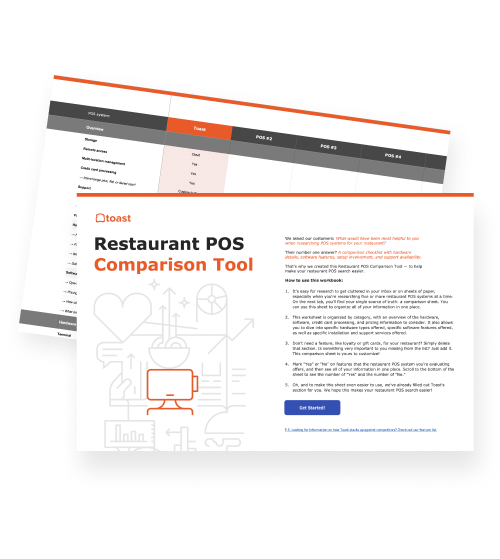
餐厅 POS 机系统比较工具
这是一个免费、可定制的餐厅 POS 机系统比较工具,可用于在 Excel 电子表格中研究和比较 POS 机系统。

1. Speed up order entry during peak hours
During a lunch or dinner rush, every second counts. When orders start stacking up, your POS system needs to keep pace so your team can move quickly without falling behind.
The best POS systems streamline order entry with intuitive menus and workflows. In fact, they can save around 10 seconds per order, which adds up quickly during peak service and helps reduce wait times for guests.
Fast, intuitive interfaces: Simple layouts make it easy for staff to enter orders without slowing down or second-guessing.
Minimal taps: Streamlined workflows reduce the number of steps needed to ring in an order.
Quick modifiers: Common customizations can be added in seconds without interrupting the flow of service.
2. Reduce order errors and miscommunication
Order mistakes slow down service, frustrate guests, and create unnecessary waste. The best POS systems minimize these issues by making sure every order is clear and accurately communicated.
Clear ticketing: Orders are displayed in a structured, easy-to-read format for the kitchen.
Direct kitchen routing: Orders are sent instantly to the kitchen display system or printer without delays.
No reliance on memory: Staff don’t need to remember or rewrite orders, reducing the chance of missed items or incorrect modifiers.
3. Keep front- and back-of-house in sync
Delays and miscommunication between front and back of house can quickly disrupt service. The best POS systems keep everyone aligned by making sure orders flow clearly and timing stays consistent.
Real-time order flow: Orders move instantly from the front of house to the kitchen without lag or confusion.
KDS integration: Orders appear directly on kitchen display systems, reducing reliance on paper tickets.
Status tracking: Staff can see when items are in progress, ready, or delayed, helping coordinate service.
4. Manage multiple ordering channels in one place
Managing separate systems for in-store, online, and delivery orders can slow down operations and lead to mistakes. The best POS systems bring everything into one place so your team isn’t juggling multiple workflows.
Unified order management: In-store, online, and delivery orders flow into a single system.
No double entry: Orders don’t need to be manually re-entered from different platforms.
Cleaner workflows: Staff can manage all incoming orders in one queue, reducing confusion and bottlenecks.
5. Provide real-time visibility into performance
Many businesses struggle with fragmented data—more than half of small and mid-sized business leaders report inconsistencies across their tools, making it harder to get a clear picture of performance.
Without clear data, it’s difficult to know what’s driving sales and where you need to adjust. The best POS systems don’t just show you what’s happening—they help you act on it.
Live sales data: See how your restaurant is performing throughout the day, not just after service.
Item-level insights: Track which menu items are selling and which aren’t.
Inventory tracking: Automatically update stock levels as items are sold to avoid surprises.
Demand forecasting: Identify trends and predict busy periods so you can plan ahead.
Faster decision-making: Adjust staffing, inventory, or promotions based on real-time data.
6. Simplify staff workflows and training
Training new staff and maintaining consistency can be challenging, especially in high-turnover environments. The best POS systems make it easy for your team to learn quickly and operate confidently.
Intuitive interfaces: Clear, easy-to-use layouts reduce confusion during busy shifts.
Faster onboarding: New hires can learn the system quickly with minimal training.
Fewer mistakes: Simplified workflows help staff enter orders correctly the first time.
餐厅运营手册模板
使用这份免费模板,您可以轻松列出所有运营程序,并确保日常运营尽可能一致。
7. Support scaling and expansion
As your restaurant grows, your POS system needs to grow with it. The best systems are built to support expansion without forcing you to rebuild your operations from scratch.
Add locations easily: Expand to new locations while keeping systems connected and consistent.
Flexible setup: Add devices, terminals, or features as your needs evolve.
Consistency across locations: Maintain the same menus, pricing, and workflows as you scale.
One POS system, endless solutions
The best restaurant POS systems stand out by how well they handle the realities of day-to-day service. When a new restaurant’s POS system is built around how it actually operates, it becomes an integral part of how you run your business.
Check out how Toast stacks up against its competitors here.
FAQ
What is the most important feature in a restaurant POS system?
There isn’t a single most important feature—the best POS system is one that fits your workflow and performs reliably during service, especially when handling orders, payments, and communication.
How much does a good restaurant POS system cost?
Costs vary depending on hardware, software, and payment processing, but most systems involve a mix of upfront equipment costs and ongoing monthly fees. Some providers, like Toast, offer Starter Kits with no upfront cost for hardware.
Do I need a restaurant-specific POS, or will a generic system work?
Restaurant-specific POS systems are built for workflows like modifiers, table management, and kitchen coordination, making them a better fit than generic systems for most restaurants.
What should I ask during a POS demo?
Ask how the system handles your service style, how easy it is for staff to use, what integrations are included, and how it performs during peak service.
How long does it take to switch POS systems?
Switching POS systems can take anywhere from a few days to a few weeks, depending on setup, data migration, and staff training.
阅读更多内容

这篇文章有帮助吗?
免责声明:此信息仅作为一般性参考,发布并不构成认可。Toast 不保证本内容中包含的任何信息、文本、图形、链接或其他项目的准确性或完整性。Toast 不保证如果您遵循本文的任何建议,就能取得任何特定结果。您可能需要咨询专业人士,如律师、会计师或商业顾问,以获取针对您情况的具体建议。
 趋势
趋势