Best Self-Ordering Kiosk for Restaurants in Canada
Learn how to choose the best self-ordering kiosk for your Canadian restaurant, from integrations and guest experience to ROI and real-world operations.
Author
Learn how to choose the best self-ordering kiosk for your restaurant, from integrations and guest experience to ROI and real-world operations.
The right kiosks can help you move orders through the line more predictably, reduce ordering errors, and give guests a faster, more confident way to order on their own terms. The wrong setup? It just adds friction, frustrates your staff, and creates yet another system to manage.
This article walks you through how to evaluate self-ordering kiosks in Canada, what actually makes one "best" in practice, and where Toast fits into that picture.
Why "Best" Depends on Your Restaurant
There's no single kiosk that's best for every restaurant. A high-volume quick-service location in downtown Toronto will have very different needs from a suburban fast-casual concept or a food hall stall balancing speed with visual appeal.
For owners and operators, the real question isn't whether a kiosk has a long feature list, but whether it meaningfully supports day-to-day operations. Does it reduce bottlenecks at lunch rush? Does it help new staff get through service without constant intervention? Does it give you clearer data on what guests are actually ordering?
Many Canadian operators are under pressure to do more with leaner teams. According to Toast research, 51% of restaurant operators name staffing as a top challenge to success, and turnover in the restaurant industry has reached 75%. In that environment, kiosks are often evaluated as a way to protect throughput and consistency rather than as a replacement for hospitality.
What a Self-Ordering Kiosk Actually Does in a Modern Setup
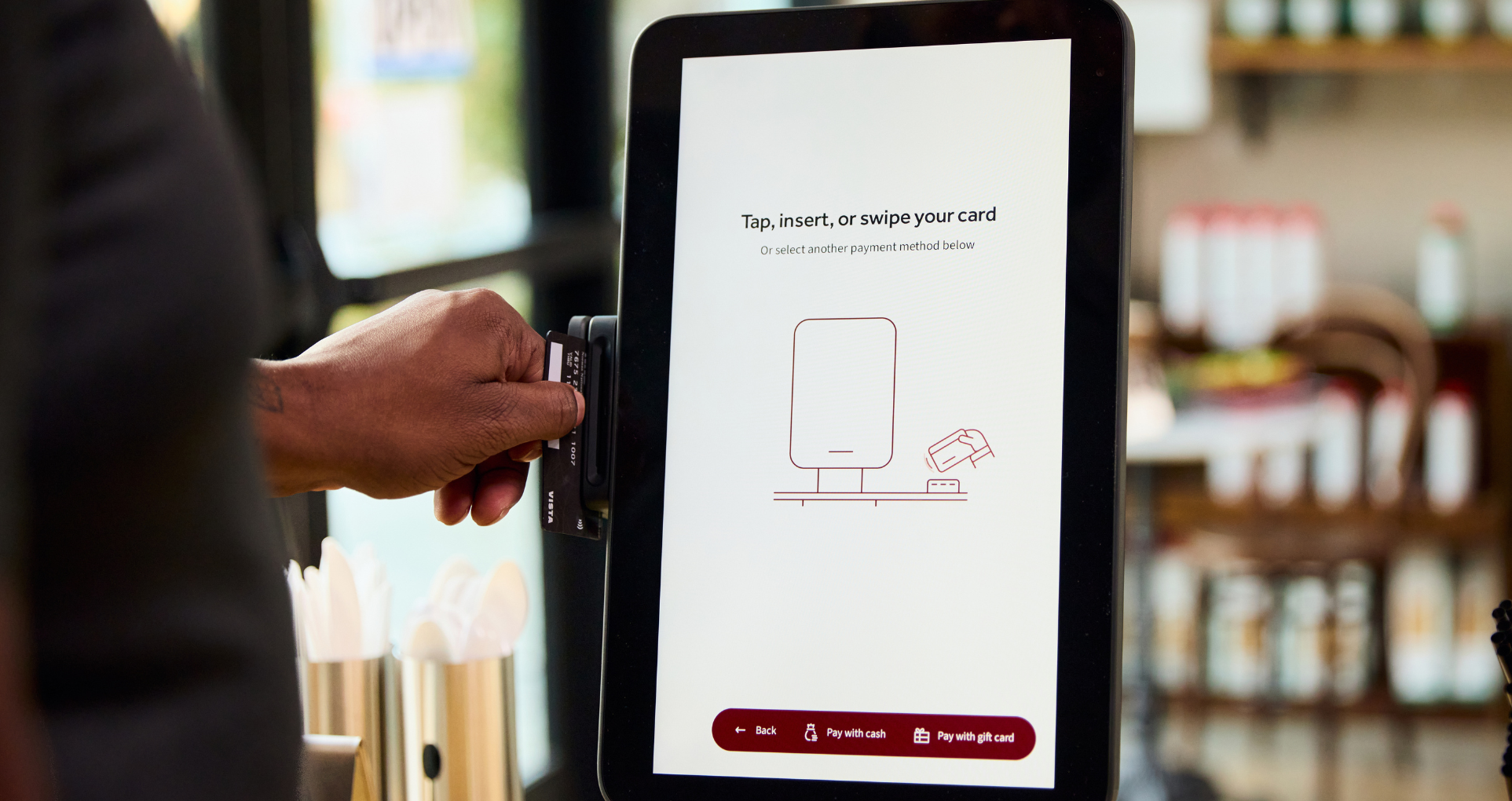
At its simplest, a self-ordering kiosk is a touchscreen device that lets guests browse your menu, customise items, and pay without lining up at the counter. In a modern restaurant environment, however, the kiosk is only one part of a larger system.
The most effective kiosks don’t work in isolation. They’re fully connected to your POS, your kitchen screens, and your payments, so everything runs as one system. When a guest customises an order at the kiosk, it should land in the kitchen exactly the same way as an order taken at the counter or on a handheld, routed to the right station without anyone needing to intervene. At the end of the day, those orders and payments should already be sitting in your reports, with no manual reconciliation or jumping between systems required.
This distinction matters because a kiosk that operates as a standalone tool often creates more work behind the scenes. An integrated kiosk, by contrast, behaves like another ordering channel inside the same operational ecosystem.
The Outcomes Operators Usually Want from Kiosks
One of the biggest reasons restaurants consider kiosks is to ease congestion during peak times. By giving guests the option to order on their own, you can help spread ordering volume more evenly and reduce long, visible queues that frustrate both guests and staff.
Another practical benefit many operators see is improved order accuracy. When guests enter their own preferences and modifiers, there’s less chance of miscommunication between the front of house and the kitchen, which can lead to smoother service and fewer remakes.
Kiosks can also take some of the pressure off when it comes to upselling. Rather than relying on a busy server to remember every add-on during a rush, a well-designed kiosk can gently surface extras and upgrades at the right moment.
Academic research into kiosk use in quick-service restaurants shows that factors like trust in the technology, perceived ease of use, and perceived value are closely tied to whether customers choose to use kiosks. In other words, the more intuitive and reliable the kiosk feels, the more likely guests are to embrace it — and that ultimately supports your goals of speed, accuracy, and revenue.
8 Kiosk Evaluation Criteria
1. Integration with Your POS and Kitchen Systems
The first thing to check is whether the kiosk truly works as part of your POS and kitchen system.
Real integration goes beyond simple syncing. It means your menu, prices, modifiers, taxes, and order routing all work the same way, whether the order comes from a kiosk, the counter, a handheld, or online.
2. Menu Control and Real-Time Updates
Menus are rarely static, especially when ingredient costs are moving around. A kiosk should update in real time, whether you’re 86’ing an item during service, tweaking prices, or launching a limited-time special. When menus stay consistent across all your displays, it helps avoid those awkward moments at the counter when something doesn’t match what’s on screen.
3. Payment Experience That Matches Canadian Expectations
In Canada, contactless cards and mobile wallets are widely used, and anything that slows payment at the kiosk can quickly undermine its benefits.
A kiosk that supports common payment methods and keeps the flow short and intuitive is more likely to be embraced by guests and staff alike. Also, from an operational standpoint, integrated payments also simplify reconciliation and reporting.
4. Guest-Facing UX That Builds Confidence
A kiosk should feel welcoming, not intimidating. Clear navigation, readable text, strong contrast, and helpful visuals all contribute to guest confidence.
Research shows that photos and icons play an important role in how guests evaluate menus and make choices. On a kiosk, these elements can reduce hesitation and help guests order more quickly, especially first-time visitors.
5. Reliability During Peak Service
The real test of a kiosk isn't how it performs during a quiet afternoon, but how it behaves on a Saturday night. Hardware durability, network resilience, and responsive support all matter. For general managers, reliability is about peace of mind.
6. Reporting That Informs Real Decisions
A kiosk shouldn't just take orders; it should generate useful data. Owners and operators often want to see how kiosk orders compare to counter orders, which items are most frequently customised, and how ordering patterns change by time of day.
7. Consistency Across Locations
For multi-location operators, kiosks can help enforce consistency. Centralised menu updates, pricing changes, and branding ensure that guests have a similar experience across locations, while still allowing for local flexibility where needed.
8. Total Cost of Ownership
Finally, the "best" kiosk is one whose costs make sense over time. This includes hardware, installation, software, support, and the operational time saved or lost. Evaluating kiosks through this lens helps avoid surprises after the initial rollout.
Thinking Realistically About ROI in Today's Market
In a market where inflation affects nearly every line item, kiosks are often evaluated as part of a broader strategy to protect margins and throughput. Restaurants Canada, the national not-for-profit trade association representing the foodservice industry, provides valuable research and advocacy support to help operators navigate these challenges.
According to Toast industry insights, 68% of restaurant professionals review sales reports regularly, but only 32% regularly review menu reports, suggesting there's room for better data-driven decision-making.
As with most restaurant technology, return on investment comes down to execution. Where the kiosk sits, how the menu is designed, how well staff are trained, and whether the kitchen is set up to handle the flow all play a role in whether it delivers real value. When those pieces are aligned, kiosks can help stabilise operations in an otherwise unpredictable market.
Real-world success stories from Canadian operators demonstrate this potential. For example, Box’d lets guests order through an in-store kiosk, a mobile app or online, and pick up their freshly prepared meals from digital cubbies in about 10 minutes.
Where Toast Fits for Restaurants Considering Kiosks
Toast Kiosk is built to work as part of a single, restaurant-first platform rather than a bolt-on tool. Orders placed at the kiosk flow straight into Toast POS and the kitchen display system, following the same routing rules and appearing in the same reports as every other order.
For operators, that means one less system to think about. Menus, pricing, payments, and data all live in the same place, which can make training easier and reduce friction during service.
Toast Kiosk also supports customisable layouts and integrated payments, so you can shape the experience around your brand and your guests, rather than forcing your operation to adapt to the technology.
Final Takeaways
The best self-ordering kiosk is defined by how well it fits into your day-to-day operations, how it supports your team during busy shifts, and how comfortable it feels for your guests.
For Canadian restaurant owners and operators, that usually means prioritising integration, clarity, and reliability. When kiosks are implemented as part of a connected system and aligned with real service needs, they can be a practical, steadying tool in a challenging operating environment.
Is this article helpful?
DISCLAIMER: This information is provided for general informational purposes only, and publication does not constitute an endorsement. Toast does not warrant the accuracy or completeness of any information, text, graphics, links, or other items contained within this content. Toast does not guarantee you will achieve any specific results if you follow any advice herein. It may be advisable for you to consult with a professional such as a lawyer, accountant, or business advisor for advice specific to your situation.

Subscribe to On the line
Sign up to get industry intel, advice, tools, and honest takes from real people tackling their restaurants' greatest challenges.
By submitting, you agree to receive marketing emails from Toast. We’ll handle your info according to our privacy statement. Additional information for California residents available here.